v1.0 | 45
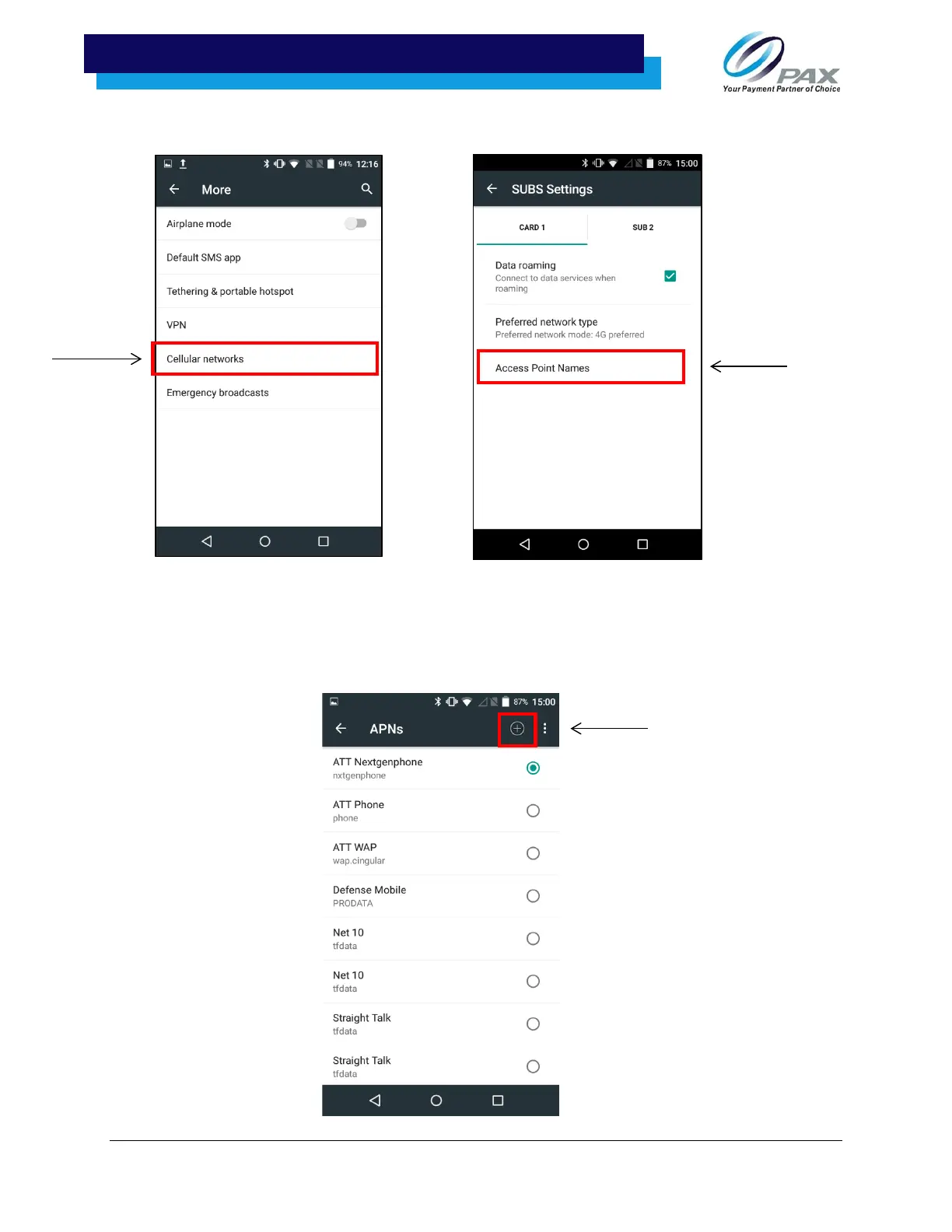
5. After selecting “More,” select the option for “Cellular networks.”
6. Next, if the device is not automatically detecting the network, select the + sign in the top right-
hand side of the APNs menu to add a new network and then continue to follow steps 7-11. If
the device is automatically detecting the network, select the network to connect.



 To Next Page
 Loading...













