v1.0 | 46
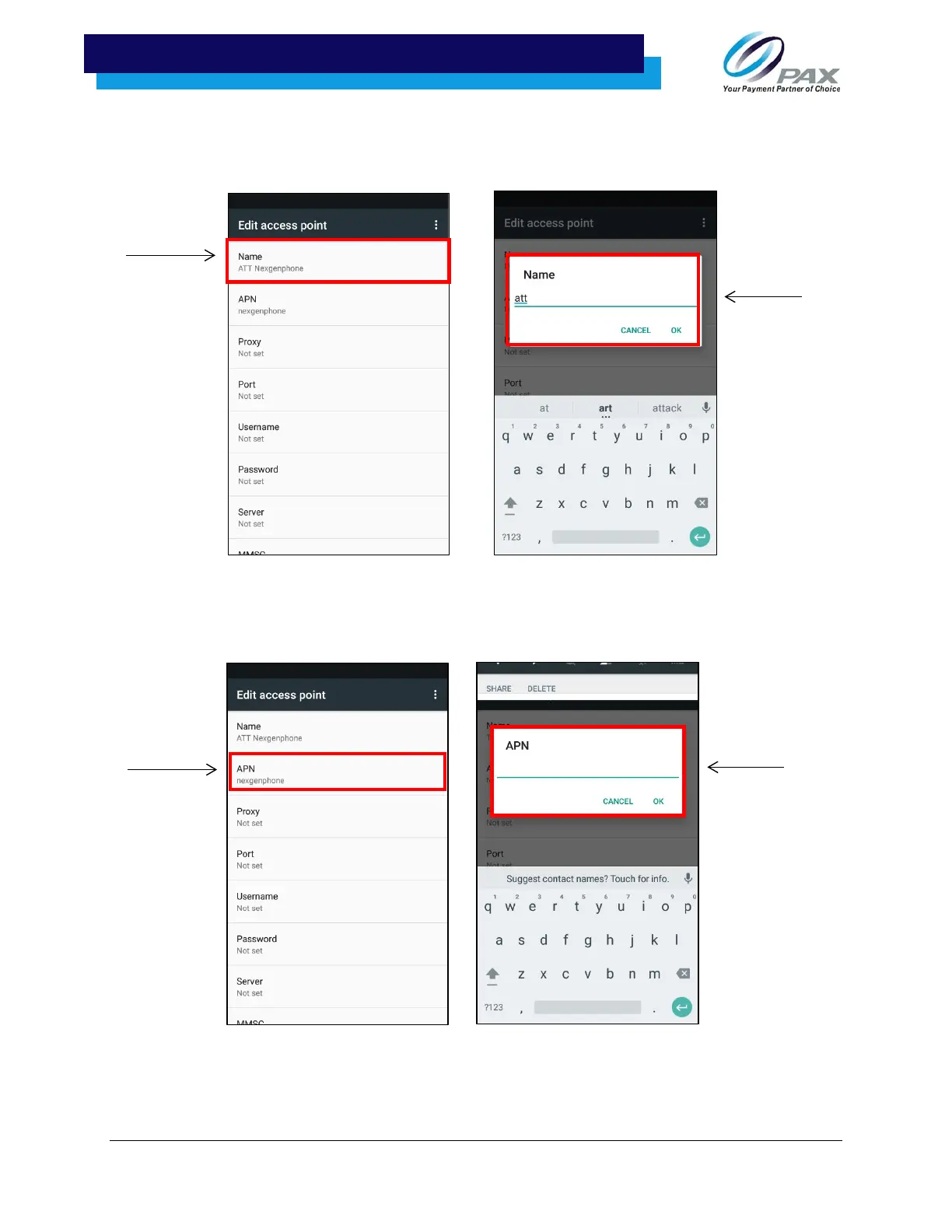
7. After selecting the “Add access point” symbol, the “Edit access point” screen will pop up. Select
“Name” to edit the new access point’s name, then type the desired name in the blank name field
that pops up and select “OK.”
8. After selecting “OK” and returning to the “Edit access point” menu, select “APN” and enter the
network’s APN.



 To Next Page
 Loading...













