15
support@pax.us
(877) 859-0099
www.pax.us
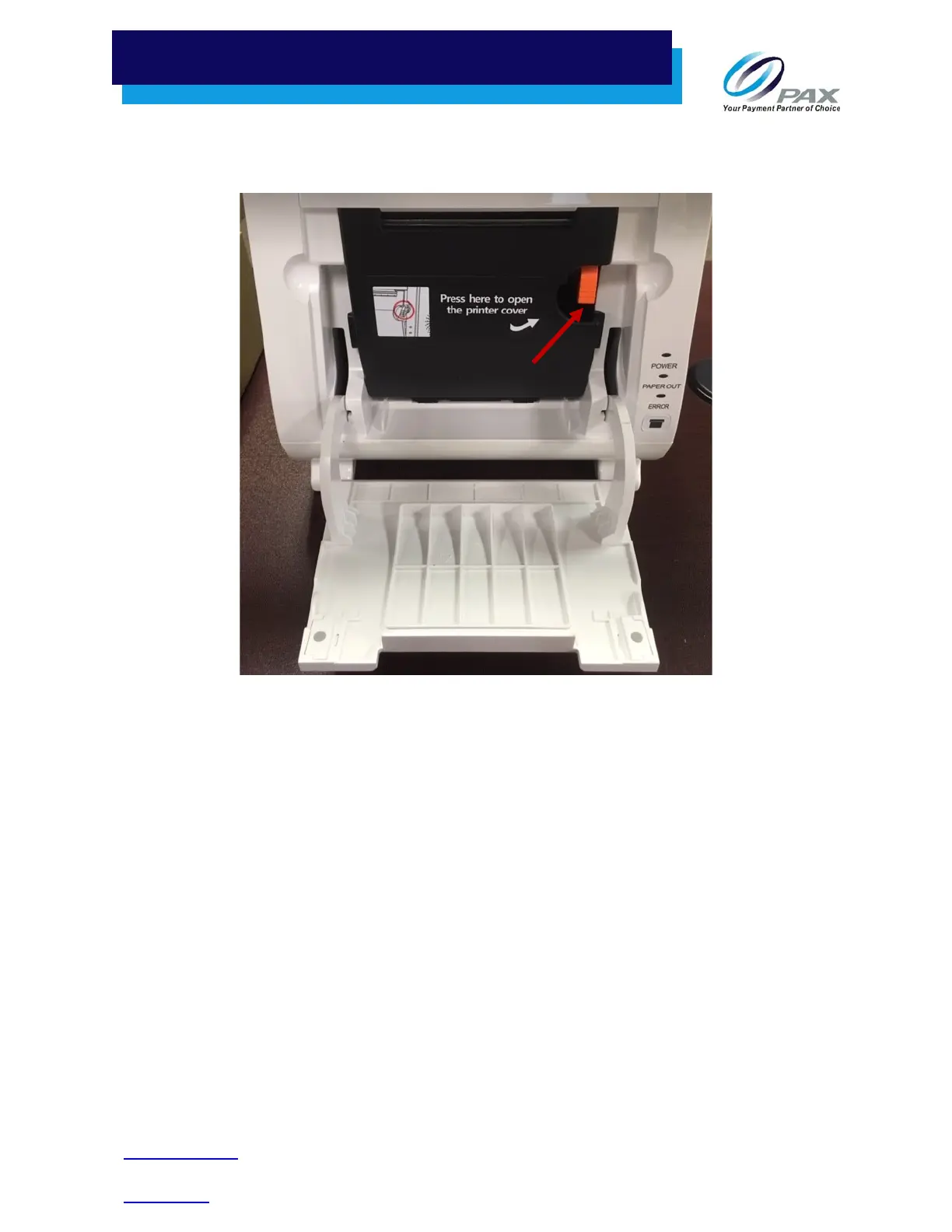
2. Open the built-in printer cover by pressing on the orange spring key. A label affixed to the built-
in printer cover shows where the spring key is located.
Spring Key
3. Lower the built-in printer cover.
4. Insert the paper roll with the end facing up and extending out of the E800. (At the back of the
opening, where the paper rests, there is an image showing the proper way to insert the paper.)
5. Ensuring that your fingers are away from the opening, firmly press and close the built-in printer
cover.
6. Close the external paper cover.
7.3 Tear Paper
When connected to power, the E800 automatically cuts excess paper when the paper holder is closed.
However, if the E800 is running on battery power, you can tear the paper by hand.
1. Tilt the paper toward the bottom of the terminal at about a 45-degree angle.
2. Pull the paper from the left or right across the tear off bar inside the terminal.



 To Next Page