24
support@pax.us
(877) 859-0099
www.pax.us
12 Router
The E800 includes a built-in router. A router connects a modem to other devices to allow
communication between those devices and the internet. The router provides a local IP address to each
connected device, but all of the devices will have the same external IP address.
12.1 Configuring the Router
To configure the router:
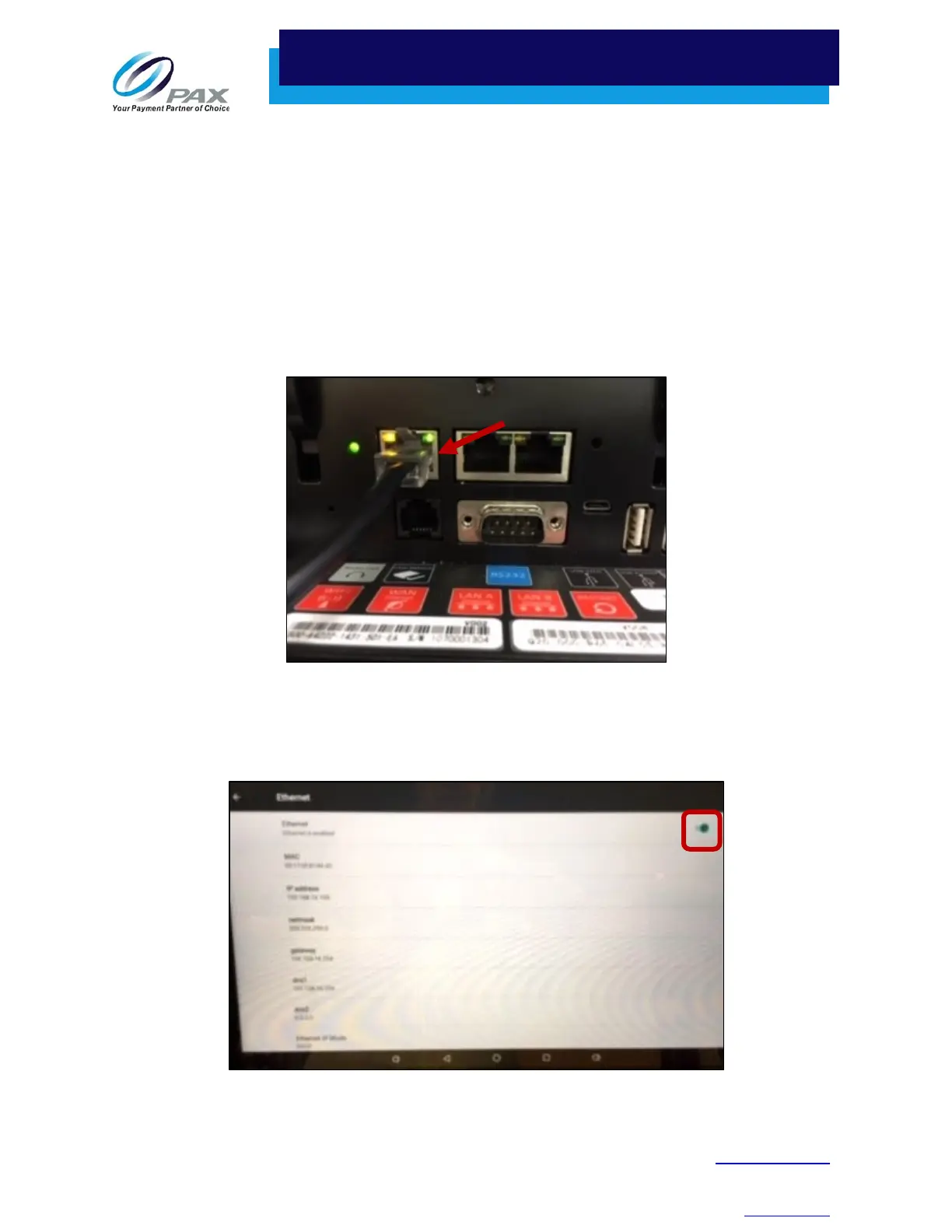
1. Before you activate your router, you need to connect the E800 to the Ethernet. Connect an
active Ethernet cable to the E800 WAN port.
WAN Port
2. Select Settings > Wireless & networks > More > Ethernet.
3. Enable Ethernet in the upper right corner of the screen.
Enable Ethernet
WAN Port



 To Next Page