21
support@pax.us
(877) 859-0099
www.pax.us
10 Install SIM or Micro SD Card
Power off the E800 and remove all power before you
install a SIM or Micro SD card.
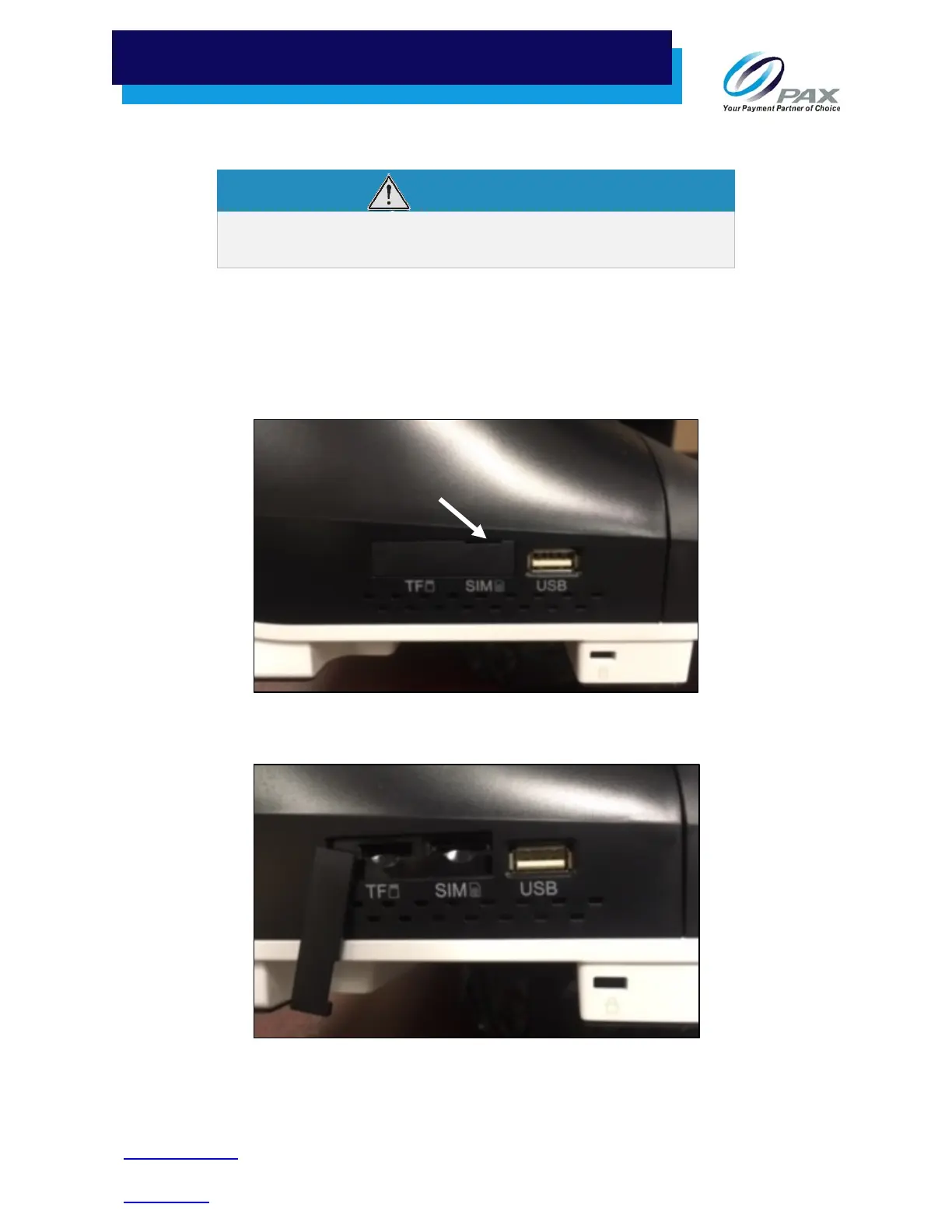
To install a SIM card or Micro SD card:
1. To open the port cover over the TF (Micro SD) and SIM slots, insert your finger into the notch above
the SIM card slot and gently pull open the cover. The cover remains attached to the side of the E800
so that it can be reinstalled later.
Right Side Ports with Cover Closed
TF (Micro SD) and SIM Slots
Notch



 To Next Page