57
support@pax.us
(877) 859-0099
www.pax.us
19.11 Can I use the printer when the E800 is running on battery power?
No. When the E800 is running off battery power, the printer will not work. There is an on-screen
warning that for the printer and related ports to work properly, you need to connect the power supply
to the E800.
19.12 How long does the E800 battery take to recharge?
The E800 battery takes 4 hours to recharge.
19.13 Is the E800 available in other colors?
The standard color for the E800 is white and black. Custom color plastics are available for an additional
charge and minimum order quantity.
19.14 How do I adjust the brightness of the display?
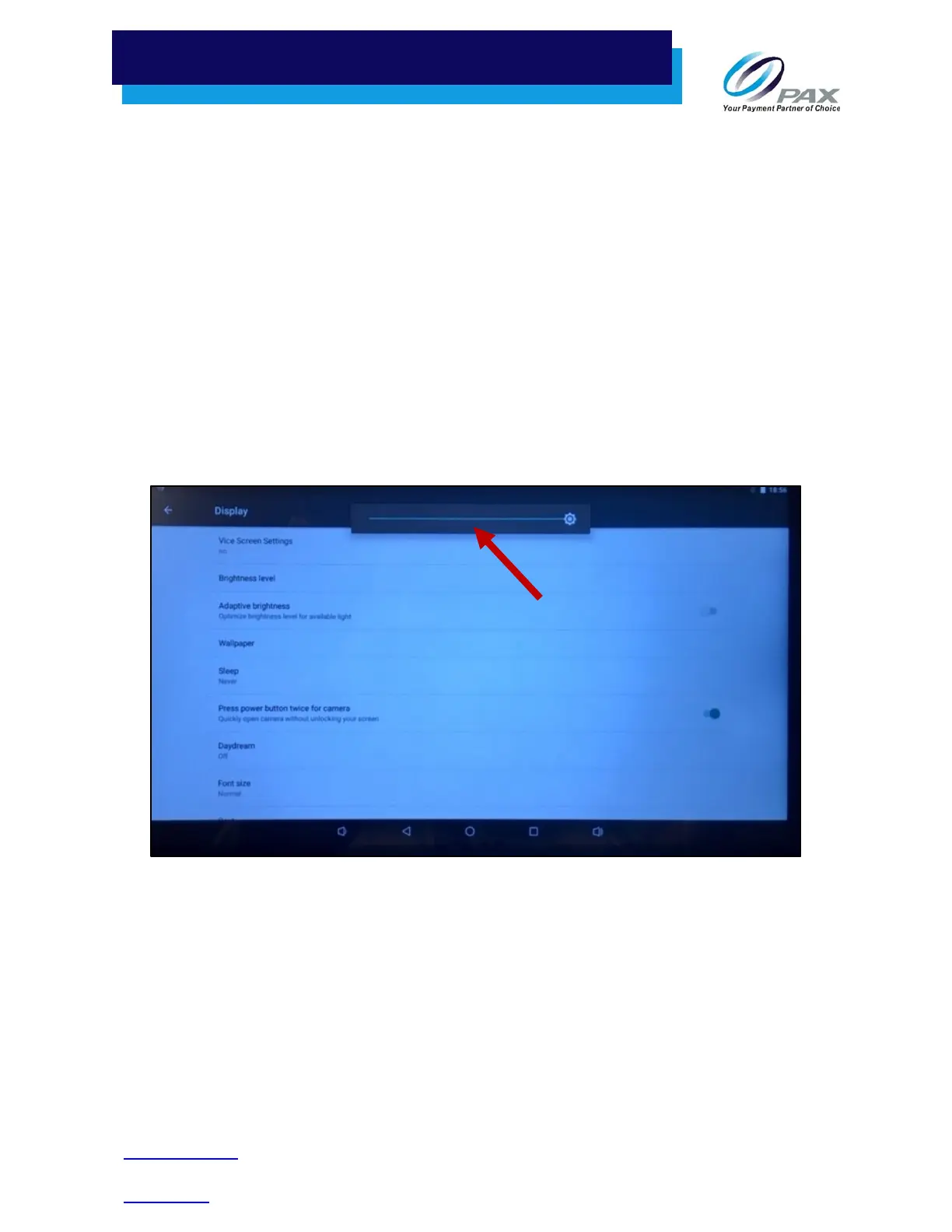
On the E800, the display brightness can be adjusted within the Settings mode. From the terminal idle
screen, select Settings > Device > Display > Brightness level. Move the slide to the right to brighten the
display or to the left to darken the display.
Adjusting E800 Brightness Level
There is also a selectable “Adaptive brightness” option, below the Brightness level slide, which optimizes
the brightness level based on available light.



 To Next Page