17
support@pax.us
(877) 859-0099
www.pax.us
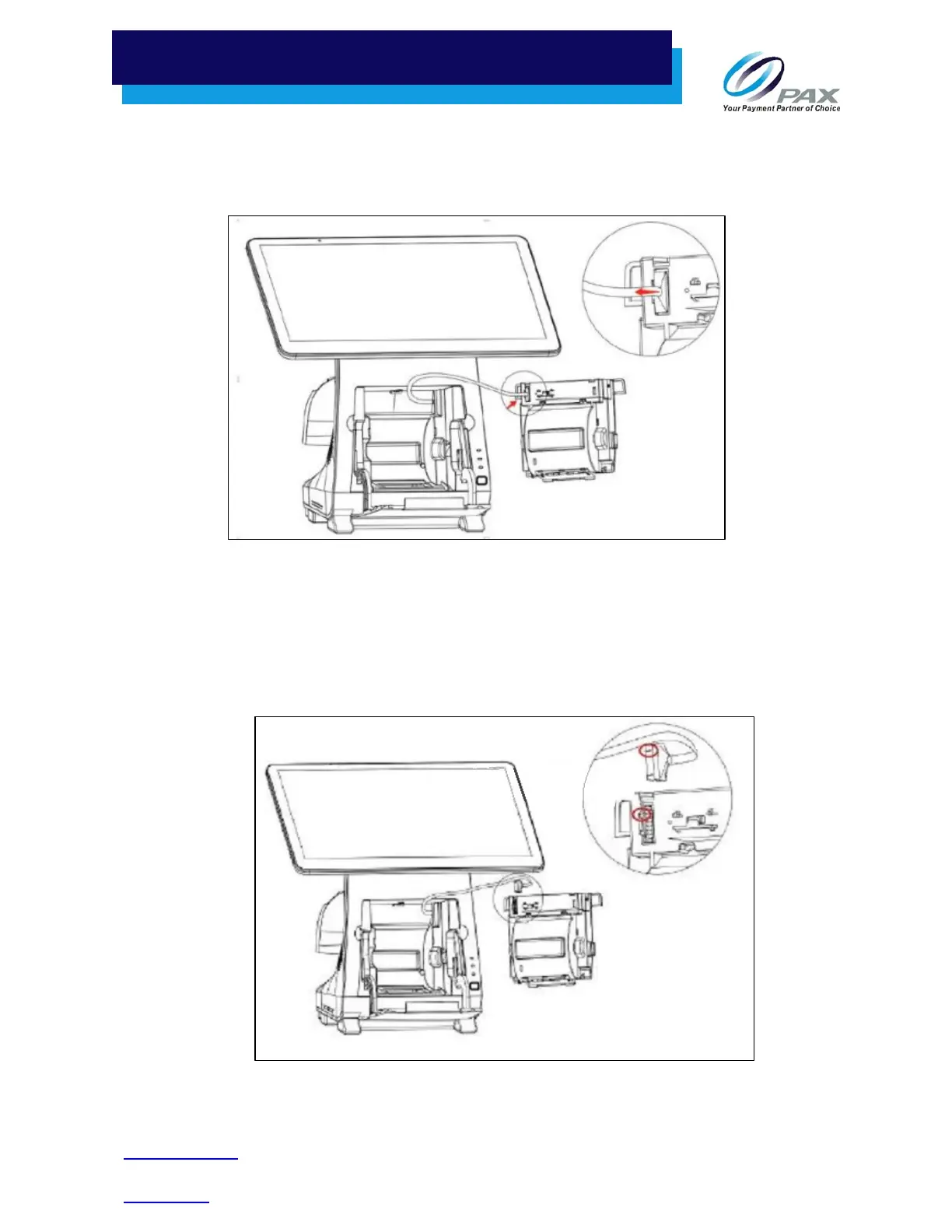
5. Disconnect the cable connector from the back of the printer module. See the figure below for
the location of the cable connector and the direction that the cable connector must be
removed.
Remove Cable Connector from Back of Printer Module
6. To attach a new printer module to the cable connector, line up the raised part of the cable
connector with the notch on the slot of the printer module, as shown in the figure below.
Note: Do not force the cable connector. The connector can only be installed one way.
Attach Connector to New Printer Module



 To Next Page