P550c Operation Manual
5 System setup
www.pearpoint.com | 114
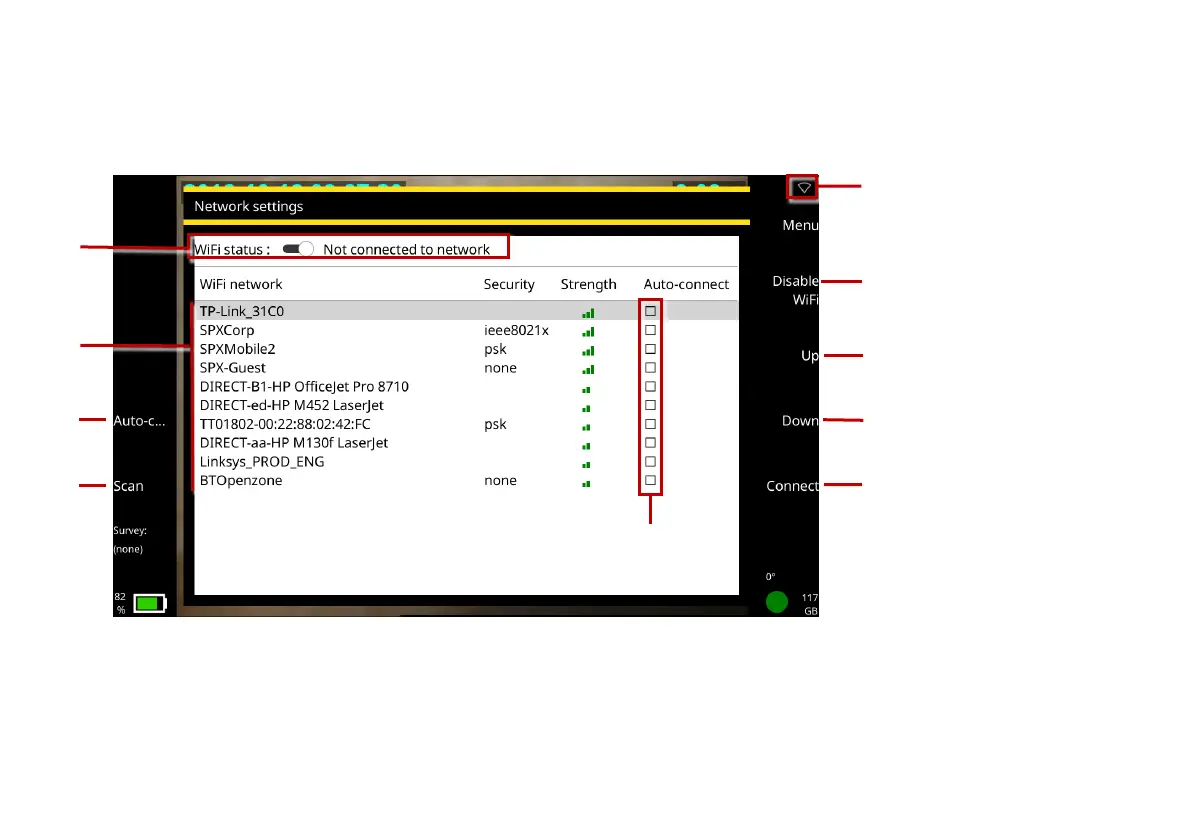
WiFi networks: Use this screen to connect the controller to the internet over a WiFi network. You will
need an internet connection to send survey reports by email or upload them to Dropbox.
Fig. 5.8: Network settings. 1 WiFi status. 2 Network list. 3 Auto-Connect button. 4 Scan button.
5 Auto-Connect check boxes. 6 WiFi icon. 7 Enable/Disable WiFi button. 8 Up button. 9 Down
button. 10 Connect button



 To Next Page