P550c Operation Manual
6 Operating the system
www.pearpoint.com | 176
On-screen recording indicators
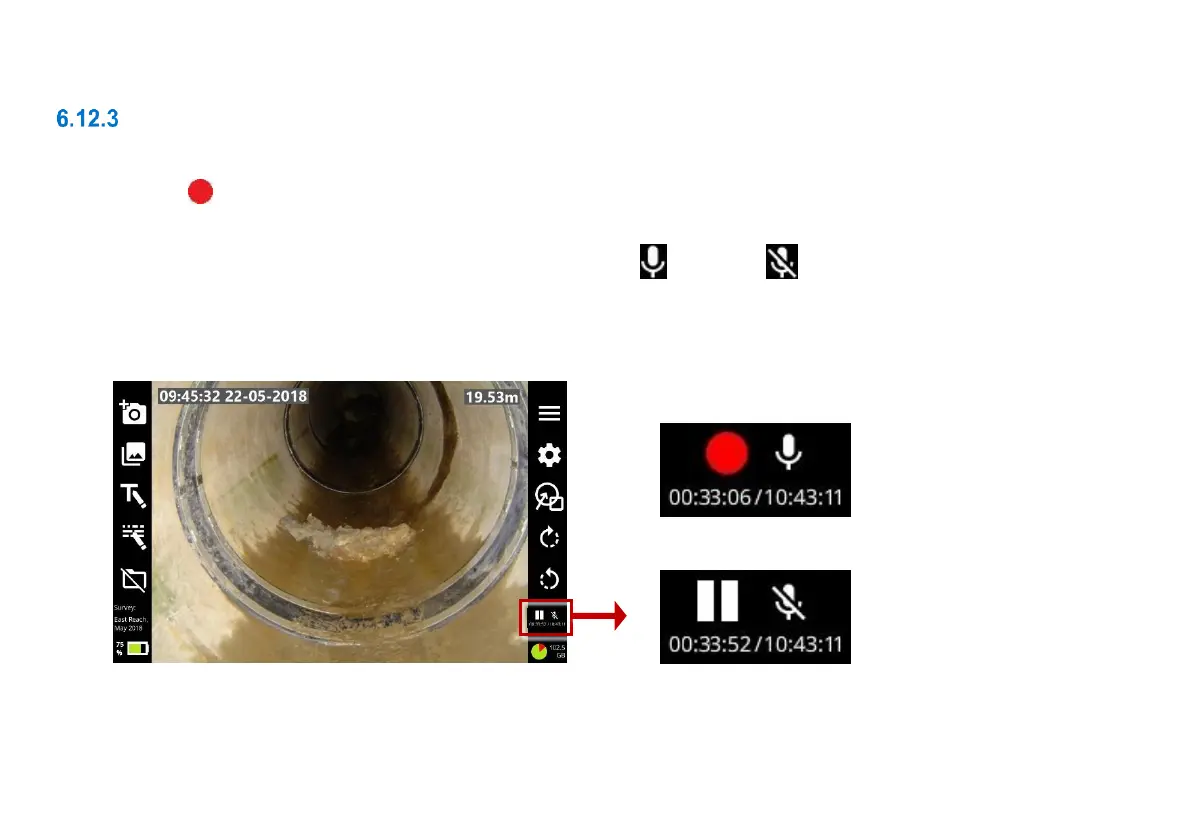
While a recording is in progress, recording status indicators are shown in the lower-right screen:
A red dot on the screen indicates that recording has started. Also the red Recording LED will light. See
page 32.
The mic symbol indicates whether audio recording is on or muted .
There are timers for the current recording plus the estimated total recording time available, based on the
current level of free disk space.



 To Next Page