P550c Operation Manual
3 System overview
www.pearpoint.com | 30
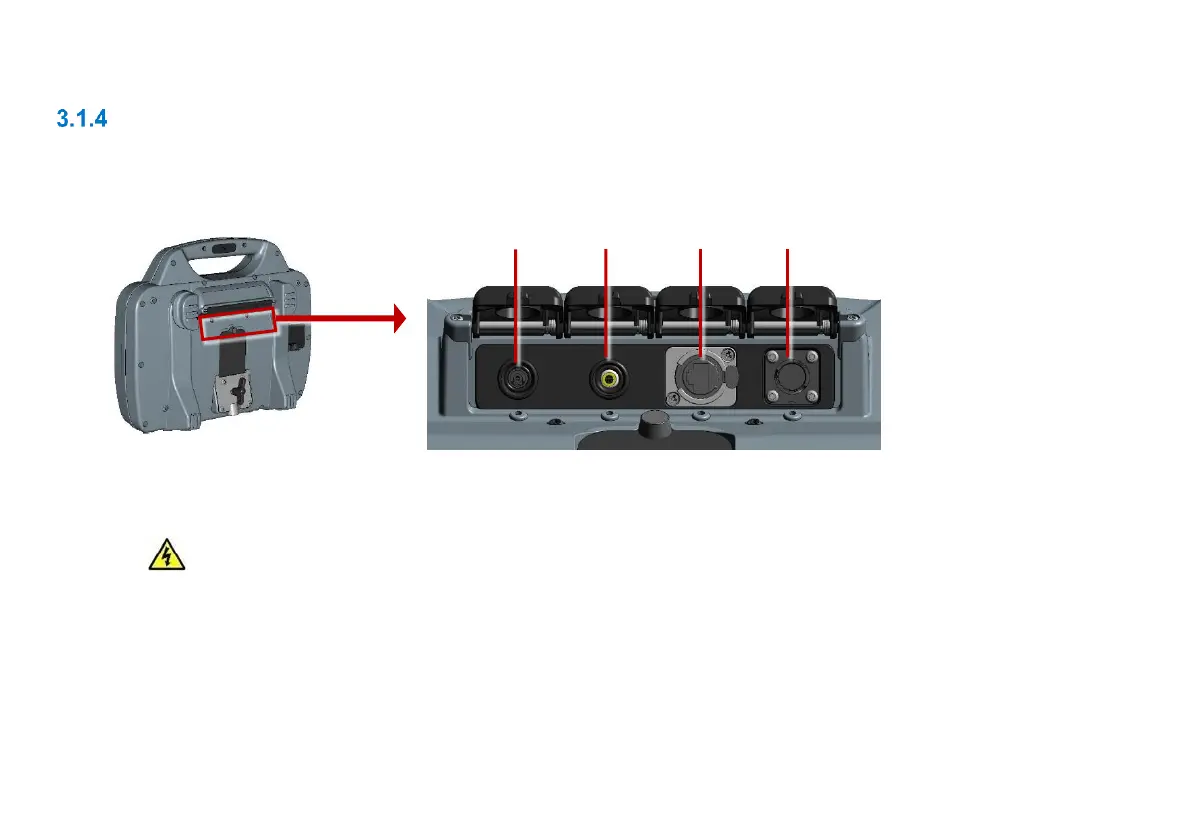
Main connection panel
The main connection panel includes the power socket, a socket for the link cable to the reel, and an
external video input. Each socket has an individual cover.
Fig. 3.4: Main connection panel
1 Power socket: DC power input from mains supply or vehicle supply.
Warning! Use only the supplied battery chargers (mains or optional vehicle).
2 Video input: An RCA video jack provides an input from external video equipment (optional).
3 Ethernet port: Used for remote control operations, connections to an external WiFi access point etc.
4 Socket for link to cable drum: Connects the controller to the crawler-mounted camera. Tighten the
connector finger-tight, but do not use a wrench, spanner or pliers.



 To Next Page