46
•
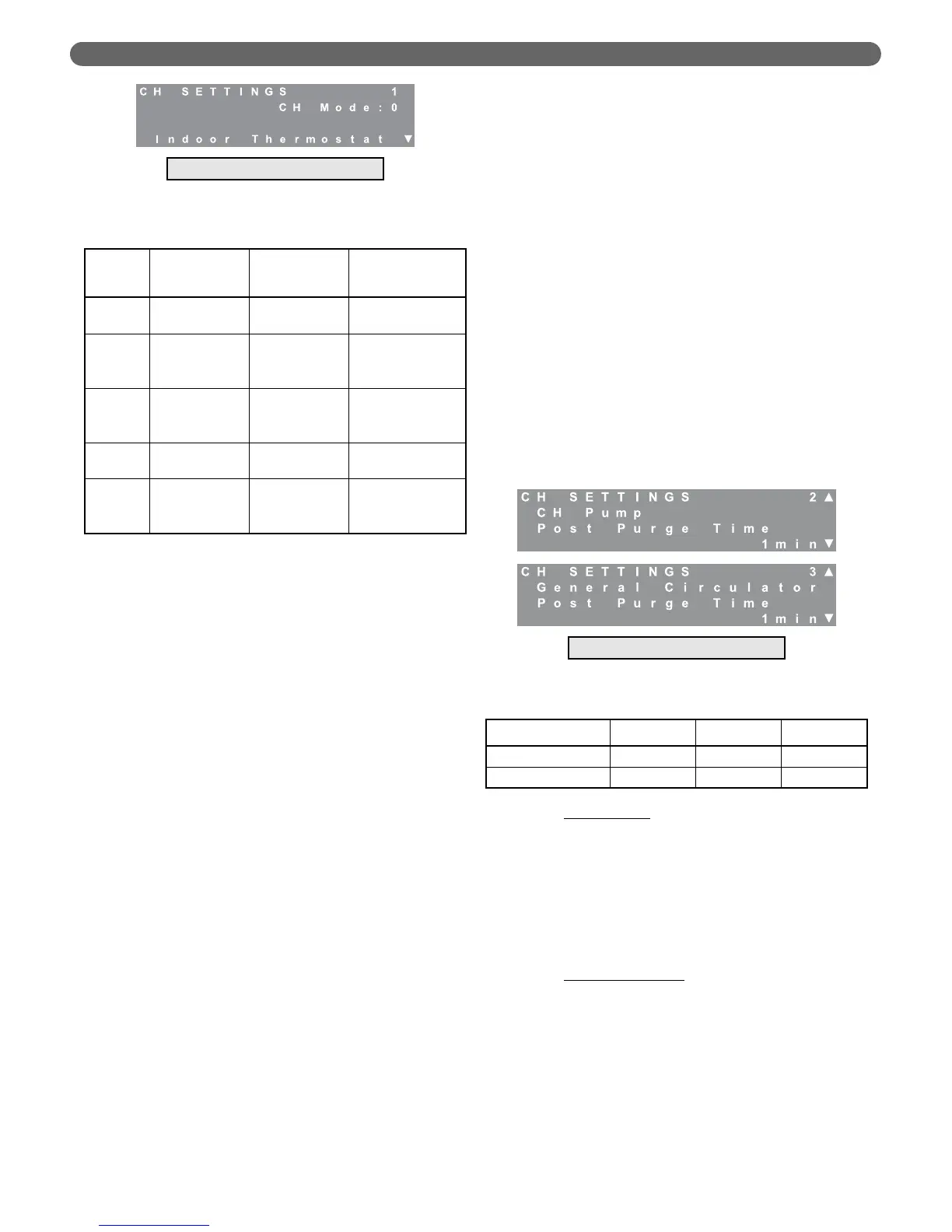
Mode 0, Indoor Thermostat: This is the default
mode in which the boiler responds to a
demand from an indoor thermostat or zone
control panel at terminals #1 and #2 in the
P
UREFIRE
®
control panel. The control targets a
fixed setpoint and as the boiler water
temperature approaches the target, the control
begins to reduce the fuel input. This mode
doesn’t require an outdoor sensor.
•
Mode 1, Indoor Thermostat with Outdoor
Reset: When operating in this mode, the
control uses the outdoor temperature and
installer selected data to calculate a target
boiler water temperature. A detailed
description of outdoor reset is presented later
in this section.
•
Mode 2, Permanent Demand and Outdoor
Reset: In this mode, the boiler operates to
maintain a supply (header) temperature
calculated by the outdoor reset algorithm.
The boiler operates independently of any
room thermostats. This is useful in buildings
with many zones which operate on
independent thermostats to prevent the boost
function (described later in this text) from
increasing the target temperature due to a long
sustained call for central heat resulting from
overlapping individual calls.
•
Mode 3, Permanent Demand: This mode is
similar to Full Outdoor Reset except that the
control targets a fixed setpoint instead of a
calculated setpoint based on the outdoor
temperature. Again, the boiler control operates
independently of input from room thermostats.
If a switch between terminals #1 and #2 is
closed, the target temperature will be set back
by 18°F (10°C).
•
Mode 4, 0 -10V Input to Modulate Setpoint:
This allows the boiler supply target to be set
by an external analog 0-10 volt signal. The
input for this signal is at terminals #15 & #16.
A call for heat will be generated by a signal of
1.5 VDC or higher. The setpoint for an input
voltage between 1.5 and 2.0 VDC will result in
a boiler setpoint of 68°F (20°C). An input
voltage of 10 VDC will result in a setpoint of
195°F (91°F).
•
Setback: If a switch is closed across terminals
#1 & #2, a setback of 18°F (10°C) is applied
to the calculated target temperature. This
feature is useful in a building (such as an office
building) that is unoccupied during certain
times. A switch or timer can be used to set
back the boiler target temperature during
unoccupied periods.
d. Pump Purge Time: The installer can define the
length of time that the circulators operate after the
end of call for heat. The CH and General
circulator post purge time can be set
independently. The following chart shows the
range and default values for both of these pumps.
e. Outdoor Reset
: Since heating loads are typically
lower when the outdoor temperature rises,
outdoor reset lets the installer reduce the boiler
target temperature as the outdoor temperature
increases. As mentioned above, this increases the
efficiency of the boiler. This is especially true with
condensing boilers because it helps to recover the
heat from the water vapor which, in conventional
boilers, carries valuable energy out with the
exhaust.
f. System Type Presets
: For convenience, the
P
UREFIRE
®
boiler control provides preset values for
the outdoor reset parameters based on the system
type. Table 8.17 shows the values that are applied
when different system preset types are selected. If
the system type, “User Defined” is chosen the
outdoor reset definition values may be adjusted. If
changes are made to the boiler design or mild
weather boiler temperatures, the system type is
automatically switched to, “User Defined”.
BOILER CONTROL: OPERATION
Table 8.16: Pump Purge Time Ranges & Defaults
Figure 8.33: CH Settings – Pump Purge Time
Table 8.15: CH Modes
Mode Display
Target
Temperature
Action when
Terminals #1 &
#2 Closed
0
Indoor
Thermostat
Fixed Setpoint
Call for Central
Heating
1
Indoor
Thermostat
with OD Reset
Outdoor Reset
Calculation
Call for Central
Heating
2
Permanent
Demand & OD
Reset
Outdoor Reset
Calculation
18°F (10°C)
Target Setback
3
Permanent
Demand
Fixed Setpoint
18°F (10°C)
Target Setback
4
0-10 V Input
to Modulate
Setpoint
External Analog
(0-10 VDC) Input
of Setpoint
No Effect
Circulating Pump Minimum Default Maximum
Central Heating (CH) 0 1 minute 60 minutes
General 0 1 minute 60 minutes
Managing Burner Only
Figure 8.32: CH Settings – CH Modes
Managing Burner Only



 To Next Page