87
Table A.1 shows the cascade menu screen which is
accessed by pressing the button labeled ▲ for 5 seconds
and releasing it.
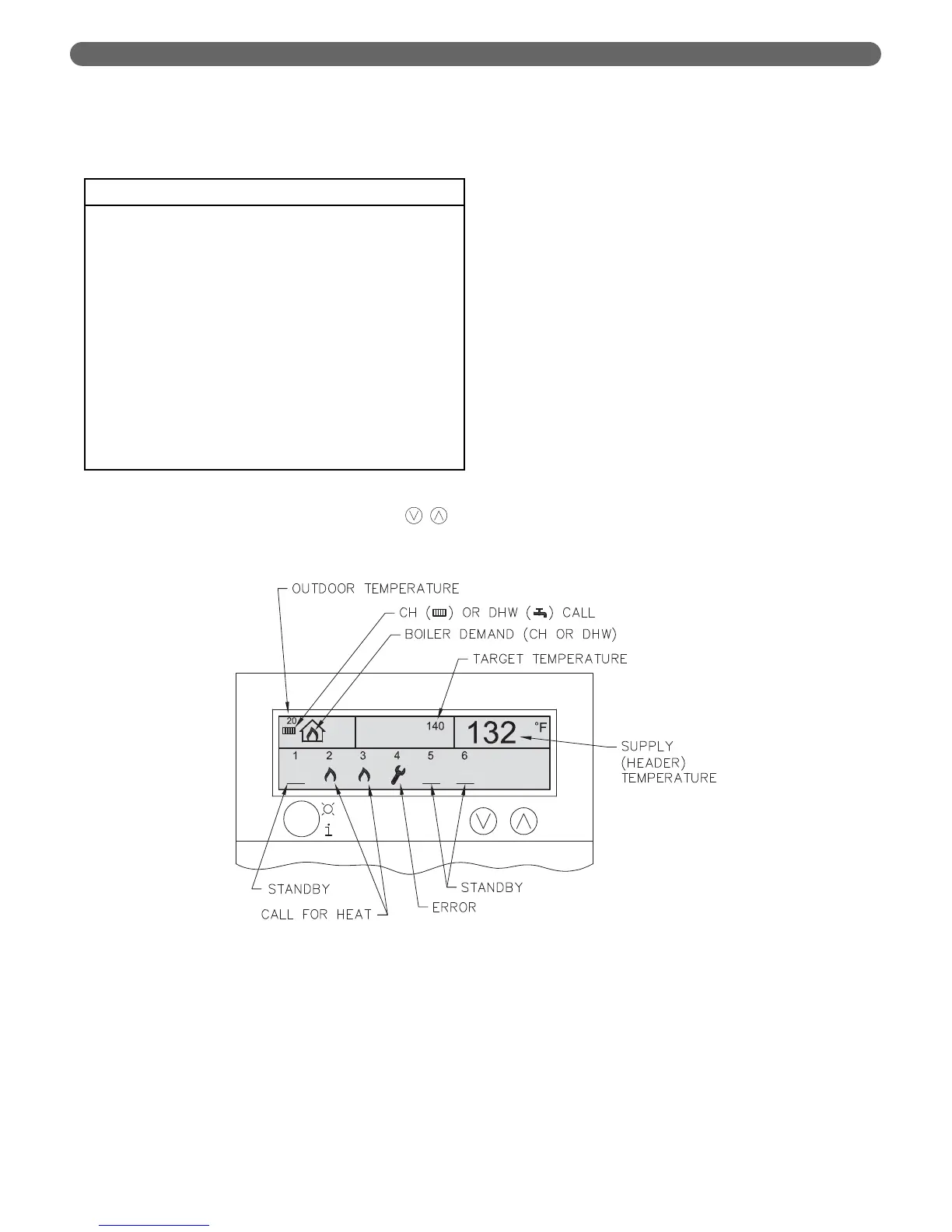
Figure A.3 shows the System Display Screen. As shown
in Figure A.2, this is accessed by toggling the “ ”
keys.
APPENDIX A. PIXEL DISPLAY SCREEN
Figure A.3: Cascade Status Display
Table A.1: Cascade Menu
Cascade Menu
•
Boiler Address:
0
Start Delay Time: 4 min
Stop Delay Time: 4 min
Start Boiler Diff: 9 °F
Stop Boiler Diff: 9 °F
Stop All Boiler Diff: 18 °F
Max Offset Up: 36 °F
Max Offset Down: 9 °F
Rotation Interval: 5 days
P-Value 20
I-Value 40
D-Value 0
Stew Rate 1



 To Next Page