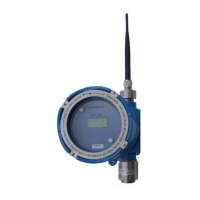
Operators Manual Model PT2000/H Series Gas Monitor Rev 2. January 2014
Once the detector has been powered up a proper Unit ID/Address must
be assigned to identify itself to the main wireless controller. All
detectors must have consecutive numeric ID number. For example
with 12 Detectors in use Unit ID/Address must be from 1 thru 12. Refer
to section on Unit Id for details
Detectors should now be transmitting data to the controller. Unit
Address is synonym to Channel number in the main controller.
Install all the Wireless detectors. Be sure that each detector must have
a distinct Unit ID/Address. No two detectors should have the same
Unit Address.
Leave the Zone ID to 0 at this point time. Refer to section on Address
and Zone ID for further details.



 To Next Page