EasyManua.ls Logo

Pentax EG29-i10c - User Manual

Pentax EG29-i10c
96 pages
Print Icon
To Next Page IconTo Next Page
Loading...
Instructions for Use
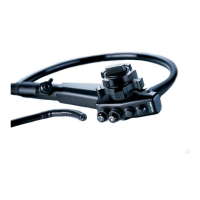
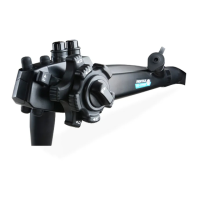
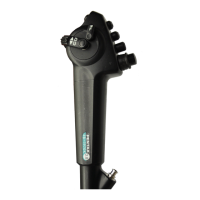
PENTAX Medical Video Upper GI Scope EG29 -i10c
Operation
EG29 -i10c
For cleaning, high - level disinfection, and sterilization of the product after use, refer to the
separate Instructions for Use (Reprocessing) with the model name of the endoscope.

Questions and Answers

  • D
    David GilmoreSep 23, 2025
    What to do if Air/ Water feeding valve cannot be attached on Pentax EG29-i10c?
    • D
      David DiazSep 23, 2025
      To resolve the issue of Air/ Water feeding valve cannot be attached on your Pentax Medical Equipment, remove any foreign material from the air/water cylinder and then attach the air/water feeding valve. If the issue persists, replace the air/water feeding valve, as it may be damaged. Ensure that you are using the correct air/water feeding valve.
  • H
    hannahaguilarAug 23, 2025
    What to do if the image is not displayed on Pentax EG29-i10c?
    • M
      mrobertsAug 25, 2025
      If the image is not displayed on your Pentax Medical Equipment, first, ensure that the video processor, monitor, and all other related equipment are turned on. Next, check that the scope connector is securely connected to the video processor until it clicks. If the issue persists, inspect the electrical contacts for foreign material. If found, wipe the electrical contacts with gauze moistened with ethanol for disinfection, and then dry it sufficiently before reconnecting to the video processor.
  • B
    beardryanAug 25, 2025
    Why is air feeding not possible with Pentax Medical Equipment?
    • D
      Darrell GoodwinAug 26, 2025
      If air feeding is not possible with your Pentax Medical Equipment, first ensure that the air/water feeding pump of the video processor is turned on. Next, check that the water bottle assembly is correctly connected to the air/water port of the endoscope. Also, ensure that the cap of the water bottle assembly is tightened. If the issue persists, the air/water feeding valve may be damaged and need replacement.
  • M
    Maurice SpencerAug 26, 2025
    Why is water feeding not possible with Pentax Medical Equipment?
    • N
      nathanrobinsonAug 27, 2025
      If water feeding is not possible with your Pentax Medical Equipment, first, verify that the air/water feeding pump of the video processor is turned on. Next, ensure that the water bottle assembly is connected properly to the air/water port of the endoscope and that the cap of the water bottle assembly is tightened. Check that the switching lever of the water bottle assembly is set to the “A / W” position and that there is sterile water in the water bottle. If problems persist, the air/water feeding valve may be damaged and require replacement.
  • S
    Sandra FosterAug 27, 2025
    What to do if the suction function does not operate properly on Pentax Medical Equipment?
    • E
      Edward LoveAug 27, 2025
      If the suction function of your Pentax Medical Equipment is not operating properly, make sure the inlet seal is attached to the instrument port of the endoscope and that the cap of the inlet seal is securely fastened to the main unit. Also, check that the suction source tube is securely connected to the endoscope and that the power of the suction source is turned on.
  • K
    Kristin HicksSep 15, 2025
    Why is water leaking from the connection part of Pentax EG29-i10c Medical Equipment?
    • A
      Amanda GreeneSep 15, 2025
      To resolve water leaks from the connection part of your Pentax Medical Equipment, replace the water jet check valve adapter, as it may be damaged or broken. Also, check the integrity of the connections between the water jet port and water jet check valve adapter, and between the water jet check valve adapter and the irrigation tube to ensure they are secure.
  • A
    Austin CastroSep 12, 2025
    Why is a sufficient amount of air/water not being fed through Pentax EG29-i10c Medical Equipment?
    • A
      Amy ClarkSep 12, 2025
      To resolve the issue of insufficient air/water being fed through your Pentax Medical Equipment, adjust the level setting of the air/water feeding pump on the video processor to an appropriate level. If the issue persists, it may be due to clogging.
  • D
    David PowersSep 14, 2025
    What to do if the water jet check valve adapter cannot be properly attached to the water jet port on Pentax EG29-i10c?
    • C
      Carol PetersonSep 14, 2025
      To resolve the issue of the water jet check valve adapter not properly attaching to the water jet port on your Pentax Medical Equipment, first, remove any foreign material from the water jet port and try reattaching the adapter. If the problem persists, replace the water jet check valve adapter, as it may be damaged or broken.
  • A
    Alicia HillSep 5, 2025
    Why do the angulation control knobs feel heavy to operate on Pentax Medical Equipment?
    • J
      Joan JordanSep 5, 2025
      If the angulation control knobs on your Pentax Medical Equipment feel heavy to operate, turn the up/down angulation lock lever or right/left angulation lock knob in the “F ?” direction, as the bending section is likely fixed by the lock lever or knob.
  • D
    Dr. Nathan BurnsSep 2, 2025
    Why does the suction control valve feel heavy to operate on Pentax EG29-i10c?
    • J
      Joshua FitzgeraldSep 3, 2025
      If the suction control valve on your Pentax Medical Equipment feels heavy to operate, replace the suction control valve with a new one if the seal rubber section is damaged. If the O-ring is broken, remove the suction control valve and replace the O-ring. If silicone oil has not been applied, remove the suction control valve and apply silicone oil. If foreign material is stuck between the suction control valve and suction cylinder, remove the suction control valve and clean out the foreign material.

Summary

Important Information: Please Read Before Use

Product Summary

Details the endoscope's construction, illumination, and functional components for visualization.

Intended Use and Application

Outlines the endoscope's purpose for visualizing and accessing the GI tract in adults and pediatrics.

Classification and Specifications

Specifies protection ratings (IPX7, Type BF) and environmental operating conditions for the endoscope.

Compatible Products

Lists approved ancillary equipment and video processors compatible with the endoscope.

Reprocessing, Storage, and Maintenance

Covers crucial steps for cleaning, disinfection, sterilization, storage, and routine maintenance.

General Warnings and Cautions

Provides essential safety guidelines for safe operation, handling, and potential hazards.

Package Contents

Included Items Overview

Lists all components and accessories provided with the endoscope package.

Nomenclature and Functions

Endoscope Components Identification

Details the control body, insertion portion, and their numbered parts for reference.

Preparation and Inspection

Equipment Preparation

Steps to prepare the endoscope, accessories, and ancillary equipment before use.

Endoscope System Checks

Procedures for inspecting the endoscope, its angulation mechanism, and remote buttons.

Accessory and Device Integrity Checks

Instructions for inspecting reusable accessories and endoscopic devices for proper function.

Ancillary Equipment Connection and System Function Tests

Guides connection of ancillary equipment and tests system functions like air/water, suction, water jet, and image.

Directions for Use

Pre-Insertion Preparation

Essential preparation steps for the patient and endoscope before insertion.

Insertion, Observation, and Angulation

Detailed steps for inserting, observing, and maneuvering the endoscope using angulation controls.

Functional Operations (Air;Water, Suction, Water Jet)

Procedures for using air/water feeding, suction, and water jet functions during procedures.

Using Endoscopic Devices and Specialized Procedures

Guidelines for using devices, nonflammable gas, laser cauterization, and electrosurgery.

Post-Procedure Care and Disconnection

Steps for withdrawing the endoscope, cleaning, and disconnecting it from equipment.

Troubleshooting

Troubleshooting Guide

A comprehensive guide to identifying and resolving common issues with the endoscope system.

Handling Abnormalities and Repairs

Procedures for managing endoscope abnormalities and returning the device for service.

Disposal

Proper Disposal Guidelines

Instructions for the environmentally sound and safe disposal of the endoscope and accessories.

Electromagnetic Compatibility (EMC)

EMC Guidance and Declarations

Compliance information for emissions, immunity, and environmental use according to EMC standards.

RF Interference Precautions

Recommendations for maintaining safe distances from RF equipment to prevent interference.

Endoscope Specifications

Technical Specifications Overview

Lists key technical parameters of the EG29-i10c endoscope, including dimensions and capabilities.

System Chart

System Configuration Diagram

Visual representation of the endoscope and its connected ancillary equipment for system setup.

Pentax EG29-i10c Specifications

General IconGeneral
BrandPentax
ModelEG29-i10c
CategoryMedical Equipment
LanguageEnglish

Related product manuals