EasyManua.ls Logo

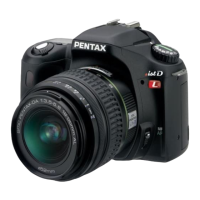
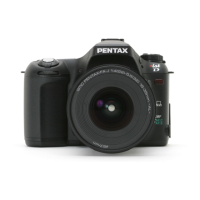
Pentax ist ist DL - User Manual

Pentax ist ist DL
208 pages
Print Icon
To Next Page IconTo Next Page
Loading...
Operating Manual
• Specifications and external dimensions are subject to change without notice.
57526 Copyright © PENTAX Corporation 2005
01-200506 Printed in Philippines
PENTAX Corporation 2-36-9, Maeno-cho, Itabashi-ku, Tokyo 174-8639, JAPAN
(http://www.pentax.co.jp/)
PENTAX Europe GmbH
(European Headquarters)
Julius-Vosseler-Strasse, 104, 22527 Hamburg,
GERMANY
(HQ - http://www.pentaxeurope.com)
(Germany - http://www.pentax.de)
PENTAX U.K. Limited PENTAX House, Heron Drive, Langley, Slough, Berks
SL3 8PN, U.K.
(http://www.pentax.co.uk)
PENTAX France S.A.S. 12/14, rue Jean Poulmarch, 95106 Argenteuil Cedex,
FRANCE
PENTAX Benelux B.V. (for Netherlands)
Spinveld 25, 4815 HR Breda, NETHERLANDS
(http://www.pentax.nl)
(for Belgium & Luxembourg)
Weiveldlaan 3-5, 1930 Zaventem, BELGIUM
(http://www.pentax.be)
PENTAX (Schweiz) AG Widenholzstrasse 1 Postfach 367 8305 Dietlikon,
SWITZERLAND
(http://www.pentax.ch)
PENTAX Scandinavia AB P.O. Box 650, 75127 Uppsala, SWEDEN
(http://www.pentax.se)
PENTAX Imaging Company
A Division of PENTAX of America, Inc.
(Headquarters)
600 12th Street, Suite 300 Golden, Colorado 80401, U.S.A.
(Distribution & Service Center)
16163 West 45th Drive, Unit H Golden, Colorado 80403,
U.S.A. (http://www.pentaximaging.com)
PENTAX Canada Inc. 1770 Argentia Road Mississauga, Ontario L5N 3S7,
CANADA
(http://www.pentax.ca)
http://www.pentax.co.jp/english
Operating Manual
For optimum camera performance, please read
the Operating Manual before using the camera.
SLR Digital Camera

Table of Contents

Questions and Answers

  • R
    Rebekah RomanJul 29, 2025
    How to fix USB connection issues between Pentax ist ist DL Digital Camera and computer?
    • T
      Tiffany MooreJul 29, 2025
      If the USB connection between your Pentax Digital Camera and your computer isn't working correctly, the transfer mode may be set to [PictBridge]. Change the transfer mode to [PC]. If an error occurred while sending USB data, try changing the transfer mode to [PC-F].
  • L
    lucerowendyAug 2, 2025
    What to do if the shutter does not release on Pentax ist ist DL Digital Camera?
    • J
      Joshua GonzalezAug 2, 2025
      If your Pentax Digital Camera's shutter isn't releasing, it could be due to several reasons. First, ensure the lens aperture ring is set to the 's' position. Alternatively, you can select '[2 (Permitted)]' in '[Using aperture ring]' within the '[A Custom]' menu. Another reason might be that the flash is currently charging; wait for it to finish. Also, check if your SD Memory Card is full; if so, insert one with available space or delete unwanted images. The camera may also be in the process of recording, so wait until it is finished. Finally, if the subject is difficult to focus on, try locking focus on an object at the same distance by pressing the shutter release button halfway, then re-aim at your subject and press the button fully, or use manual focus.
  • Z
    zwilliamsonAug 6, 2025
    Why does autofocus not work on my Pentax ist ist DL?
    • M
      Margaret BowmanAug 6, 2025
      If the autofocus on your Pentax Digital Camera isn't working, check the focus mode setting. If it's set to '\', change it to '='. Also, if the focus mode is set to 'k' (Continuous mode), switch it to 'l' (Single mode). Finally, ensure that the capture mode is not set to '\' (Moving Object) mode; if it is, select a different capture mode.
  • M
    Melissa KennedyAug 10, 2025
    What to do if flash does not discharge on Pentax ist ist DL Digital Camera?
    • C
      christopherjohnsonAug 10, 2025
      If your Pentax Digital Camera flash is not discharging, it might be because the flash mode is set to [Auto discharge] or [Auto flash+Redeye reduct] and the subject is too bright. Try setting the flash mode to [Manual discharge] or [Manl flash+Redeye reduct]. Also, check that the mode dial is not set to [Flash OFF]; if it is, select a different setting.
  • C
    Christina SmithAug 15, 2025
    Why AE lock function does not operate on Pentax ist ist DL?
    • L
      lschultzAug 15, 2025
      If the AE lock function on your Pentax Digital Camera isn't working, it's likely because you're in 'a' (manual) mode or 'p' (bulb) mode. To use AE lock, switch to a different mode.
  • A
    Andrew RobbinsAug 19, 2025
    What to do if USB connection with printer does not work properly on Pentax ist ist DL?
    • D
      daniel66Aug 19, 2025
      If the USB connection between your Pentax Digital Camera and the printer isn't working correctly, the transfer mode may be set to [PC] or [PC-F]. Set the transfer mode to [PictBridge].
  • D
    David BryantAug 23, 2025
    Why power zoom system does not function on Pentax ist ist DL Digital Camera?
    • J
      Jason GarrettAug 23, 2025
      The camera may not have power zoom function. Use manual zoom.

Summary

FOR SAFE USE OF YOUR CAMERA

ABOUT THE CAMERA

General information and safety precautions for the camera.

1 Before Using Your Camera

2 Getting Started

3 Basic Operations

Basic Shooting Operation

Fundamental steps and techniques for taking pictures.

4 Menu Reference

Using the Button Functions

Describes the functions of various camera buttons during shooting.

Using the Menu

Explains how to navigate and use the camera's menu system.

5 Function Reference

Focusing

Methods for achieving focus, including autofocus and manual focus.

Setting the Exposure

Adjusting exposure using EV compensation for brighter or darker images.

Using the Built-in Flash

Detailed information on flash modes and compensation.

6 Appendix

Troubleshooting

Common problems and their remedies before contacting service.

Pentax ist ist DL Specifications

General IconGeneral
Camera typeDigital SLR
Sensor TypeCCD
Sensor size23.5 x 15.7 mm
Megapixels6.1 MP
Image resolution3008 x 2008
ISO Range200-3200
Shutter Speed30 - 1/4000 sec
Lens MountPentax KAF
ViewfinderOptical (pentamirror)
LCD ScreenYes
LCD Screen Size2.5 inches
Storage MediaSD card
Battery4 x AA batteries
Continuous shooting2.8 fps
Dimensions125 x 93 x 66 mm
Effective Pixels6.1 million

Related product manuals