117
5
Function Reference
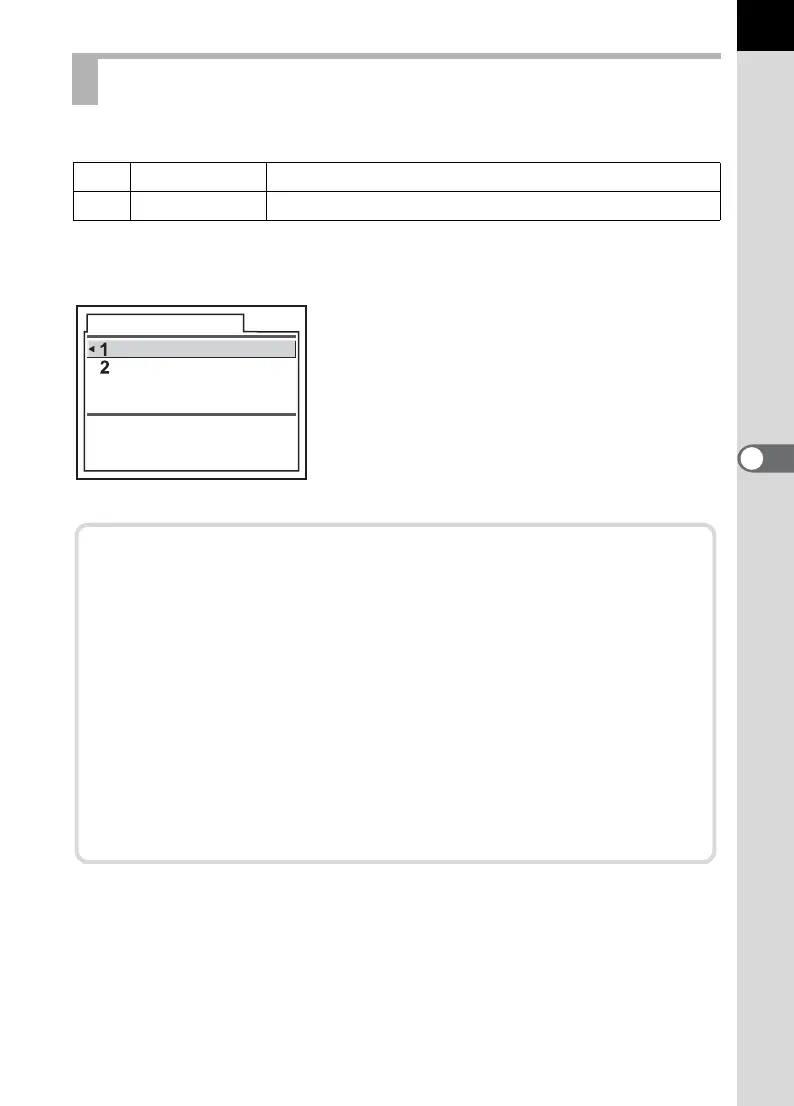
You can set the color space to use. The default setting is [1 (sRGB)].
Set in [Color Space] in the [A Custom] menu. (p.101)
Setting the Color Space
1sRGB
Set to sRGB color space.
2 AdobeRGB
Sets to AdobeRGB color space.
Color Space
Sets to sRGB color space
sRGB
AdobeRGB
Color Space
Color ranges for various input/output devices, such as digital
cameras, monitors, and printers, differ.
This color range is called the Color Space.
To recreate different color spaces in different devices, standard color
spaces have been proposed. This camera supports sRGB and
AdobeRGB.
sRGB is mainly used for devices such as a PC.
AdobeRGB covers a wider area than sRGB and is used for
occupational uses such as industrial printing.
An image created in AdobeRGB may appear lighter than an image
created in sRGB when output from a sRGB compatible device.


 To Next Page
 Loading...