137
Shooting Settings
5
Enables capturing images with high dynamic range by simply turning the
mode dial. You can specify the range in which the exposure is changed.
1
Set the mode dial to p.
The camera switches to p mode and is ready to use high dynamic
range image capture.
Proceed to Step 6 if you do not need to change the HDR type.
2
Select [HDR Capture] in the [A Rec. Mode 1] menu, and
press the four-way controller (5).
The [HDR Capture] screen for p mode appears.
3
Press the four-way controller (5), use the four-way
controller (23) to select [Auto], [HDR 1], [HDR 2] or [HDR
3], and press the 4 button.
4
Use the four-way controller (23) to select [Auto Align],
and use the four-way controller (45) to select O or P.
Refer to p.136 for details on the setting.
5
Press the 3 button twice.
The camera is ready to take a series of pictures.
6
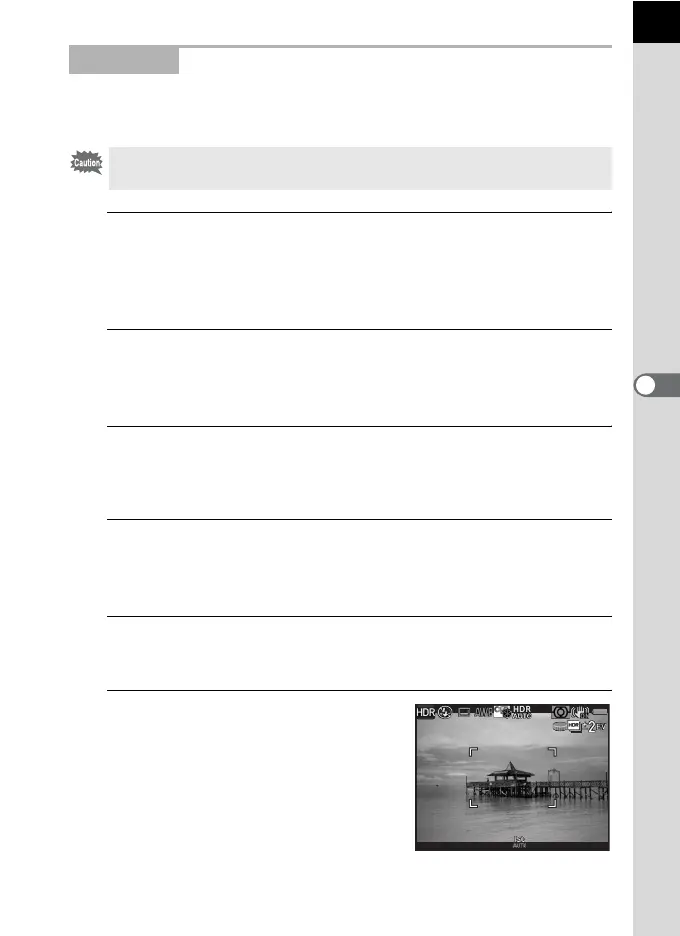
Use the e-dial to set the range in
which to change the exposure.
Select from ±1, ±2 (default setting) or ±3.
p Mode
The file format is fixed to [JPEG]. One Push File Format is not available with
the d (G/R) button.
1/
2000
F2.8
1600
[
37
]


 To Next Page