59
BASIC OPERATION
(PREPARATION)
BASIC OPERATION
(SHOOTING)
ADVANCED OPERATIONS
OTHERS
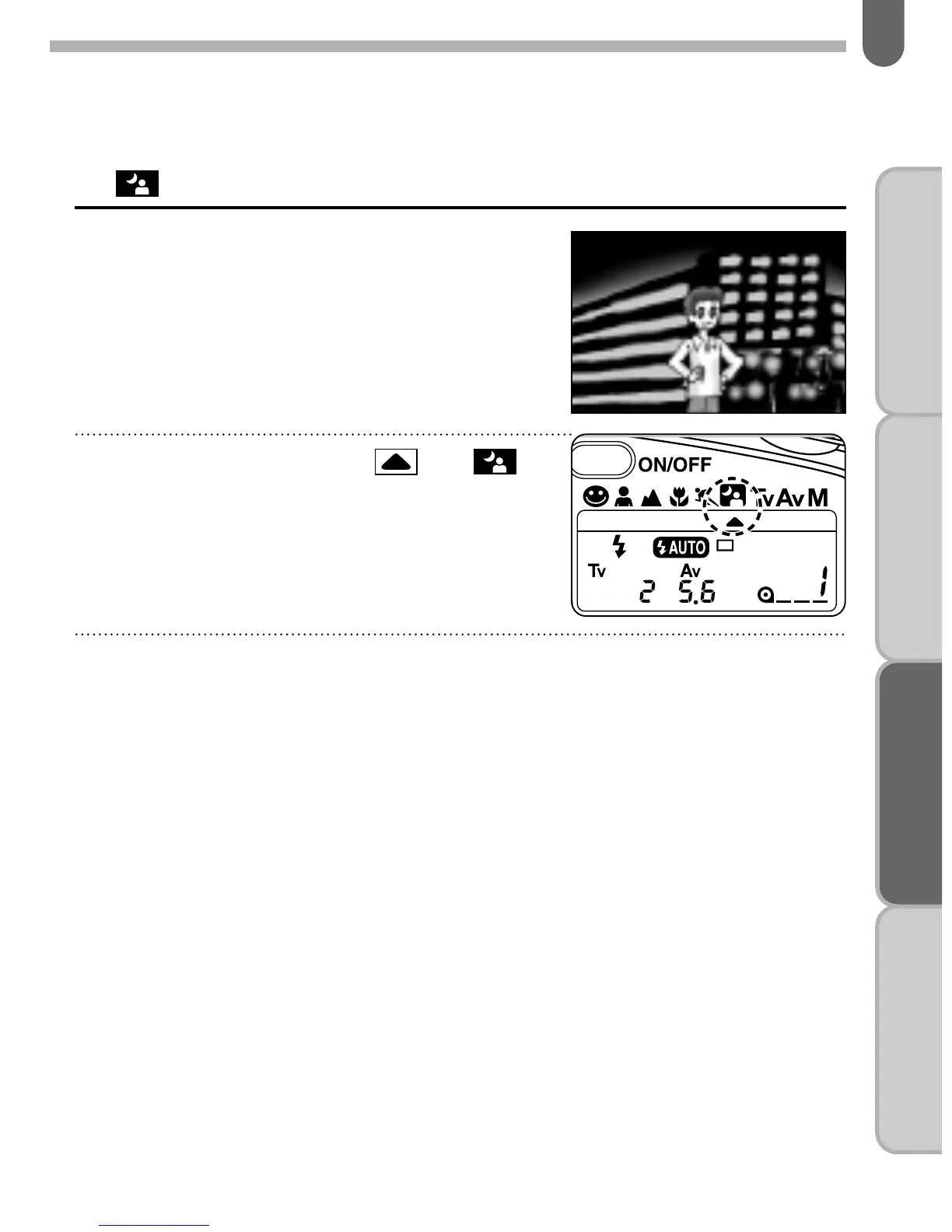
6. Night-scene Program Mode
This mode is useful when taking a
portrait photograph with a night scene
in the background.
Press the flash pop up button to activate the flash if
auto pop up flash is not selected.
• When the shutter release button is depressed halfway down,
the shutter speed and aperture setting are displayed on the
LCD panel.
✍
MEMO
It is possible to photograph subjects and background in a balanced way
by using the flash to properly expose the foreground subject and a slow-
speed to expose the low light background. The shutter speed
automatically changes in the range of 1/100 to 1 second.
• Use of a tripod is recommended.
• The Standard program mode is automatically set when the built-in flash
is not in use.
• This camera does not have a socket for cable release and cable switch,
use 2 seconds self-timer to prevent camera shake.
Set the pointer mark to
by moving the select dial while
depressing the exposure mode
button.



 To Next Page
 Loading...