82
3
Taking Pictures
The c (Portrait) and d (Natural Skin Tone) modes are suitable for
taking pictures of people. The Face Detection function (p.72) operates
for each shooting mode, making it easier to emphasize the subject’s face
when taking pictures.
1
Press the four-way controller (3) in A mode.
The Capture Mode Palette appears.
2
Use the four-way controller (2345) to select c or d.
3
Press the 4 button.
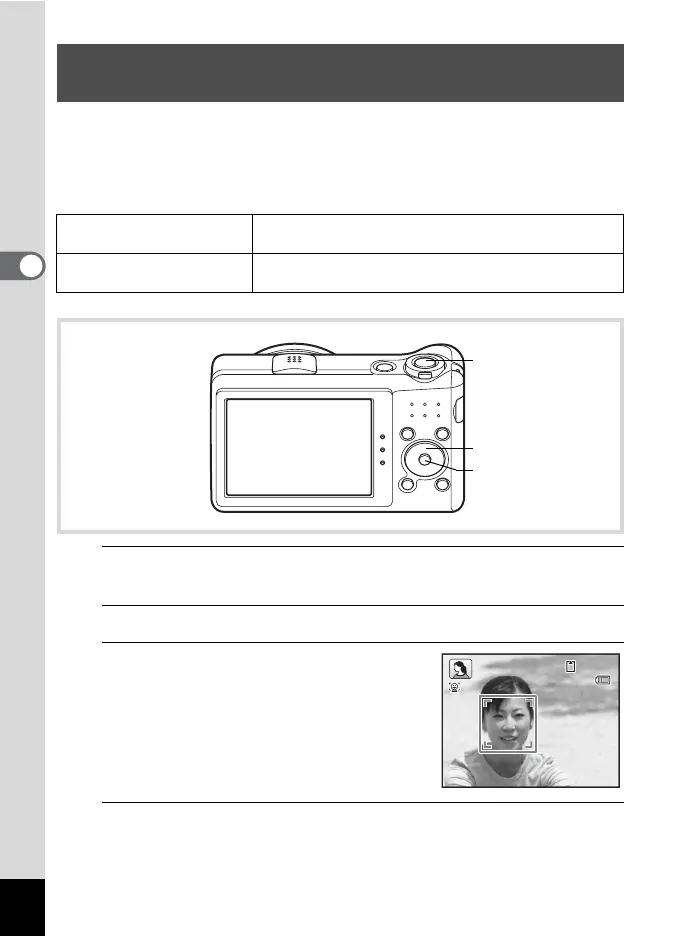
The c or d mode is selected and the
camera returns to capture status.
When the camera detects a person’s face,
the Face Detection function is activated and
the face detection frame appears (p.72).
4
Press the shutter release button halfway.
The focus frame on the display turns green when the camera focuses
on the subject at the correct distance.
Taking Pictures of People (Portrait/Natural Skin
Tone Mode)
c
Portrait
For capturing portraits. Reproduces a healthy and
bright skin tone.
d
Natural Skin Tone
For images of people. Enhances skin tones while
smoothing blemishes.
Shutter release
button
Four-way controller
4 button
14:25
38
38
14:25
09/09/2010
09/09/2010


 To Next Page
 Loading...











