9 Configuring the WAN Interface(s)
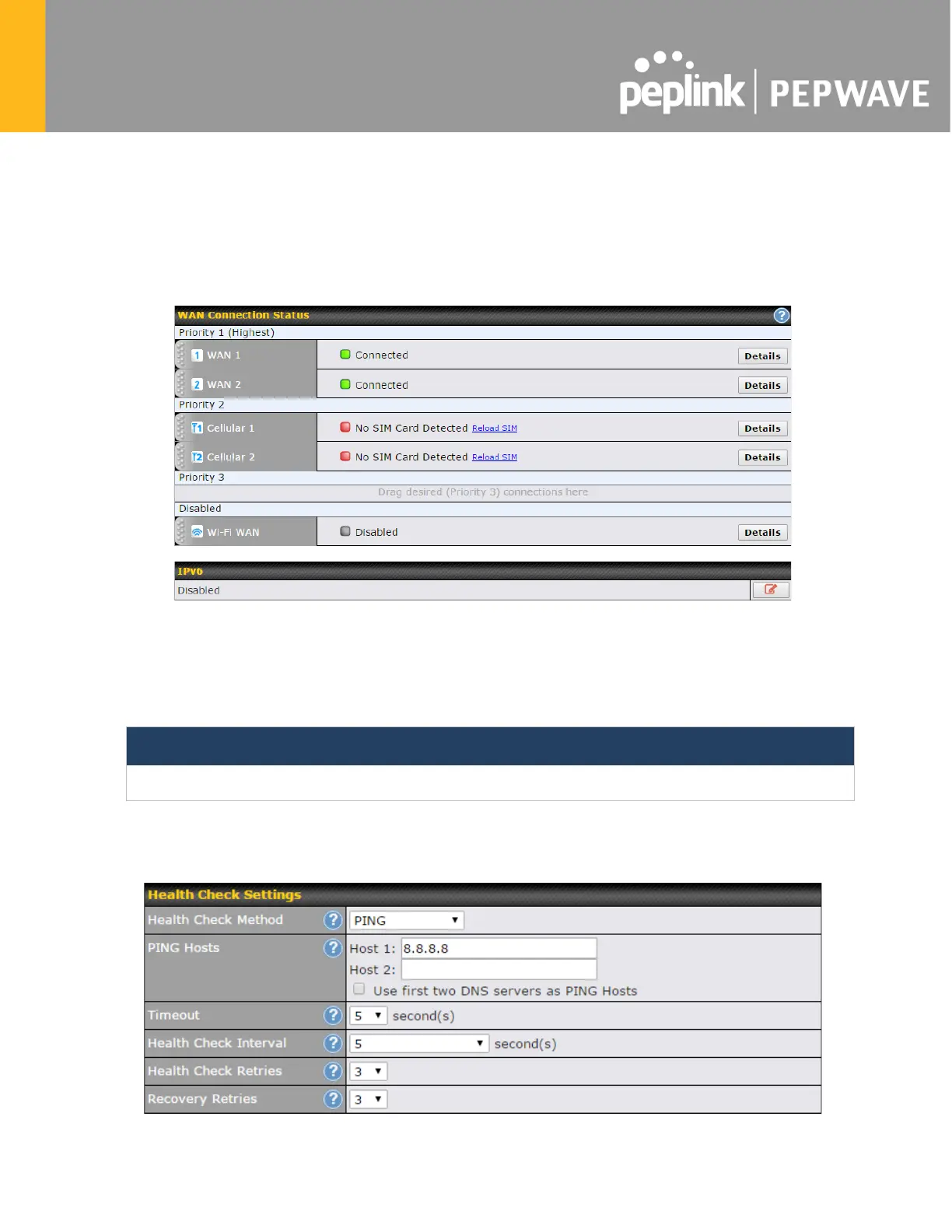
WAN Interface settings are located at Network>WAN. To reorder WAN priority, drag on the
appropriate WAN by holding the left mouse button, move it to the desired priority (the first one
would be the highest priority, the second one would be lower priority, and so on), and drop it by
releasing the mouse button.
To able a particular WAN connection, drag on the appropriate WAN by holding the left mouse
button, move it the Disabled row, and drop it by releasing the mouse button.
You can also set priorities on the Dashboard. Click the Details button in the corresponding row
to modify the connection setting.
Important Note
Connection details will be changed and become effective immediately after clicking the Save and Apply button.
9.1 Ethernet WAN








 To Next Page