http://youtu.be/rKH4AS_bQnE
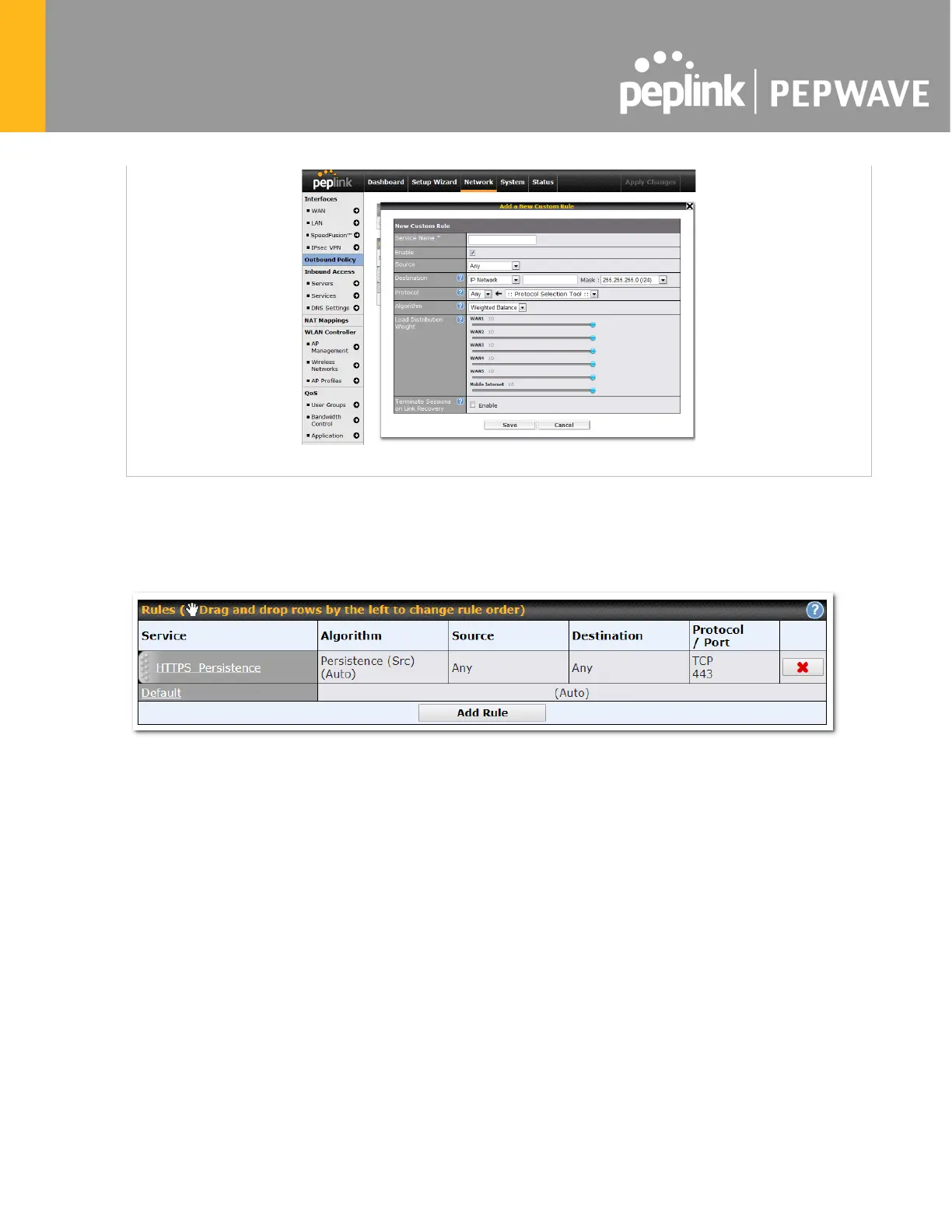
15.2 Adding Rules for Outbound Policy
The menu underneath enables you to define Outbound policy rules:
The bottom-most rule is Default. Edit this rule to change the device’s default manner of controlling
outbound traffic for all connections that do not match any of the rules above it. Under the Service heading,
click Default to change these settings.
To rearrange the priority of outbound rules, drag and drop them into the desired sequence.








 To Next Page