20 Routing Protocols
20.1 OSPF & RIPv2
The Pepwave supports OSPF and RIPv2 dynamic routing protocols.
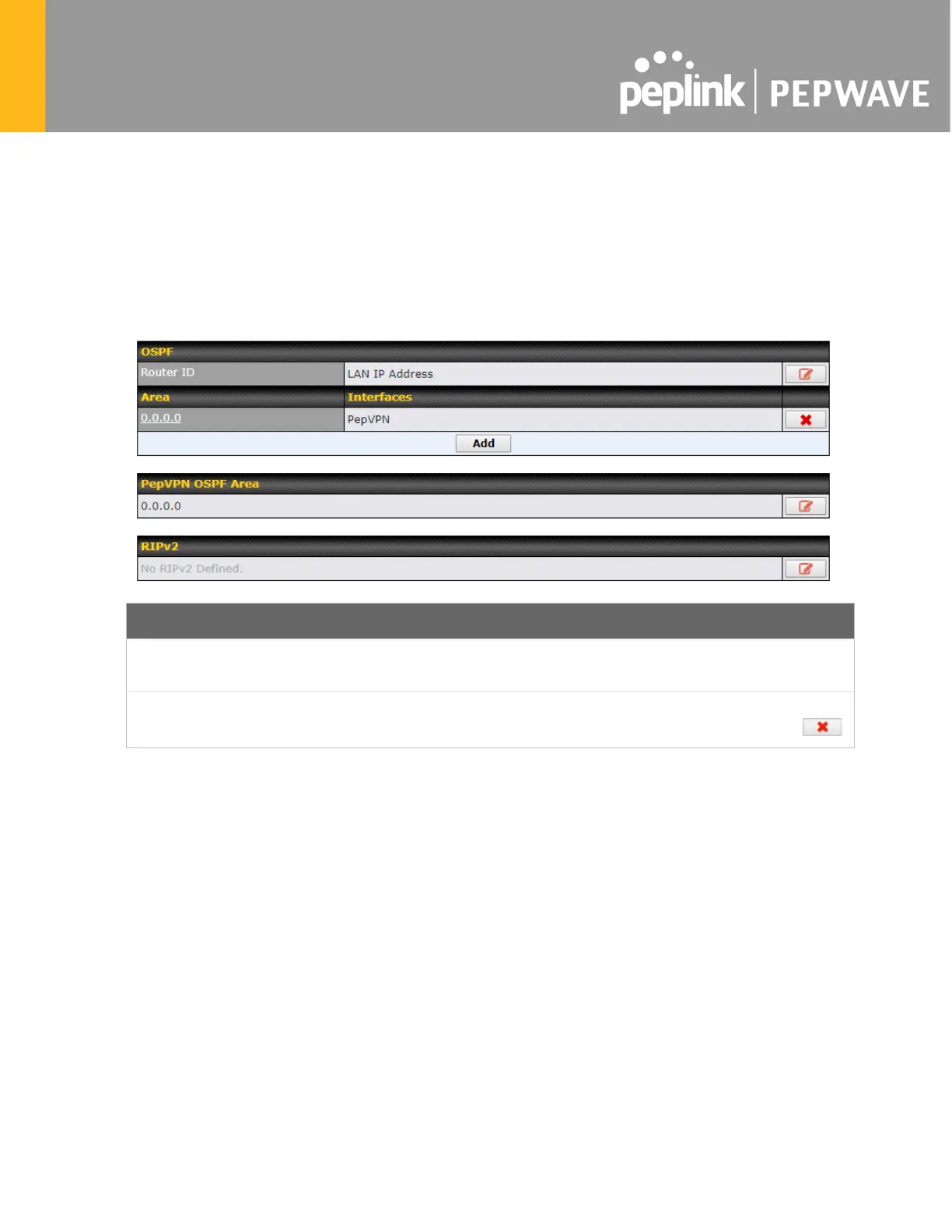
Click the Advanced tab from the top bar, and then click the Routing Protocols > OSPF &
RIPv2 item on the sidebar to reach the following menu:
Router ID
This field determines the ID of the router. By default, this is specified as the LAN IP
address. If you want to specify your own ID, enter it in the Custom field.
Area
This is an overview of the OSPFv2 areas you have defined. Click on the area name
to configure it. To set a new area, click Add. To delete an existing area, click .








 To Next Page