24.2 Access Point (Usage)
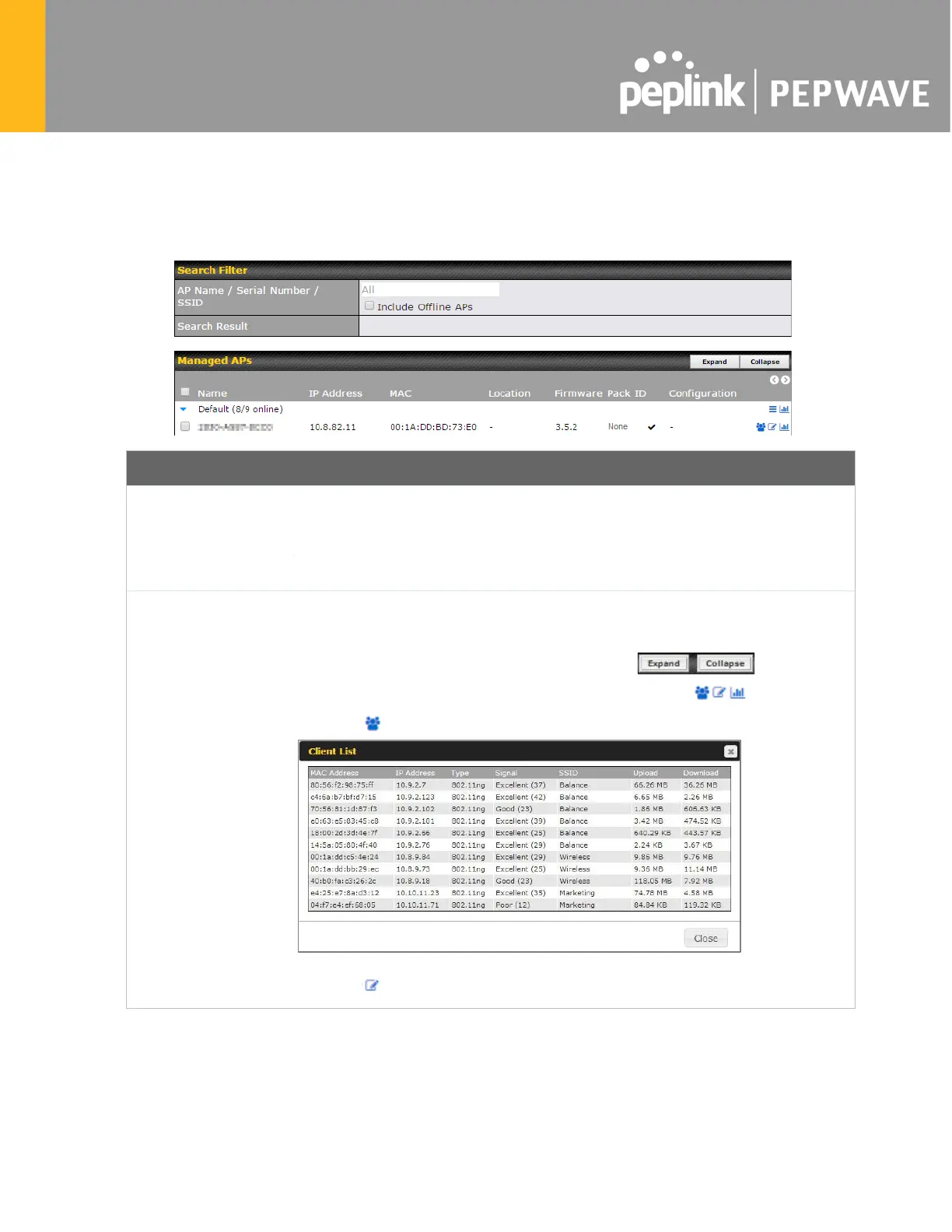
A detailed breakdown of data usage for each AP is available at AP > Controller Status >
Access Point.
AP Name/Serial
Number
This field enables you to quickly find your device if you know its name or serial
number. Fill in the field to begin searching. Partial names and serial numbers are
supported.
This button toggles whether your search will include offline devices.
Managed Wireless
Devices
This table shows the detailed information on each AP, including channel, number
of clients, upload traffic, and download traffic. Click the blue arrows at the left of
the table to expand and collapse information on each device group. You could
also expand and collapse all groups by using the buttons.
On the right of the table, you will see the following icons: .
Click the icon to see a usage table for each client:
Click the icon to configure each client








 To Next Page