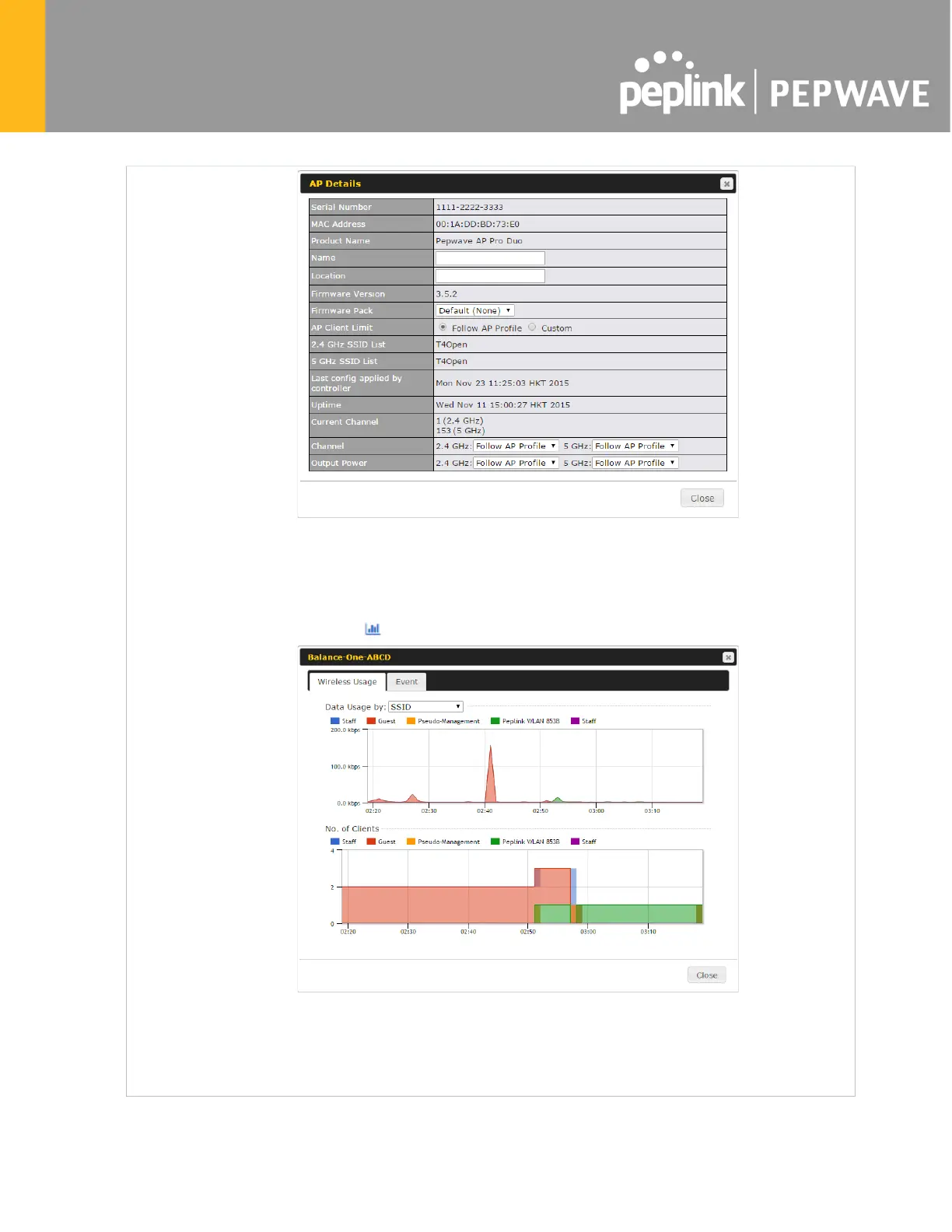
For easier network management, you can gi
ve each client a name and designate
its location. You can also designate which firmware pack (if any) this client will
follow, as well as the channels on which the client will broadcast.
Click the icon to see a graph displaying usage:
Click any point
in the graphs to display detailed usage and client information for
that device, using that SSID, at that point in time. On the Data Usage by
you can display the information by SSID or by AP send/receive rate.
Click the Event tab next to Wireless Usage
to view a detailed event log for that
particular device:








 To Next Page