the client via the HTTP/HTTPS protocol. Only FTP sync is supported for this type of ContentHub
content. The content should be uploaded to an FTP server before.
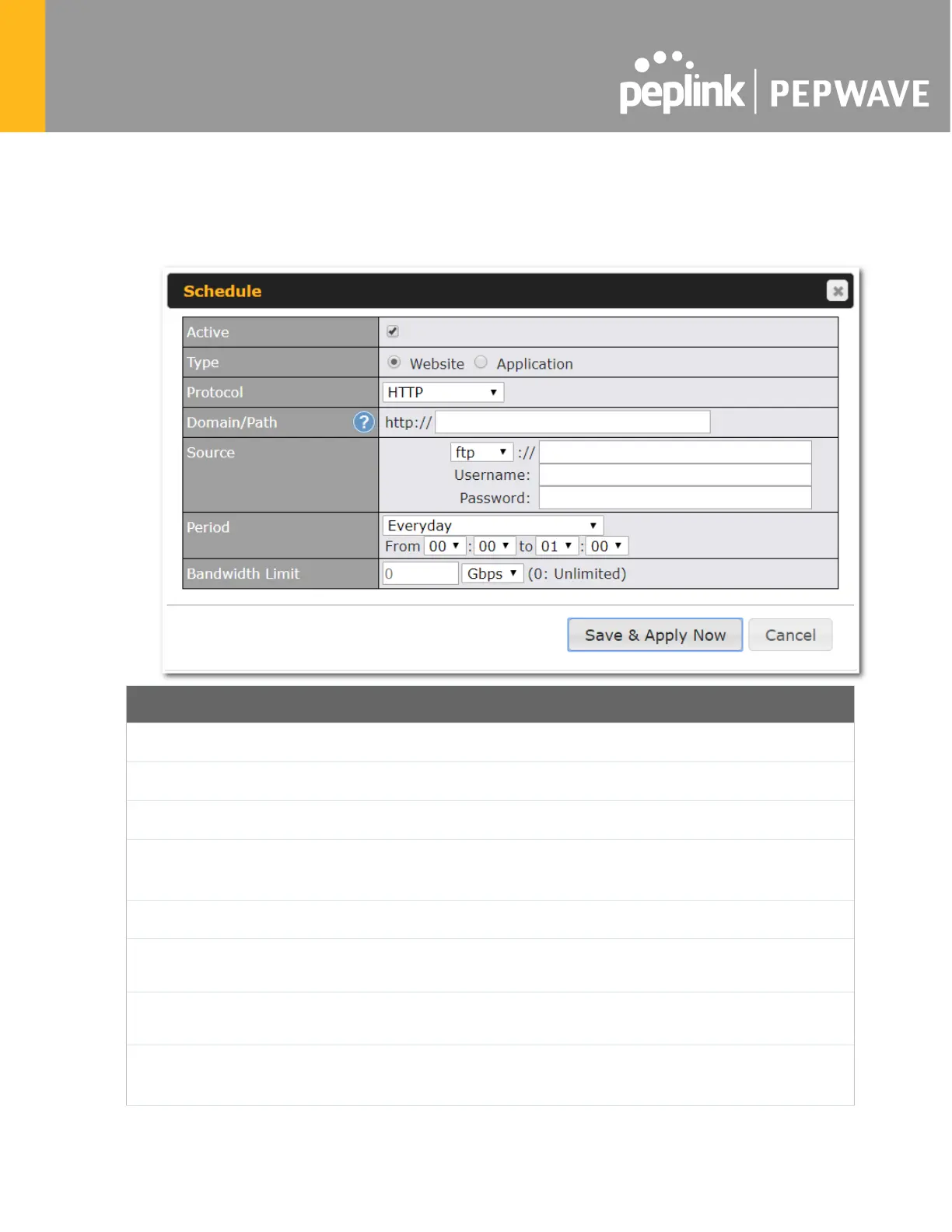
Click New Website, and the following configuration options will appear:
Schedule
Active
Checkbox toggles the activation of the content
Type
This option allows you to select Website or Application
Protocol
HTTP,HTTPS or both
Domain/Pat
h
The ContenHub uses this as the domain name for client access (such as
http://mytest.com).
Method
Only applicable for Application type: Choose between sync or file upload
Source
Enter the server details that the content will be downloaded from. Enter your
credentials under Username and Password.
Period
This field determines how often the Router will search for updates to the
source content.
Limit
Used to limit the bandwidth for each client to access the web server.








 To Next Page