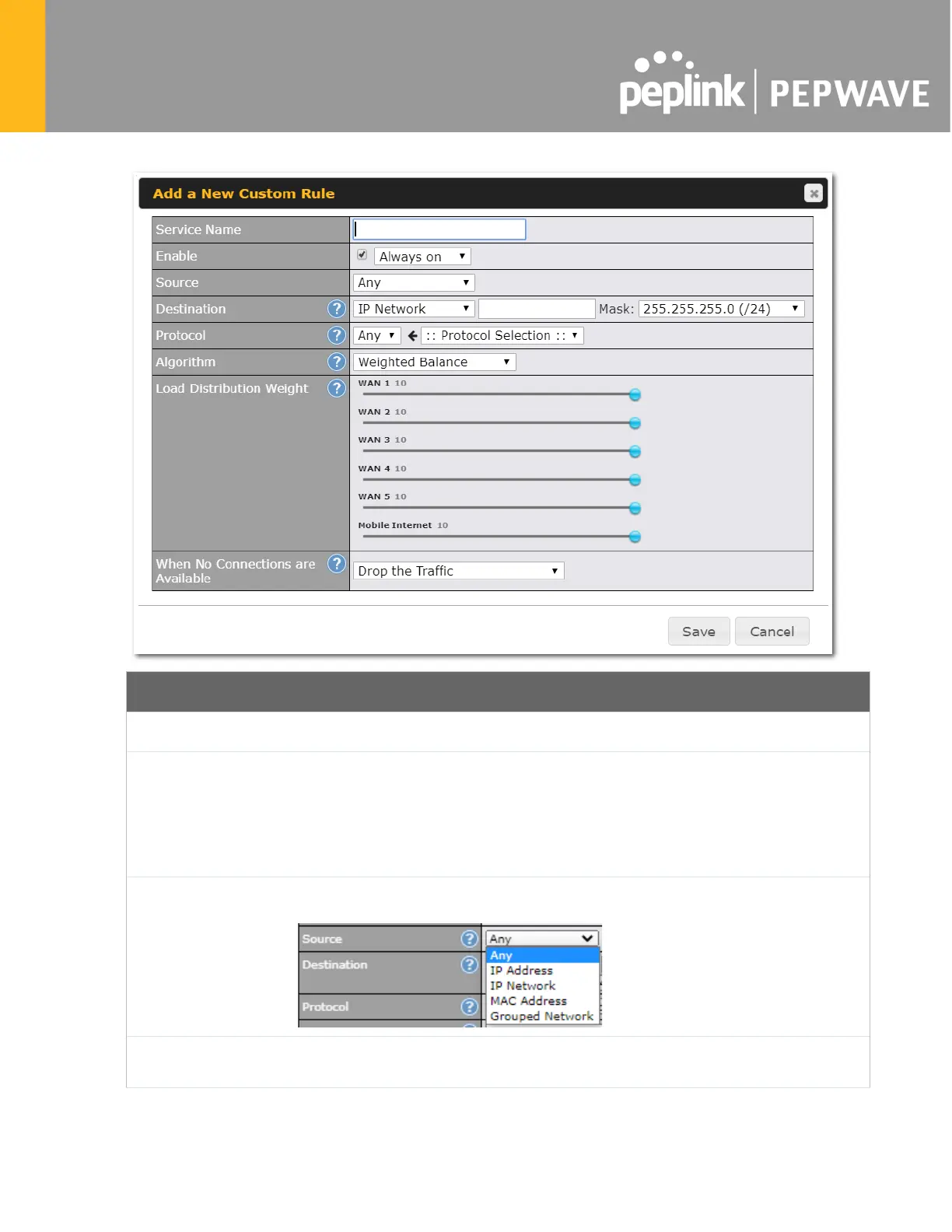
New Custom Rule Settings
Service Name
This setting specifies the name of the outbound traffic rule.
Enable
This setting specifies whether the outbound traffic rule takes effect. When Enable
is checked,
the rule takes effect: traffic is matched and actions are taken by the Pepwave router based
on the other parameters of the rule. When Enable is unchecked, the ru
the Pepwave router disregards the other parameters of the rule.
Click the drop-down menu next to the checkbox to apply a time schedule to this custom rule.
Source
This setting specifies the source IP Address, IP Network, MAC Addr
for traffic that matches the rule.
Destination
This setting specifies the destination IP address, IP network, Domain name, SpeedFusion
Cloud, PepVPN Profile or Grouped network for traffic that matches the rule.








 To Next Page