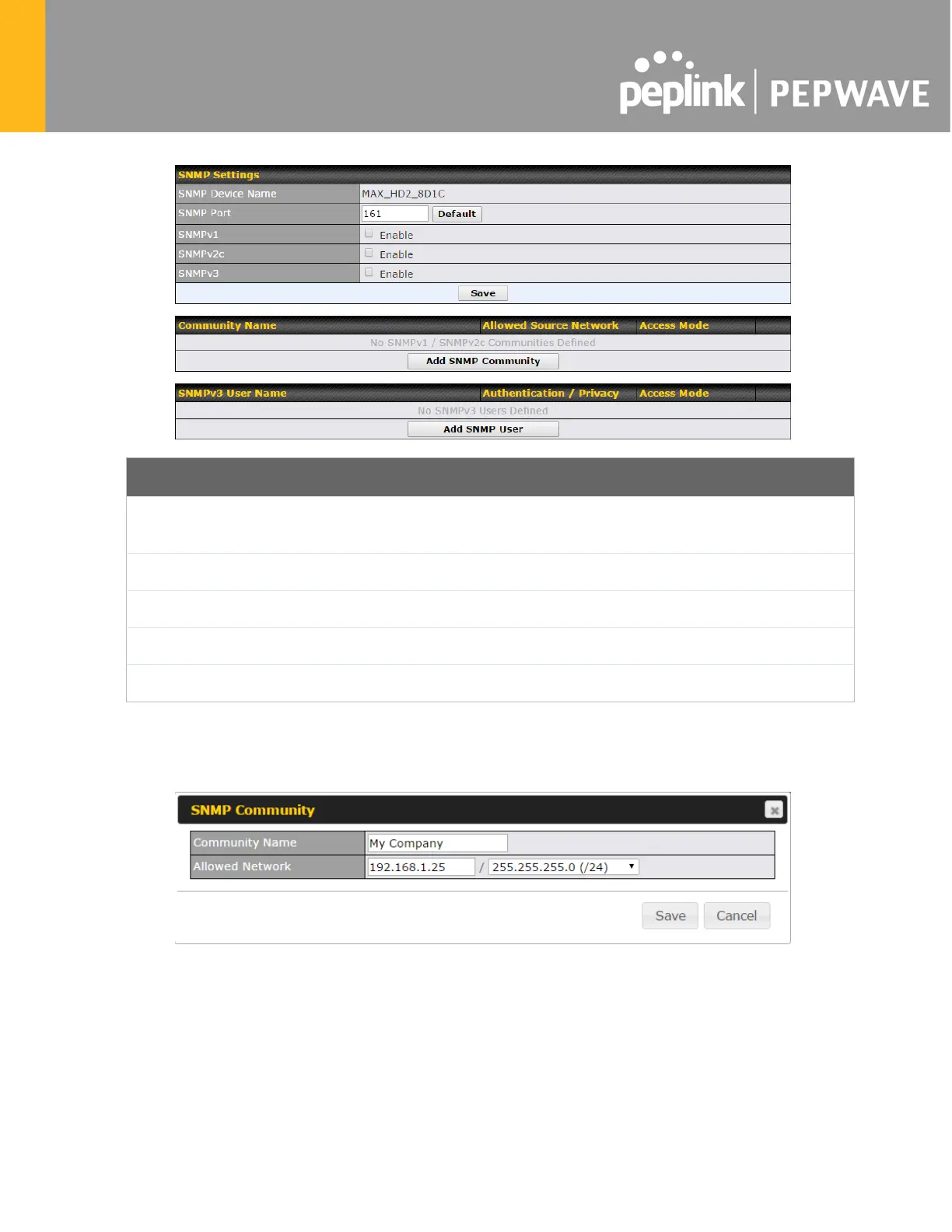
SNMP Settings
SNMP Device
Name
This field shows the router name defined at System>Admin Security.
SNMP Port
This option specifies the port which SNMP will use. The default port is 161.
SNMPv1
This option allows you to enable SNMP version 1.
SNMPv2
This option allows you to enable SNMP version 2.
SNMPv3
This option allows you to enable SNMP version 3.
To add a community for either SNMPv1 or SNMPv2, click the Add SNMP Community button
in the Community Name table, upon which the following screen is displayed:








 To Next Page