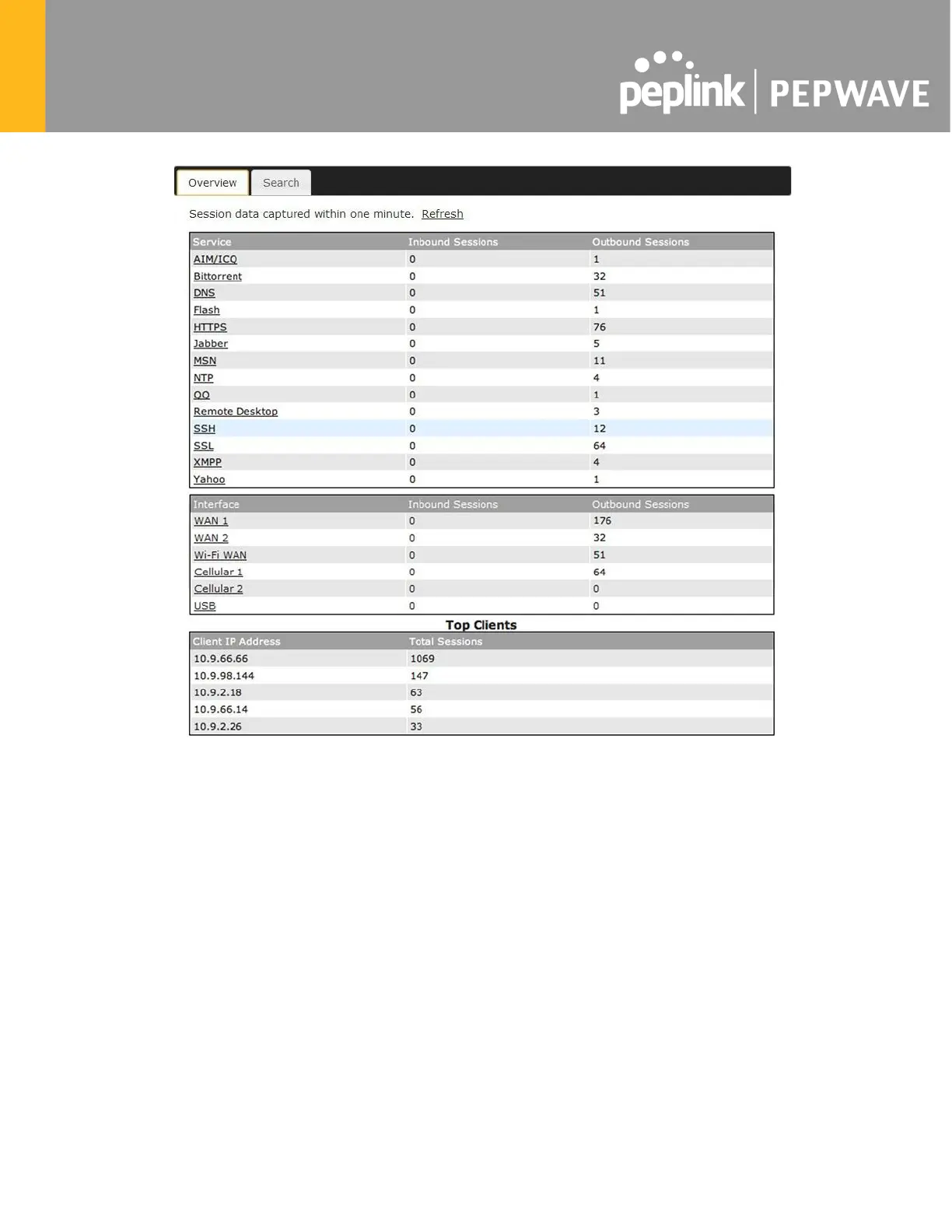
This screen displays the number of sessions initiated by each application. Click on each service
listing for additional information. This screen also indicates the number of sessions initiated by
each WAN port. In addition, you can see which clients are initiating the most sessions.
You can also perform a filtered search for specific sessions. You can filter by subnet, port,
protocol, and interface. To perform a search, navigate to Status>Active Sessions>Search.








 To Next Page