The Ethernet port must be set to ACCESS mode for each HD Dome. To do this, dummy
VLANs need to be created first.
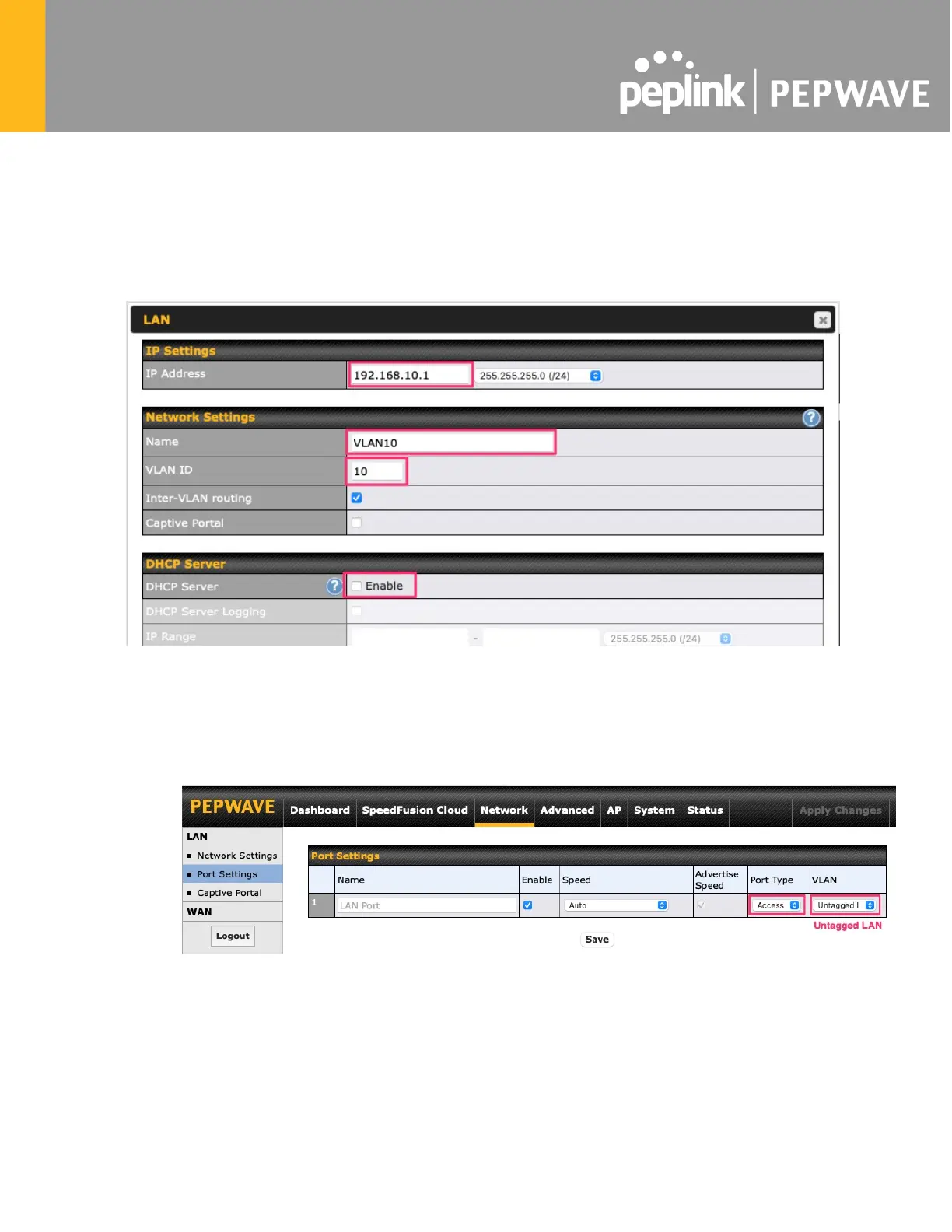
1. Go to Network (Top tab), then Network Settings (Left-side tab), and click on New
LAN. This will open the settings page to create a dummy VLAN.
2. The image below shows the values that need to be changed to create a new VLAN:
Note: set different IP addresses for each HD dome (e.g. 192.168.10.1 and 192.168.10.2).
3. Click Save and Apply Changes.
4. Go to Network (Top tab), then Port Settings (Left-side tab).
5. Set the Port Type to Access and set VLAN to Untagged LAN (see picture below).
6. Click Save and Apply Changes.
Configuration requirements for the main Router
Requirements for the main router are:








 To Next Page