EasyManua.ls Logo

Pepperl+Fuchs LB Series - User Manual

Pepperl+Fuchs LB Series
55 pages
Print Icon
To Next Page IconTo Next Page
Loading...
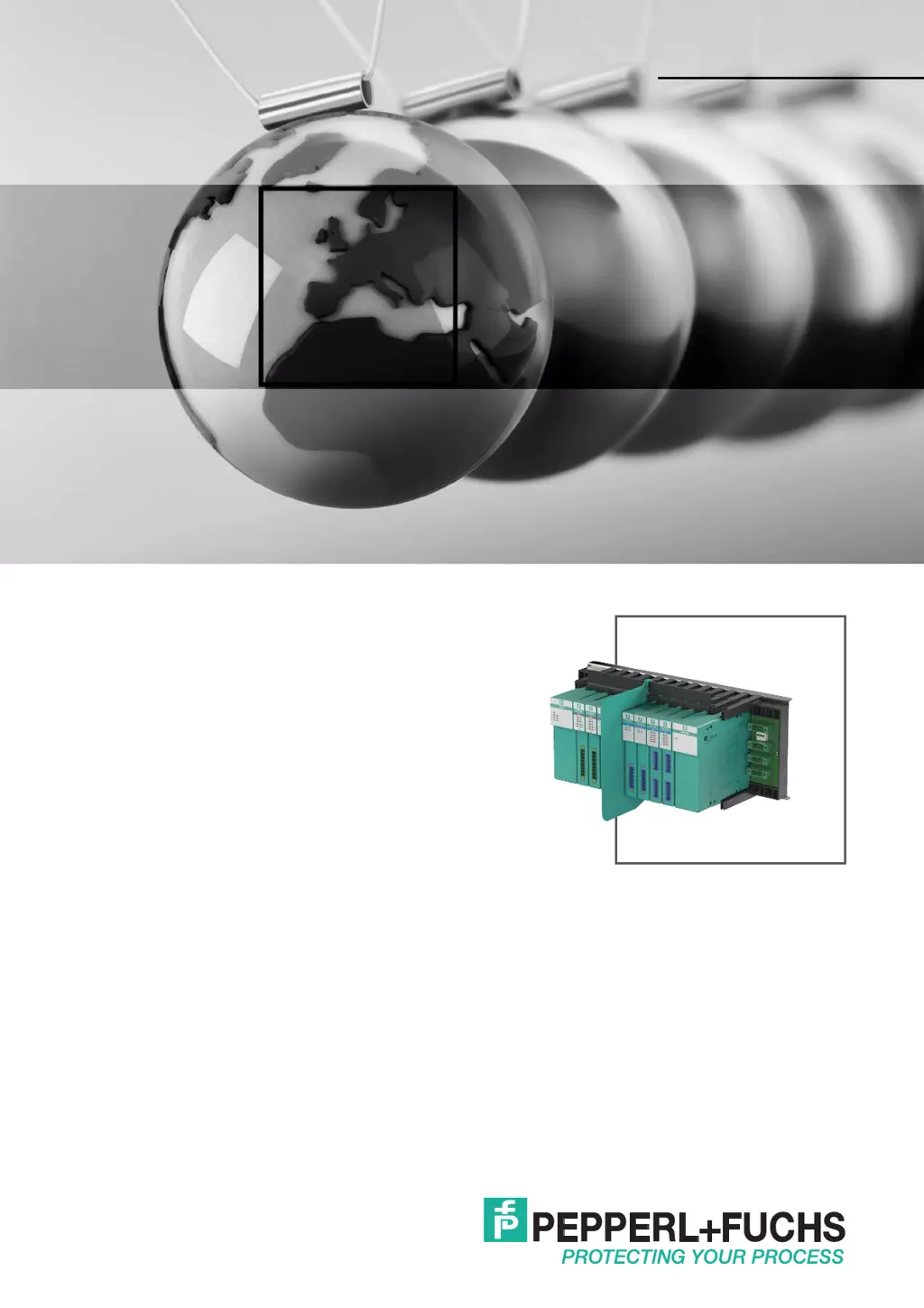
LB Remote I/O System
Hardware
PROCESS AUTOMATION
MANUAL

Questions and Answers

  • S
    suttonmaryAug 21, 2025
    What to do if all signals for a station are faulty in Pepperl+Fuchs I/O Systems?
    • N
      Nicholas WillisAug 21, 2025
      If all signals for a station are faulty in your Pepperl+Fuchs I/O Systems, start by checking that the power supply is working properly. Next, inspect the bus connection for any issues. Finally, use a bus monitor to check the bus communication itself.
  • A
    April DavidAug 25, 2025
    How to troubleshoot a faulty signal in Pepperl+Fuchs LB?
    • R
      Rhonda BrewerAug 25, 2025
      If you are experiencing a faulty signal with Pepperl+Fuchs I/O Systems, verify whether the I/O module is in simulation mode or using substitute values. Check for any short circuits or lead breakage within the circuit. Ensure that the field devices and sensors are functioning correctly. Inspect the communication path to the I/O module. If necessary, consider replacing the I/O module.
  • S
    sarathompsonAug 26, 2025
    How to resolve communication error on the service bus in Pepperl+Fuchs LB I/O Systems?
    • D
      Douglas MontoyaAug 26, 2025
      To troubleshoot a communication error on the service bus with Pepperl+Fuchs I/O Systems, first check that the cables are connected properly. Ensure that the nodes are positioned in a linear form without branches, as a star-shaped layout is not permitted. Verify that the terminator has been activated, ensuring there are exactly two terminators per segment, one at the start and one at the end. In the configuration software, check that the selected address matches the remote I/O station address. Also, confirm that the correct interface is preset in the configuration software.
  • E
    Edward LaneAug 27, 2025
    Why is there continuous redundancy switchover in Pepperl+Fuchs I/O Systems?
    • J
      Justin ComptonAug 28, 2025
      To address continuous redundancy switchover issues in Pepperl+Fuchs I/O Systems, verify that the correct type of redundancy is selected (either media redundancy or application redundancy). In the configuration software, check whether the master read cycle and the com unit watchdog are coordinated with one another. Also, ensure that the process control system is set to the correct type of redundancy.
  • A
    Ashley AllenAug 30, 2025
    What causes incorrect measured values occasionally in Pepperl+Fuchs LB?
    • J
      Jessica RossAug 30, 2025
      If you find that measured values are occasionally incorrect with Pepperl+Fuchs I/O Systems, check whether the measured value is being distorted by external influences. Also, ensure that the shielding is intact.
  • S
    Samantha CraneSep 1, 2025
    What causes communication error on the service bus after establishing a connection in Pepperl+Fuchs I/O Systems?
    • Z
      zwuSep 1, 2025
      If you experience a communication error on the service bus after successfully establishing a connection with Pepperl+Fuchs I/O Systems, verify that the service bus is galvanically isolated. If using a laptop, try operating it on battery power. Use a standard interface converter (RS-232 to RS-485 converter or USB to RS-485 converter) with automatic detection of the baud rate and transmission direction.
  • S
    Stephanie JohnsonSep 3, 2025
    Why is there no redundancy switchover when removing a com unit in Pepperl+Fuchs LB I/O Systems?
    • A
      Austin RiceSep 3, 2025
      If there is no redundancy switchover when a com unit is removed in your Pepperl+Fuchs I/O Systems, check that redundancy has been configured at the com unit. Also, verify that there is an electrical connection between the two com units; if not, establish a connection.
  • A
    amygraySep 5, 2025
    Why does the output module switch off in Pepperl+Fuchs I/O Systems?
    • B
      bdanielSep 5, 2025
      If the output module switches off in Pepperl+Fuchs I/O Systems, it may be due to an interruption in communication with the com unit. Check that the I/O module is properly plugged into the backplane. If necessary, switch off the status bits for analog outputs in the configuration software.
  • V
    vchandlerSep 7, 2025
    What causes I/O modules to continuously change data in Pepperl+Fuchs I/O Systems?
    • D
      Deborah LeeSep 8, 2025
      If I/O modules are continuously changing data in Pepperl+Fuchs I/O Systems, check whether one of the com units has not been configured for redundancy mode. If this is the case, both com units actively try to access the I/O modules and interfere with one another.
  • V
    Vanessa KingSep 9, 2025
    What to do if a new remote I/O station won't work on a bus with existing stations in Pepperl+Fuchs LB?
    • B
      Brittany BurgessSep 10, 2025
      If a new remote I/O station will not work on a bus when other remote I/O stations are already operating on the bus in Pepperl+Fuchs I/O Systems, check that the terminators are still on the start and end of the bus after expansion.

Summary

Introduction to LB Remote I;O System

Content of this Document

Details information required to use the finished device or system in product life cycle phases.

Target Group and Personnel

Defines responsibilities and training requirements for personnel handling the product.

Symbols Used in LB Remote I;O Manual

Product Specifications for LB Remote I;O System

Prerequisites for Operating the Remote I;O Unit

Details requirements for operating the LB remote I/O system in hazardous and non-hazardous areas.

Introduction to Product Specifications

Explains Remote I/O stations as interfaces and lists supported bus systems for communication.

LB Remote I;O System Components Overview

LB Remote I;O System Backplanes

LB Remote I;O System: Modules and Power Supplies

LB Remote I;O System Accessories

Installation of LB Remote I;O System

Surrounding Enclosure Requirements

Details enclosure requirements for Equipment Protection Level Gc and non-hazardous areas.

Mounting the Backplane

Provides instructions for mounting the backplane horizontally or vertically on a DIN mounting rail.

Connections and Fuses

Specifies required fuses and provides warnings for electrical connections.

Installation of LB9022-LB9029 Backplanes

Sub-D Plug Pinning for LB Remote I;O System

Activating Fieldbus Terminators

X40 Terminal Assignment for Booster Connection

S1 Switch and X3 Terminal for Deactivation Control

Control Input X3 Settings and Backplane Control

Installation of LB9022 S;LB9024 S Backplanes

Installation of LB9035 A Backplane

X4 Terminal Assignment for Fieldbus Connection

X3 Terminals and S1 Function Switches for I;O Control

Inserting and Removing I;O Modules

Installing I;O Modules

Step-by-step guide for installing I/O modules onto the backplane, including separation walls.

Removing I;O Modules

Instructions for safely removing I/O modules from the backplane.

Installing the Separation Wall

Mounting on a Backplane without a Label Carrier

Procedure for mounting a separation wall on a backplane without a label carrier.

Mounting on a Backplane with a Label Carrier

Procedure for mounting a separation wall on a backplane with a label carrier.

Field Wiring for LB Remote I;O System

Terminal Blocks for Field Connections

Describes terminal blocks (screw, front screw, spring) for making field connections.

Connection Data for Terminal Blocks

Connection Data for Spring Terminals (2 x8)

Installing Field Wiring Safely

Coding I;O Modules and Terminals

Coding Connections

Explains how to use coding pins to ensure correct assignment of terminals to I/O modules.

Line Fault Detection Functionality

Line Fault Detection for LB1*03*

Details line fault detection for LB1*03* modules, including rotational direction detection.

Line Fault Detection for LB1007*, LB1*08*, LB1*09*

Details line fault detection for LB1007*, LB1*08*, LB1*09* modules, including 24V/5V input usage.

Line Fault Detection for LB2* Modules

Cold Junctions for Thermocouple Measurements

External Cold Junctions

Describes using external cold junctions for thermocouple measurements and configuration.

Line Resistance Compensation for Resistance Thermometers

Pt100 Short Circuit Method

Procedure to measure and compensate line resistance using a Pt100 short circuit.

Using a Calibrating Resistor

Procedure to measure and compensate line resistance using a calibrating resistor.

Strain Gauge Measurement with LB Modules

Configuring I;O Modules for Strain Gauge Measurement

Steps to configure LB modules for strain gauge measurements using analog outputs and inputs.

Status Monitoring of Output Switch-off

Configuring I;O Modules for Status Monitoring

Instructions for configuring I/O modules for status monitoring of output shutdown.

Redundancy Features in LB Remote I;O System

Basic Principles of Redundancy

Explains the use of redundancy for ensuring operation despite component failure.

Media Redundancy

Describes media redundancy with voter, master, and redundant fieldbus cables.

Application Redundancy Configuration

Fieldbus Connection for LB Remote I;O System

Connection Guidelines

Provides guidelines for connecting fieldbuses, including explosion risks and accessory use.

Cable Lengths for Fieldbus Systems

Lists maximum cable lengths for various bus systems based on transfer rates.

Extending Fieldbus Cable Lengths

Fieldbus Terminator Configuration

Terminator Types and Line Types

Details terminator types (R values) for different line types (A, B, service bus).

Potential Equalization and Shielding

Interference Reduction Techniques

Explains how twisted-pair cables and shielding reduce electromagnetic interference.

Wiring Safety and EMC Considerations

System Expansion for LB Remote I;O

Adding I;O Modules and Hot Configuration

Details adding I/O modules and using Hot Configuration in Run (HCIR) for seamless updates.

Extending the Fieldbus

Explains how to extend the fieldbus cable, requiring terminator removal and redundant systems.

Commissioning the LB Remote I;O System

Electrical Testing of Connections

Tests physical connection integrity of fieldbus and service bus segments with voltage measurements.

Physical Remote I;O Station Connection Test

Tests physical connection of remote I/O stations, including explosion risk warnings.

Configuration of LB Remote I;O Stations

Service Bus Connection via RS-232

Details connecting the remote I/O unit to a PC via an RS-232 interface converter.

Service Bus Connection via USB

Instructions for connecting the remote I/O unit to a PC via a USB converter.

Startup Phase for LB Remote I;O System

Sequential Station Startup

Recommends connecting remote I/O stations sequentially to the master for stable operation.

Temporary Overload of Power Supply

Addresses power supply overload by limiting certain I/O modules during the startup phase.

Operation of LB Remote I;O System

Operational Safety and Module Swapping

Emphasizes safety during operation, especially when swapping I/O modules, and accessing operational data.

Troubleshooting LB Remote I;O System Communication Errors

Communication Errors on Fieldbus

Provides remedies for communication errors occurring on the fieldbus connection.

Communication Errors on Service Bus

Provides remedies for communication errors on the service bus connection.

Troubleshooting New I;O Stations and Software Issues

Addresses issues with new stations on the bus and software failing to locate com units.

Troubleshooting Redundancy Faults

Troubleshooting Signal Faults

Pepperl+Fuchs LB Series Specifications

General IconGeneral
MountingDIN Rail
ZoneZone 1, Zone 2
Power Supply24 V DC
Protection ClassIP20
System TypeRemote I/O System
Communication ProtocolsPROFIBUS DP
I/O ModulesAnalog, Digital
Signal TypeAnalog, Digital
Number of ChannelsVaries by module
Intrinsic SafetyYes
IsolationChannel to channel, channel to system
Output CurrentVaries by module (e.g., 0.5 A, 2 A)
Connection TypeScrew terminals
DimensionsVaries by module
WeightVaries by module
Temperature Range-20 ... 60 °C (-4 ... 140 °F)

Related product manuals