perma PRO -20-
Indication
of the
display
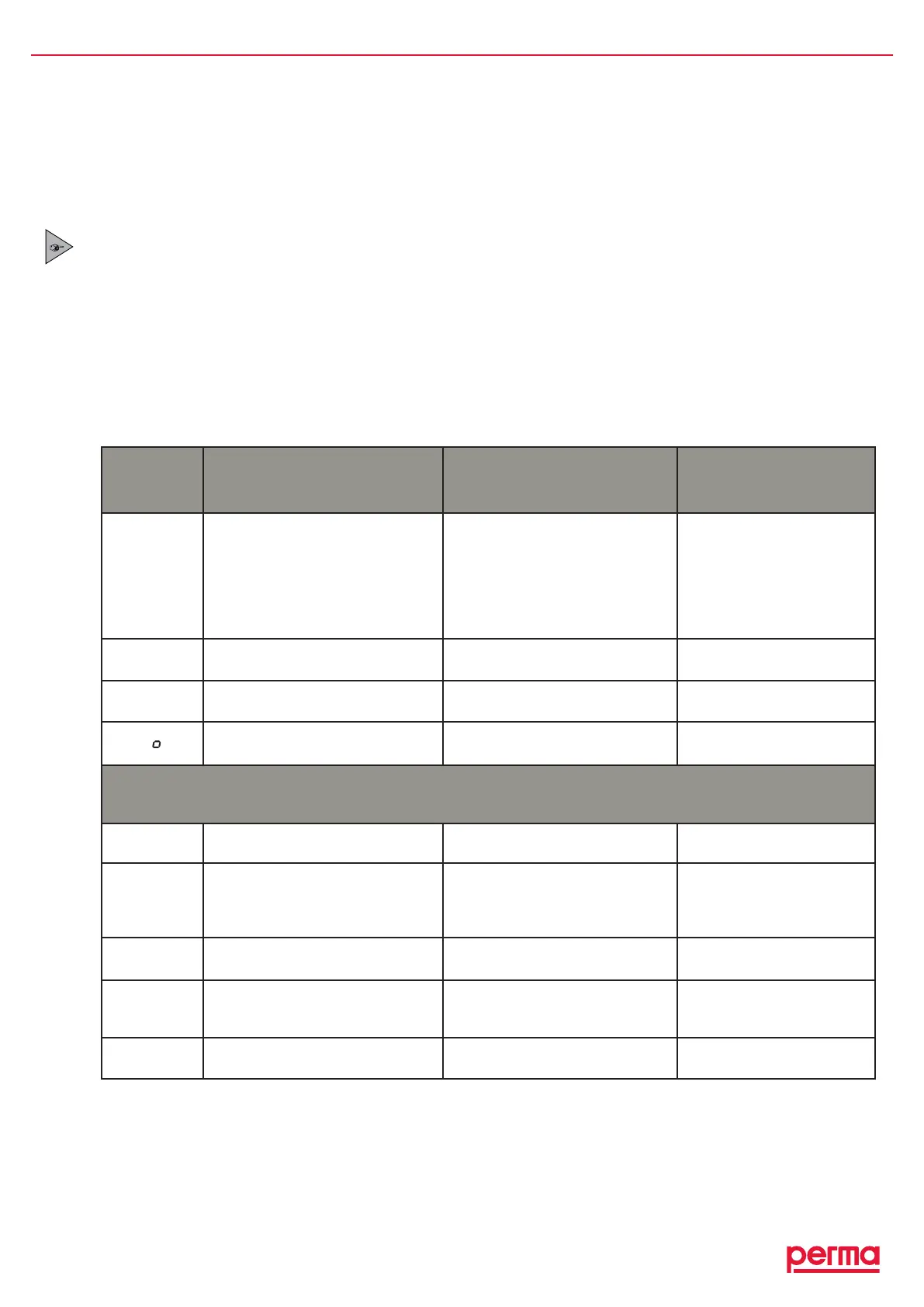
Error Possible cause Remedial measures
E I
Lubricatorhasbeenswitchedoff
Excessmotorcurrentofthe
lubricatormotorduetoablocked
outlet
Batterysetisempty
Cleartheblockageandack-
nowledgethefaultbypushing
andholdingdowntheON/
OFF/SELECTbutton
Insertanewbatterysetand
useafullPROLCunit
E4
Lubricatorhasbeenswitchedoff Drivemechanismisdefective Exchangethedriveunit
LC
Systemdoesnotdetect
thePROLCunit
NoPROLCunitinstalled InstallanPROLCunit
L
Nopowersuppliedtothesystem
fromthebattery
Nobatteryinsertedorbatteryset
empty
Insertanewbatterysetand
useafullPROLCunit
In addition to the above, the following malfunctions can occur when a perma MP-6 distributor is connected to the
lubrication system:
E0
Lubricationsystemhasbeen
switchedoff
Excessmotorcurrentoftheperma
MP-6
ReplacepermaMP-6
distributor
F I tof6
Erroratthedisplayedlubrication
point
Excessmotorcurrentofthe
lubricatormotorcausedbya
blockingofthedisplayedoutlet
Cleartheblockageandack-
nowledgethefaultbypushing
andholdingdowntheON/
OFF/SELECTbutton
E2
Lubricationsystemhasbeen
switchedoff
Outletsofdistributornotcorrectly
recognized
Replacedistributor
E3
Lubricationsystemhasbeen
switchedoff
Timeoutwhileactivatingdistributor
Connectioncabledamaged
Replacedistributor
Replaceconnectioncable
E5
Outletcongurationmissing Outletswerenotactivated Activatedesiredoutlets
chart7
8. Trouble Shooting
8.1 Error Messages on the Display
Possibleerrorsofthelubricationsystemandtheapplicationaredetectedbytheelectroniccontrolsystemandare
indicatedonthedisplay.Ifanerrorisdisplayed,thesystemisswitchedOFFuntilthecauseoftheerrorhasbeen
eliminatedandtheerrormessagehasbeenacknowledged.
Error messages are acknowledged and reset by pushing the ON/OFF/SELECT button.
8.2 Trouble Shooting Guide
Iftherearemalfunctionsduringtheoperationofthelubricationsystem,pleasecheckforpossiblecausesusing
thefollowingchart(refertochart7).
Every time that an error message is displayed, the red LED is also blinking.


 To Next Page