EasyManua.ls Logo

Perma PRO 250 - User Manual

Perma PRO 250
80 pages
Print Icon
To Next Page IconTo Next Page
Loading...
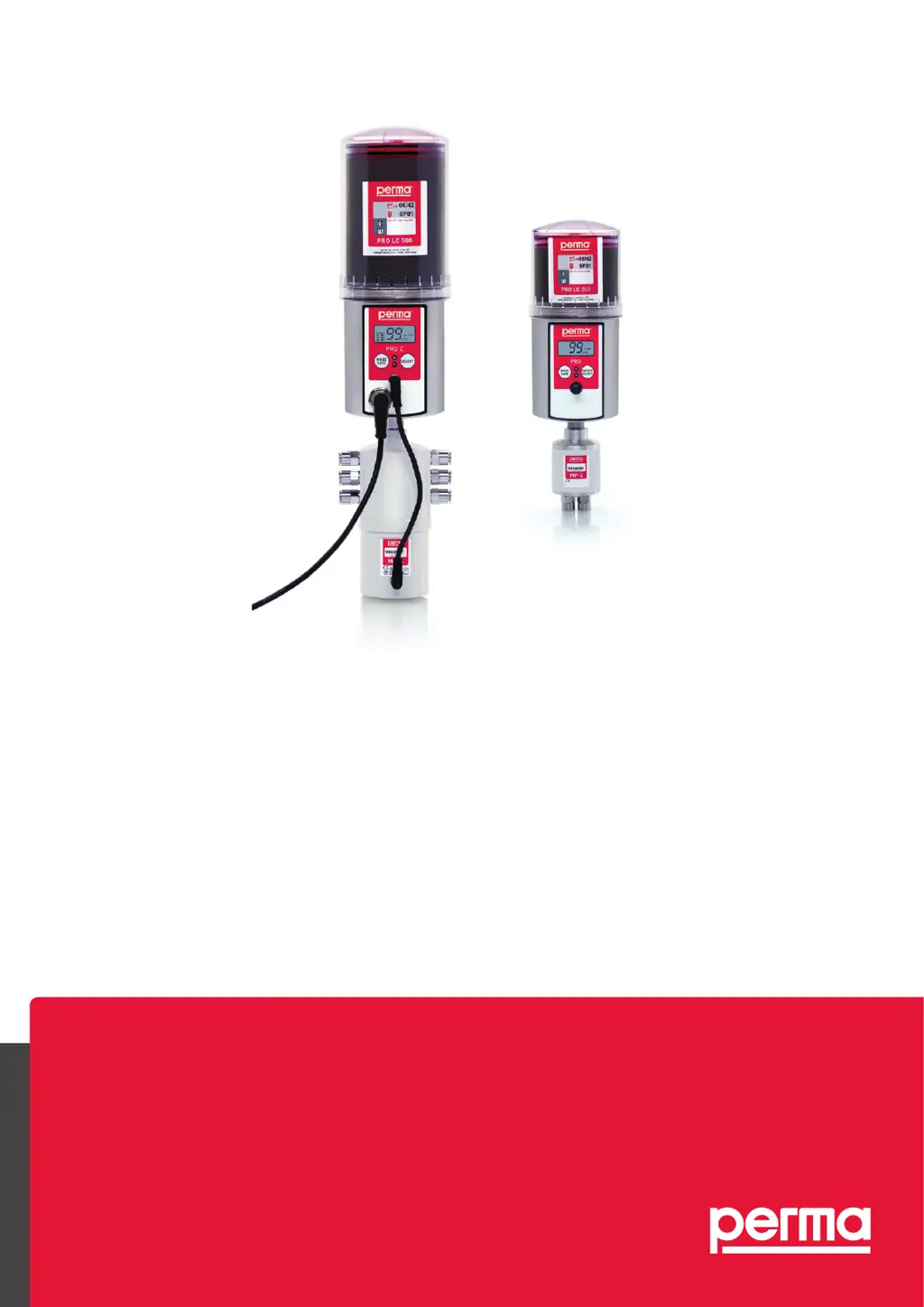
Translation of the
Original Operating Instructions
perma
PRO 250 / 500
PRO C 250 / 500
PRO / PRO C LINE 250 / 500
PRO MP-6 Distributor
PRO / PRO C MP-2
The Expert in Lubrications Solutions

Table of Contents

Other manuals for Perma PRO 250

Questions and Answers

  • T
    Troy MortonAug 18, 2025
    What to do if there is an error at the displayed lubrication point in Perma Lubrication systems?
    • S
      Sarah LevyAug 18, 2025
      If you see an error at the displayed lubrication point on your Perma Lubrication system, it's likely due to excess motor current caused by a blockage in the outlet. To resolve this, clear the blockage and then acknowledge the fault by pushing and holding down the ON/OFF/SELECT button.
  • S
    scott31Aug 21, 2025
    Why has my Perma Lubrication system been switched off?
    • P
      Patrick MarshAug 21, 2025
      If your Perma Lubrication system has switched off, it could be due to excess motor current in the lubricator motor because of a blocked outlet or an empty battery. Clear any blockage, acknowledge the fault by pushing and holding down the ON/OFF/SELECT button. If the battery is empty, insert a new battery set and use a full PRO LC-unit.
  • K
    Kelly WilliamsAug 23, 2025
    Why is there no power supplied to the Perma Lubrication system from the battery?
    • C
      Carla KimAug 23, 2025
      If your Perma Lubrication system isn't getting power from the battery, it's likely because there's no battery inserted or the battery set is empty. Insert a new battery set and use a full PRO LC-unit to solve this.
  • K
    Kelly SantosAug 26, 2025
    What to do if the Perma Lubrication system has been switched off and the outlets are not correctly recognized?
    • R
      Richard ConnerAug 26, 2025
      If your Perma Lubrication system has switched off, the outlets of the distributor might not be correctly recognized. Try replacing the distributor to fix this.
  • C
    Cheryl DiazAug 27, 2025
    What to do if the Perma Lubrication system has been switched off due to a timeout?
    • M
      michael24Aug 27, 2025
      If your Perma Lubrication system has been switched off, it could be due to a timeout while activating the distributor or a damaged connection cable. Try replacing the distributor and the connection cable.
  • M
    Melissa StephensAug 30, 2025
    What to do if the Perma Lubrication system does not detect the PRO LC-unit?
    • M
      Michelle CastroAug 30, 2025
      If your Perma Lubrication system does not detect the PRO LC-unit, ensure that a PRO LC-unit is installed.
  • G
    Gary HuntSep 1, 2025
    What to do if Perma Lubrication system has been switched off and the drive mechanism is defective?
    • R
      Richard GallegosSep 1, 2025
      If your Perma Lubrication system has switched off, the drive mechanism might be defective. Exchange the drive unit to resolve the issue.
  • M
    Michael BarberSep 3, 2025
    What to do if the outlet configuration is missing in Perma PRO 250?
    • S
      Steven VelezSep 3, 2025
      If the outlet configuration is missing in your Perma Lubrication system, it means the outlets were not activated. Activate the desired outlets to resolve this.
  • S
    sbrewerSep 6, 2025
    What to do if my Perma Lubrication system displays an error at a lubrication point?
    • R
      robertoscottSep 6, 2025
      If your Perma Lubrication system displays an error at the lubrication point, it is likely due to excess motor current caused by a blockage at the displayed outlet. The solution is to clear the blockage and then acknowledge the fault by pushing and holding down the ON/ OFF/SELECT button.
  • G
    gileshollySep 8, 2025
    What to do if my Perma Lubrication system has been switched off?
    • J
      Jeffrey PowellSep 8, 2025
      Your Perma Lubrication system might be switched off due to several reasons. One potential cause is excess motor current in the perma MP-6. If this is the case, replace the perma MP-6 distributor. Other possible causes include incorrectly recognized distributor outlets, in which case you should replace the distributor. A timeout while activating the distributor or a damaged connection cable could also be the reason; in these cases, replace the distributor or the connection cable, respectively.

Summary

1. Product Overview and Safety

1.1 Safety Instructions

Details safety responsibilities, general guidelines, and specific precautions.

1.2 Technical Data and Assembly

Provides technical data, design, and mounting/assembly instructions.

2. Operation and Controls

2.1 Display, Controls, and Settings

Explains display elements, controls, basic operation, and settings.

2.2 Maintenance and Troubleshooting

Covers LC unit replacement, troubleshooting, disposal, and service.

3. Quick Reference Guide

3.1 Assembly and LC Unit Exchange

Step-by-step guide for assembly and LC unit exchange.

3.2 System Configuration and Operation

Guide to set discharge period, LC size, outlets, PIN, save, start, and stop.

Perma PRO 250 Specifications

General IconGeneral
BrandPerma
ModelPRO 250
CategoryLubrication systems
LanguageEnglish

Related product manuals