permaPROC -13-
%Vol.
LC 500
6.3 Setting into Operation
♦ Mountthedriveunitontoaxingdeviceforwall-mounting(refertochapter4.1).
♦ InsertthePROLCunitintotheprotectioncoverandclosethecompletesystem(refertochapters4.2).
♦ Determinethedischargeperiod(refertochapter6.7).
♦ SetvolumeofPROLCunit,dischargeperiod,outletsofMP-6,andthePINviabuttonsondisplay(referto
chapter6.8)orsetthelubricatortoimpulsemode(refertochapter6.10).
♦ Plugtheconnectingcableintothelubricatorandconnectthestrandstoyourcontrolsystem(referto
chapter4.3).
♦ Turnthelubricationsystemonbysupplyingvoltage(seechapter6.5)
♦ Carryoutanadditionaldischarge(refertochapter6.8).
IfthedrivemotorhasstartedandthegreenLEDislit,thelubricatorhasstartedtodischarge.Thedisplay
indicatestheremainingvolume(%Vol.)ofthePROLCunit.
Theoperatormustalwayscheckthecustomer-specicsettingsandifnecessarychangethembeforethe
lubricatorissetintooperation!
6.4 During Operation
♦ Carryoutregularinspectionsduringtheoperation.Youshouldpayspecialattentionwithregardtoleakage
andtotheconditionofthelubricator!
♦ Checktheconditionofthelubricanttubeandtheconnectionsregularly!
♦ CheckthellinglevelofthetransparentPROLCunitregularly!
♦ Afteroneorseveraladditionaldischarges,youhavetocalculatethereduceddischargeperiodandnotethis
onyourlubricationandmaintenanceschedule.
♦ Ifyourcontrolsystemindicatesamalfunction,youhavetodetermineitscausedirectlyviathedisplayofthe
permaPROC.Youcancheckforpossiblecausesusingthetroubleshootingguide(refertochart8,chapter
8.3).Ifthefaultcannotbexed,pleasecontactyourlocalsupplierfortechnicalsupport.
Additionaldischargesandlongmachinestandstillsmustalwaysbetakenintoaccountwithregardtothe
remainingdischargeperiodofthelubricator.
6.5 Switching the Lubrication System On
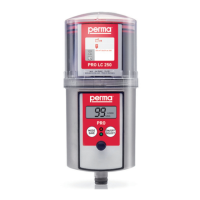
Toturnthelubricationsystemon,youhavetoswitchonthesupplyvoltageforthepermaPROC.Theindication
(“ ”)onthedisplayisreplacedbyanindicationoftheremainingvolume–e.g. %VOL(withanewPRO
LCunit)(seegure13).ThegreenLEDstartsblinkingandthemalfunctionoutputsendsa“High”signal(system
OK)totheconnectedcontrolsystem.
6.6 Switching the Lubrication System Off
Toswitchthelubricationsystemoff(refertogure14)youhavetoswitchoffthesupplyvoltageofthe
permaPROC.Thedisplaynolongerindicatestheremainingvolume–%VOL–butindicates(“ ”)instead.
Whenthelubricationsystemisswitchedoff,allofthesettingsaresaved.Thismeansthatifyoustartthe
lubricatoragain,itwilltakeuptheoperationatthepointwhereithadbeenswitchedoff.
Thefaultoutputsendsa“Low”signal(systemnotworking)tothecontrolsystem.
gure14
%Vol.
LC 500
gure13
Switch-onofthesupply
voltagebythecontrol
system


 To Next Page