EN - SmartDrive MX2+ User’s Manual 14
Operating Conditions
WARNING If any malfunctions or issues are experienced with the SmartDrive, cease use of the device and contact
Customer Support for assistance.
WARNING All operating conditions set forth by one’s wheelchair manufacturer should always be heeded, in addition
to the avoidance of the following: loose dirt, sand or gravel; standing water; icy surfaces; rough terrain; extreme slopes.
CAUTION The SmartDrive may stop functioning if submerged or doused in water. After significant water ingress,
discontinue use and allow 12 hours for the SmartDrive to air dry before attempting use. If the SmartDrive will not restart,
contact Customer Support.
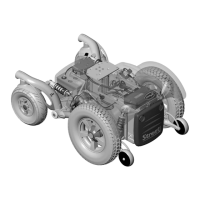
The SmartDrive is designed for typical operating conditions encountered by a manual wheelchair user on a daily basis. Permobil
recommends restricting the use of this device to indoor and light outdoor use. Avoid loose dirt, sand or gravel; standing water;
icy surfaces; rough terrain; extreme slopes.
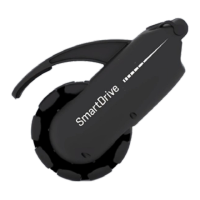
The total weight of the SmartDrive assembly is 14.4 lbs (6.5 kg). This weight should be included in calculating the on-board
weight of the wheelchair. The maximum allowable on-board weight outlined by one’s wheelchair manufacturer should never be
exceeded with the addition of the SmartDrive.
The best way to climb ramps and inclines is to go slow. On cross-slopes, activate the motor to begin driving, then brake with the
uphill hand on the wheelchair handrim to go straight.
Also, rollers on the omni-drive wheel allow for pivoting of the wheelchair as they smoothly roll sideways over surfaces. Care
should be taken to make sure the SmartDrive doesn’t get caught on things like curbs or small sidewalk cracks when you pivot.
The attachment hardware is designed to fail first, so if you get the SmartDrive stuck, this can break the clamp / folding adaptor
bar and leave you without power assist. Sometimes it is best to turn the SmartDrive off, negotiate the situation manually and
then start using the assistive power again.
It is recommended to always store the SmartDrive and PushTracker/ E3 indoors. If your device has been stored in extreme
temperatures, allow time for it to warm up or cool down prior to use.
The operating temperature of the SmartDrive is between -25
o
C and 50
o
C.
Batteries
WARNING Although the battery in the SmartDrive is very small and compact, it can store a large amount of
power. Faulty handling or storage can damage the equipment, and in some cases result in shocking, burns, or fire.
Battery Information
The SmartDrive houses the rechargeable Lithium Iron Phosphate battery used to power the motor. The best in Lithium-Ion
technology, these batteries offer a significantly longer cycle life and faster charging rate than standard lithium ion cells.
The display on the PushTracker / screen on the PushTracker/ E3 [see the PushTracker/ E3 User’s Manual] and blue LEDs on top
of the SmartDrive are used to indicate the battery charge levels of both. All four (4) LEDs being illuminated on the SmartDrive
indicate a full battery. As the charge of the battery decreases, so does the number of LEDs being lit. The SmartDrive will give a
beep whenever the SmartDrive battery is below 15% and the motor is driving to let you know charging of the battery should be
done as soon as possible to avoid running completely out.
See the separate PushTracker/ E3 User’s Manual provided for its low battery indication. Again, charging of this battery should
be done as soon as possible to avoid running completely out.
It is encouraged to charge each battery every night to avoid running out of charge during daily use. The life of the batteries will
not be deteriorated by charging when it is partially drained.
Make sure the charging receptacles are completely dry and free from debris [as the magnets and ports can attract some]
before pluing in the charger, for this can cause a spark or short. Blow water out of the receptacle if you suspect there being
water in it. It is also recommended to always cover the button / charger receptacle whenever either are not plued into the
SmartDrive.
Long-term storage of the batteries [more than 3 months] reduces its capacity through spontaneous discharge. Charge the
battery to at least 75% before you store it long-term, and avoid storing the SmartDrive where the temperature is too high or with
high humidity.


 To Next Page
 Loading...