EN - SmartDrive MX2+ User’s Manual 16
Maintenance
Inspection
Always inspect the SmartDrive, omni-drive wheel, PushTracker / E3, attachment hardware and SpeedControl dial /
SwitchControl button(s) for missing parts / damage prior to each use. Cease use and contact Customer Support or your
mobility equipment dealer if you notice any of the following:
- Broken or cracked plastic
- Any of the rollers do not spin with little resistance, have flats worn in them or any other significant damage
- Significantly worn down rollers and / or damaged wheel plastic
- Ripping rubber on the PushTracker / E3
- Missing or loose screws
- Adaptive clamp has rotated downward [on rigid wheelchairs]
- Broken or fraying cables
- Magnetic receptacle or plug has collected metal shards
- Any abnormal motor activation / deactivation activity [during use]
Cleaning
Cleaning of the SmartDrive can be done by wiping all of the parts down with a damp wash rag. This should be done at least
once a month, or as needed.
Roller Lubricating or Replacement
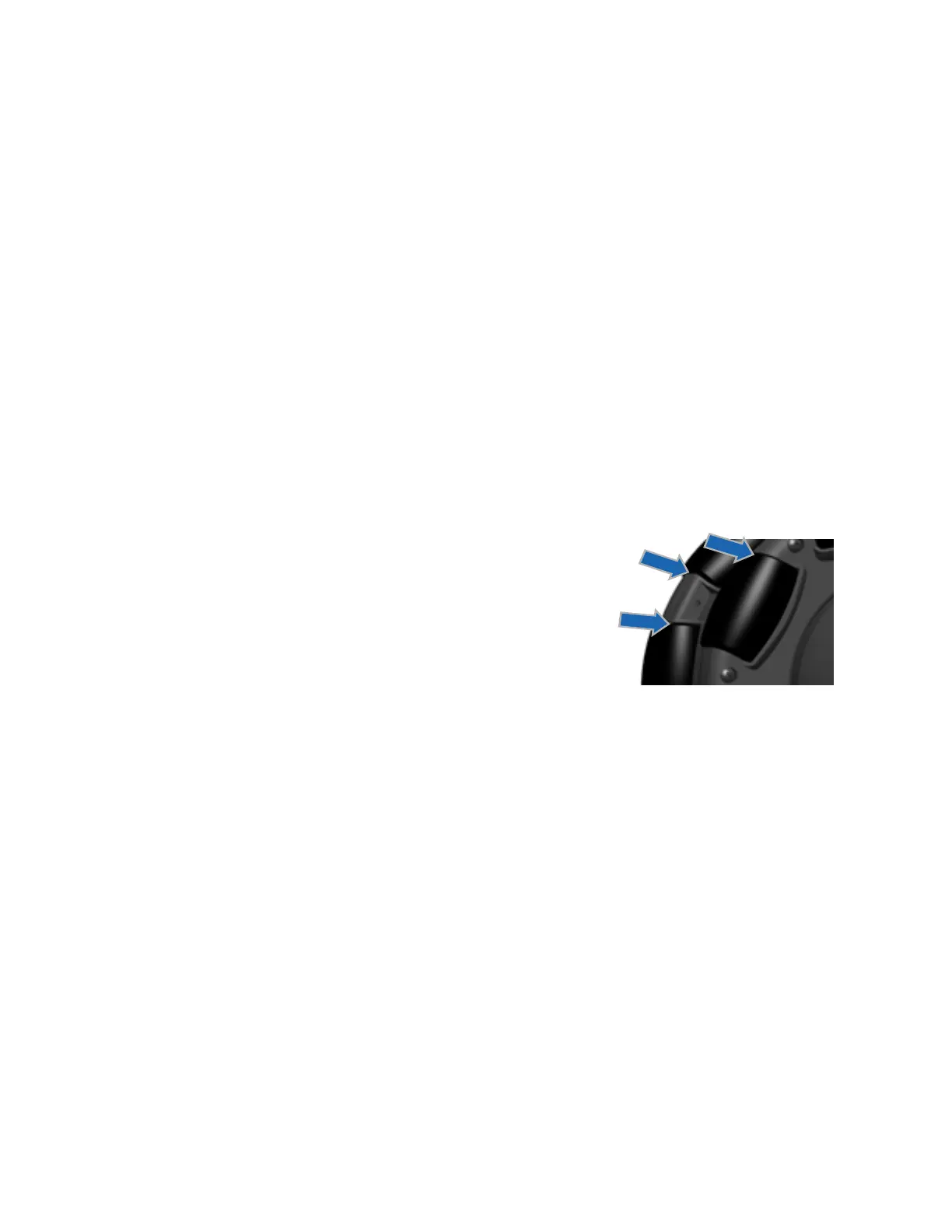
The omni-drive wheel contains 16 or 18 rubber rollers that may wear down, depending
on driving conditions, after extensive use. These rollers are able to be replaced. Also,
in snowy climates, salt may cause corrosion to the bearings on these rollers and affect
their performance. Spraying lubrication on these bearings will increase their usable lives
[see graphic to the right]. Contact your mobility equipment dealer or Customer Support
for information on replacing / maintaining the rollers on your SmartDrive.
Other Maintenance
Contact Customer Support or your mobility equipment dealer for any other maintenance or replacement that the device
might need.
Download and connect to the App regularly to ensure your device is running the latest firmware, as features are added and
improvements are made.


 To Next Page
 Loading...