EN - SmartDrive MX2+ User’s Manual 6
WARNINGS
- Do not operate hand-held transceivers (transmitters-receivers), such as citizens band (CB) radios, or turn on personal
communication devices, such as cellular phones, while the power assist is ON.
- Be aware of nearby transmitters, such as radio or TV stations, and try to avoid coming close to them.
- If unintended movement occurs, turn the power assist OFF as soon as it is safe.
- Be aware that adding accessories or components to your wheelchair may make it more susceptible to EMI [Note: There
is no easy way to evaluate their effect on the overall immunity of the device].
- Report all incidents of unintended movement to Customer Support, and note whether there is a source of EMI nearby.
USA / Canada: This device complies with Part 15 of the FCC rules. Operation is subject to the following two conditions: (1) This
device may not cause harmful interference, and (2) this device must accept any interference, including interference that may
cause undesired operation. Any changes or modifications not expressly approved by the party responsible for compliance could
void the user’s authority to operate the equipment.
Bluetooth Wireless Communication
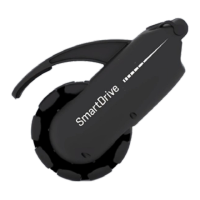
Bluetooth wireless communication [2.4 GHz frequency band] is used by the PushTracker / E3 to communicate to the
SmartDrive when to activate / deactivate the power assist, send and receive signals from a smartphone, etc. The
PushTracker / E3 must be within 25 ft (8 meters) of the SmartDrive / smartphone to connect and communicate. The maximum
output power of this technology is 10 mW, and the operation of this device in close proximity to other wireless devices [i.e.
electromagnetic security systems, Bluetooth headsets, etc.] could cause the device to lose connection. Power assist is always
deactivated whenever the motor is driving and there is a loss of connection; the SmartDrive will beep and PushTracker / E3 will
also give indication when this happens. Worst case coexistence testing was performed on the device to ensure its safety and
effectiveness. Please contact Customer Support immediately for troubleshooting if continuous connection issues are
experienced with the device.


 To Next Page
 Loading...