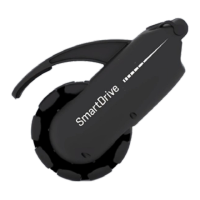
EN - SmartDrive MX2+ User’s Manual
Must be completed to ensure customer satisfaction.
SmartDrive MX2+ Training Certification
It is important for your safety and the safety of those around you that you are properly trained to use the SmartDrive.
Please take this training seriously and be sure to fill in all information. If you do not understand something, just ask.
SmartDrives are shipped ready-to-use [for SpeedControl], in Momentary Control Mode [for SwitchControl] and MX2+ Control
Mode [if used with PushTracker / E3] with moderate Max Speed and Acceleration settings. This allows for familiarity and the
different deactivation to be practiced prior to extensive use.
To quickly change the SmartDrive settings and get the most out of your SmartDrive, download the PushTracker mobile
(smartphone) app in the Apple or Google Play Store. There are also instructional videos available at www.permobil.com that
are very helpful in learning all about your SmartDrive [use the Closed-Caption for subtitles in other languages].
1 Read ALL provided manuals / instructions / guides. Please heed all the warnings and cautions in yellow, as this information is
important for your safety. Pay close attention to situations where it is safest and necessary to turn the SmartDrive power assist
OFF [via SpeedControl, SwitchControl and PushTracker / E3] .
2 Demonstrate each of the skills to your dealer and check them off once you are confident with each skill:
Making sure power assist is OFF, install the PushTracker / E3 onto your wrist [if used]. Understanding that power assist should
be OFF whenever handling the SmartDrive [or transferring into / out of our chair], switch the SmartDrive on and install it onto
your wheelchair.
Use the SpeedControl dial or SwitchControl button(s) to turn power assist ON, noting the LED flashing, then activate the
motor, using the SpeedControl dial or SwitchControl button(s), according to the operating instructions. Next, deactivate the
driving, then brake to stop the wheelchair. Finally, turn power assist OFF again with the SpeedControl / SwitchControl. Repeat
this, activating and driving multiple times before turning power assist OFF, always noting the LED indication.
Turn the power assist ON [via SpeedControl, SwitchControl and PushTracker / E3] and allow for it to wirelessly connect to the
SmartDrive.
If used with PushTracker / E3:
Before doing anything, practice SINGLE tapping your hand against your handrims with a stiff wrist. You will see the
PushTracker / E3 Indication go red if it’s a good tap. Also practice DOUBLE taps. Continue to practice these taps until you
get it every time.
Activate the motor with a DOUBLE tap, SINGLE tap to set a slow coast speed and finally DOUBLE tap then brake to stop.
Activate the motor again with a DOUBLE tap, this time setting a faster coast speed, and then DOUBLE tap brake to stop.
Once you have perfected the tapping needed by the PushTracker / E3 to activate / set the coast speed / deactivate the
motor, try to activate the motor, set a comfortable coast speed, turn in a figure 8, and then tap brake stop.
With PushTracker / E3 power assist ON, also turn SpeedControl or SwitchControl power assist ON, noting the change in
flashing indication. Now use the different controls simultaneously / in combination to understand how you might use each
or both for different environments, situations, etc.
If possible, find a LONG / FLAT / OPEN space to allow the SmartDrive to ramp up to Maximum Speed. Adjust the Maximum
Speed or Acceleration to values that are comfortable in that and all predicted use environments.
If all skills are not able to be performed by the client, try the MX2 [or MX1] and/or Latched control modes, and repeat this training.
3 Sign this form below and have the provider keep with the client’s records.
SmartDrive Serial Number: Date:
Client: I certify that I have read all the User’s Manuals / labeling and demonstrated the skills checked above. I accept that
the SmartDrive can be dangerous if not used carefully, and I take responsibility for making responsible driving choices
while using it. I understand there are many situations where the power assist should be turned OFF to prevent it from
unintentionally powering forward, including: downhill slopes, up or down curbs, climbing large sidewalk cracks, while in
confined spaces, before handling either the PushTracker / E3 or SmartDrive, whenever parked and / or transferring into / out
of my wheelchair.
Client name and signature:
Provider: I have observed the client performing the skills checked above.
Provider name and signature:
CUT OR TEAR HERE IF NEEDED


 To Next Page
 Loading...