
EasyManua.ls Logo

Perrot Water Control+ SC - User Manual

Perrot Water Control+ SC
34 pages
Print Icon
To Next Page IconTo Next Page
Loading...
TDP072d+e.doc Rev.07.07.2015 SeitePage1/64
PerrotREGNERBAUCALWGmbHIndustriestraße1929/D75382Althengstett/Germany
Telefon:004970511620/Fax:00497051162–133
Email:perrot@perrot.de/EmailKonstruktion:technik@perrot.de
Bedienungs‐undWartungsanleitung
OperationandMaintenanceManual
PERROT
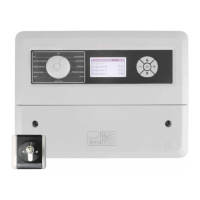
SteuergerätWaterControl+SC
ControllerWaterControl+SC
ZW99513

Questions and Answers

  • L
    Lori LawrenceAug 1, 2025
    What to do if automatic irrigation does not start on my Perrot Water Control+ SC?
    • D
      Donna RogersAug 2, 2025
      If automatic irrigation doesn't start, ensure the controller is set to AUTO mode by turning the dial to AUTO. Also, verify that the start time is correctly set and that watering days have been specified in the program.
  • C
    Carrie ElliottAug 5, 2025
    Why does my Perrot Water Control+ SC display irrigation in progress, but the valve doesn't open?
    • K
      Kayla MooreAug 5, 2025
      If the display indicates irrigation is in progress but the valve remains closed, several factors could be at play. It could be due to no voltage on the valve coil, in which case you should check the cabling and measure the coil voltage. Alternatively, the valve coil might be faulty and need replacement. Insufficient water pressure, stemming from a pump or pump relay issue, could also be the cause. Lastly, a lack of voltage at the valve output might necessitate replacing the output module.
  • K
    kingtimothyAug 10, 2025
    How to fix a blank display on my Perrot Controller?
    • E
      Elizabeth JohnsonAug 10, 2025
      A blank display could indicate several issues. First, check the mains parameters (230V/50Hz) to ensure the unit is properly connected to the mains and there isn't a power cut. If the power supply is correct, inspect the fuse and replace it if blown, using type T200mA 250V. If these steps don't resolve the issue, the motherboard may be defective, requiring replacement of the controller.
  • D
    Douglas RogersAug 14, 2025
    What to do if my Perrot Water Control+ SC Controller screen displays (check)?
    • J
      Joseph WilkinsAug 14, 2025
      If the screen displays '(check)', it indicates a short-circuited or overloaded output. To resolve this, remove the short circuit and unplug the controller from the mains to reset it.
  • A
    Alexandra VincentAug 19, 2025
    What to do if irrigation is switched off, but the valve is open on my Perrot Controller?
    • J
      Judith VargasAug 19, 2025
      If irrigation is switched off, but the valve remains open and the LED of the active station is off, it could be due to voltage on the coil or a faulty expansion module, suggesting the need to replace the output module. Another possibility is that there is no voltage on the coil, but the valve is mechanically damaged, in which case you should check the valve.
  • I
    iramosAug 23, 2025
    Why is the time and day not correct on my Perrot Water Control+ SC Controller?
    • N
      Nancy RobbinsAug 23, 2025
      If the displayed time and day are incorrect, it is likely due to a long-term power outage. In this case, you should set the time and day again.
  • S
    Savannah MillerAug 27, 2025
    What to do if my Perrot Water Control+ SC detects no signal from the sensor?
    • J
      Johnathan McdonaldAug 27, 2025
      If no signal is detected from the sensor, first check the wiring to ensure the sensor is correctly connected. Then, verify that the station or sensor is activated. Also, check the distance between the sensor and the switching cam; if it's too large, try holding a metal piece in front of the sensor to see if a signal is detected.

Summary

1. General

1.2. Warranty Information

Outlines the warranty terms and conditions for the controller and its coverage.

2. Safety

Safety Symbols and Risks

Explains safety symbols and details risks associated with ignoring safety instructions.

3. Description

4. Installation

4.1. Wall Mounting

Provides instructions and diagrams for securely mounting the controller housing to a wall.

4.2. Wiring Diagram Overview

Presents comprehensive wiring diagrams for connecting various components to the controller.

5. Initial Startup

Key Functions and Time Setting

Details the functions of the controller's keys and the procedure for setting the current date and time.

Sector Scout System

Module Setup for Sector Scout

Details how to configure modules and assign stations for Sector Scout sprinklers.

Calibrating Sprinkler Sensor Position

Explains how to set the 'parking position' or home position for sprinklers using sensor calibration.

Automated Calibration and Manual Positioning

Covers auto-calibration, manual positioning, and calibrating all stations for Sector Scout.

6. Maintenance

7. Troubleshooting

Common Problems and Solutions

A table listing common operational issues, their causes, and suggested remedies.

Perrot Water Control+ SC Specifications

General IconGeneral
TypeIrrigation Controller
Power Supply24 V AC
Weather ResistanceYes
CommunicationWiFi
Control MethodApp
CompatibilityAndroid, iOS