www.petsafe.net 9
FR ITNL DEEN ES
.
Check Operational Modes Before
Installation
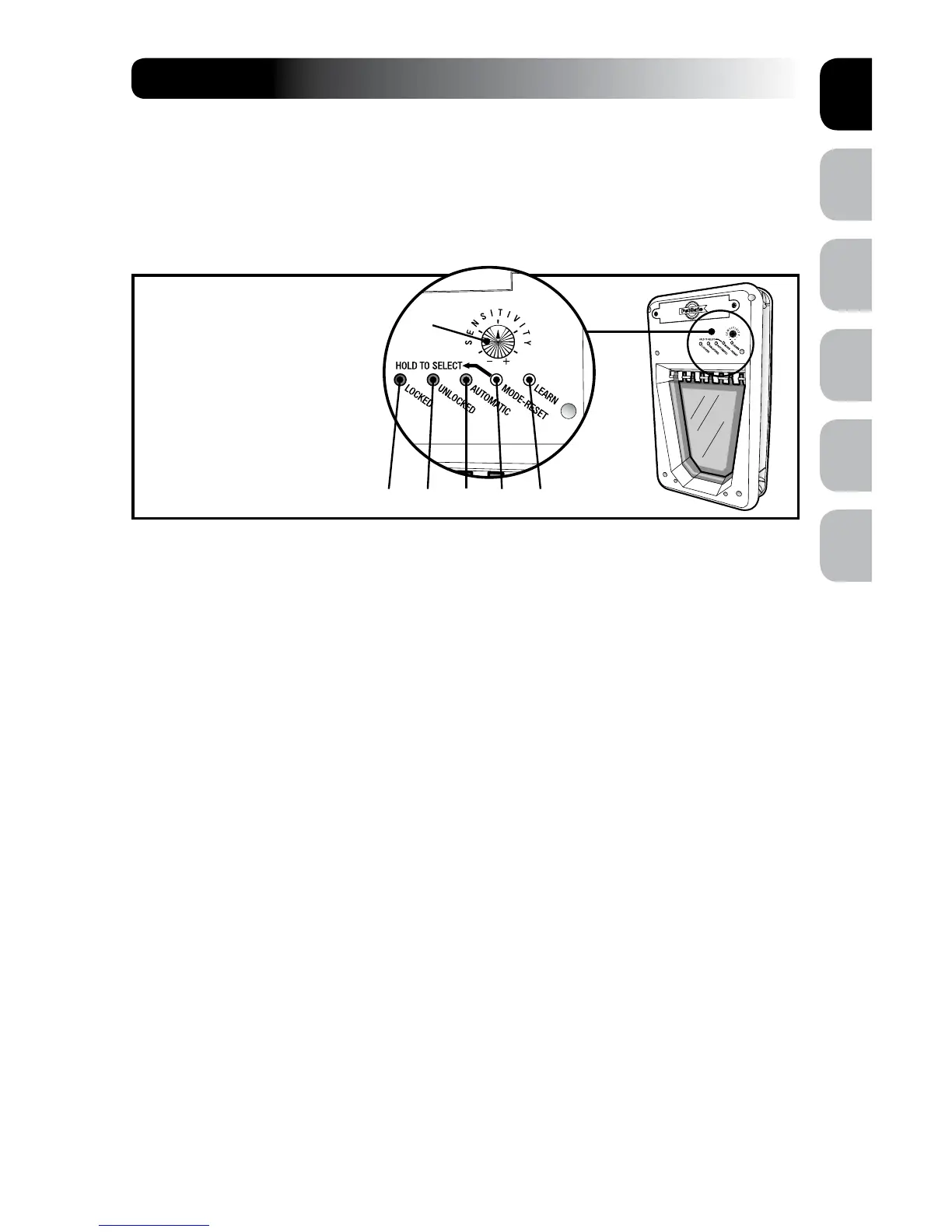
Operational Indicators
• To check if operational settings are working properly, hold down the MODE-RESET
button until each operational mode has cycled through once to allow red, green and
yellow lights to illuminate one at a time.
Operational Modes
LOCKED Mode – Does not allow entry or exit for any pet. The Pet Door ships from the
factory in LOCKED Mode and when batteries are placed in the Pet Door, it will enter
LOCKED Mode. To set: hold the MODE-RESET button until red light illuminates and
release when selected.
UNLOCKED Mode – Allows entry and exit for all pets. To set: hold the MODE-RESET
button until the green light illuminates and release when selected.
AUTOMATIC Mode – Allows entry and exit for a pet wearing a programmed
SmartKey
™
Electronic Key. To set: hold the MODE-RESET button until the yellow
light illuminates and release when selected. Five SmartKey
™
Electronic Keys can be
programmed to one SmartDoor
™
Electronic Pet Door for selective entry and exit during
AUTOMATIC Mode.
NOTE: If at any time the red light remains illuminated, replace with a set of fresh
batteries. If that does not reset the red light, please call our Customer Care Centre for
additional help. If any part of step 3 was unsuccessful, please call our Customer Care
Centre for additional help.
STEP 3
B C D E F
A
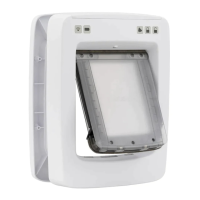
SmartDoor
™
Electronic Pet Door
A. Sensitivity Knob
B. Locked or Low Battery Red
Indicator
C. Unlocked or Learn Mode Green
Indicator
D. Automatic or Error Mode Yellow
Indicator
E. Mode-Reset Selection Button
F. Learn Mode Button






 To Next Page