8:19
Embroidery mode - edit
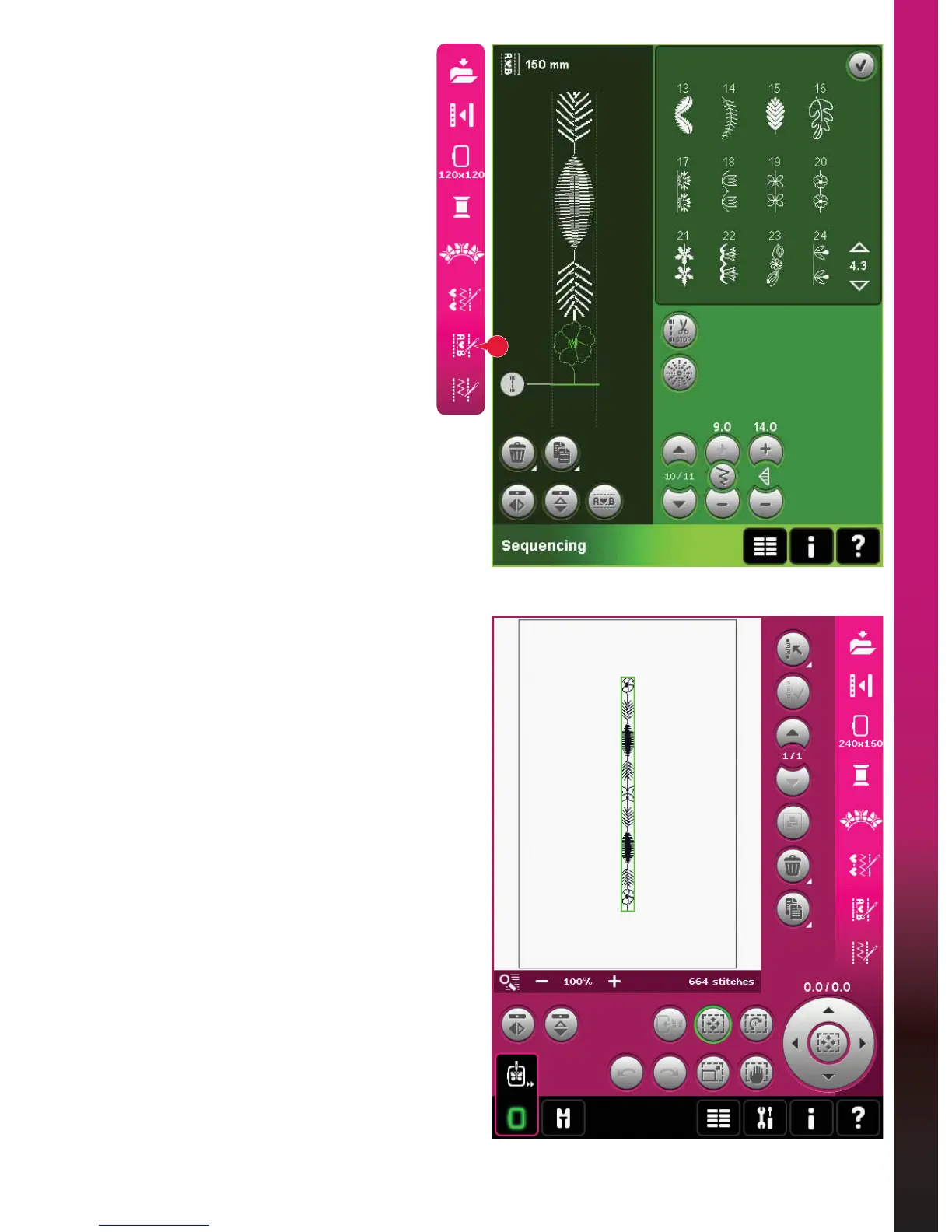
27
(PEURLGHU\VWLWFKHGLWRUH[DPSOH
1. Enter Embroidery edit.
2. To create a sequence, open sequencing by
touching the icon on the option bar (27).
Select stitch number 4.3.20, then 4.3.15,
4.2.1, 4.3.15. Mirror the last inserted stitch
end to end. Insert stitch 4.3.19, 4.3.15,
4.2.1, 4.3.15. Mirror the last inserted stitch
DQGÀQDOO\DGGVWLWFK
3. Close sequencing by touching OK in the
top right corner. The sequence is loaded
to Embroidery edit.











 To Next Page