29
3.3 Getting started: Setting the Shutter Release, Focus,
Exposure and Metering modes
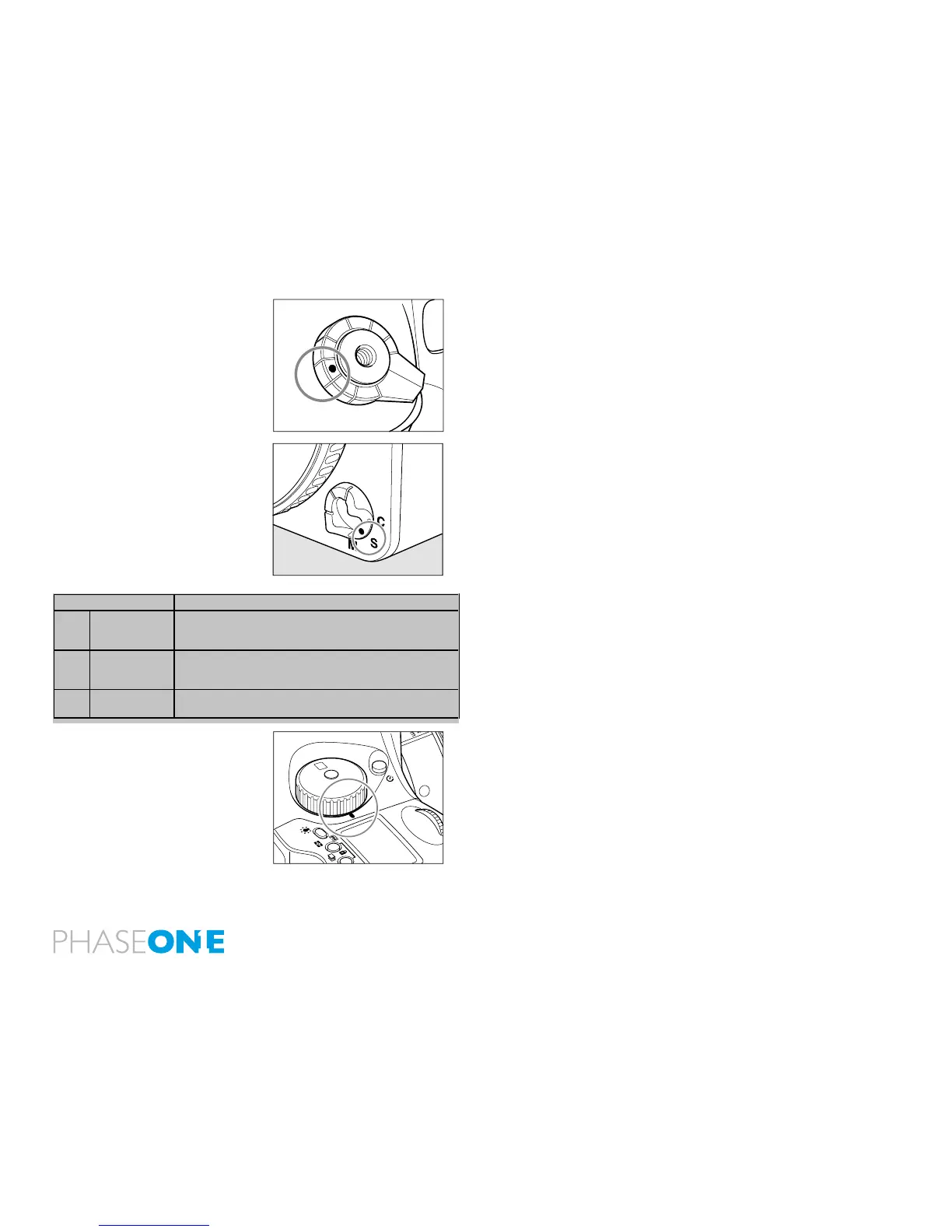
1. Set the Shutter Release mode selector lever to S (single-frame
advance mode).
There are two shutter release (drive) modes: S (single frame advance
mode) and C (continuous advance mode). When set to L the power is
turned off.
2. Set the Focus mode selector lever to S (Single focus mode).
There are three Focus modes: S (single focus mode), C (Continuous
focus mode) and M (Manual focus mode). See page 33 for more
information.
3. Set the exposure mode dial to P (Program auto exposure).
There are four exposure modes:
P (Program Auto Exposure)
Av (Aperture Priority AE)
Tv (Shutter Priority AE)
M (Manual)
N.B. Av stands for Aperture Value but is referred to as Aperture Priority
AE. Tv stands for Time Value but is referred to as Shutter Priority AE.
C
S
L
M.UP
Focus Mode Focusing
S Single focus
mode
Half-press the shutter release button to focus. When the
focus mark lights, the focus is xed and the shutter can be
released.
C Continuous
focus mode
The camera keeps focusing continuously while the shutter
release button is half-pressed. The shutter can be released
regardless of whether or not the focus mark is lit.
M Manual focus
mode
Focus manually.
P
Av
Tv
M
X
CF
C1
C2
C3



 To Next Page