71
6.6 Delete and Rating
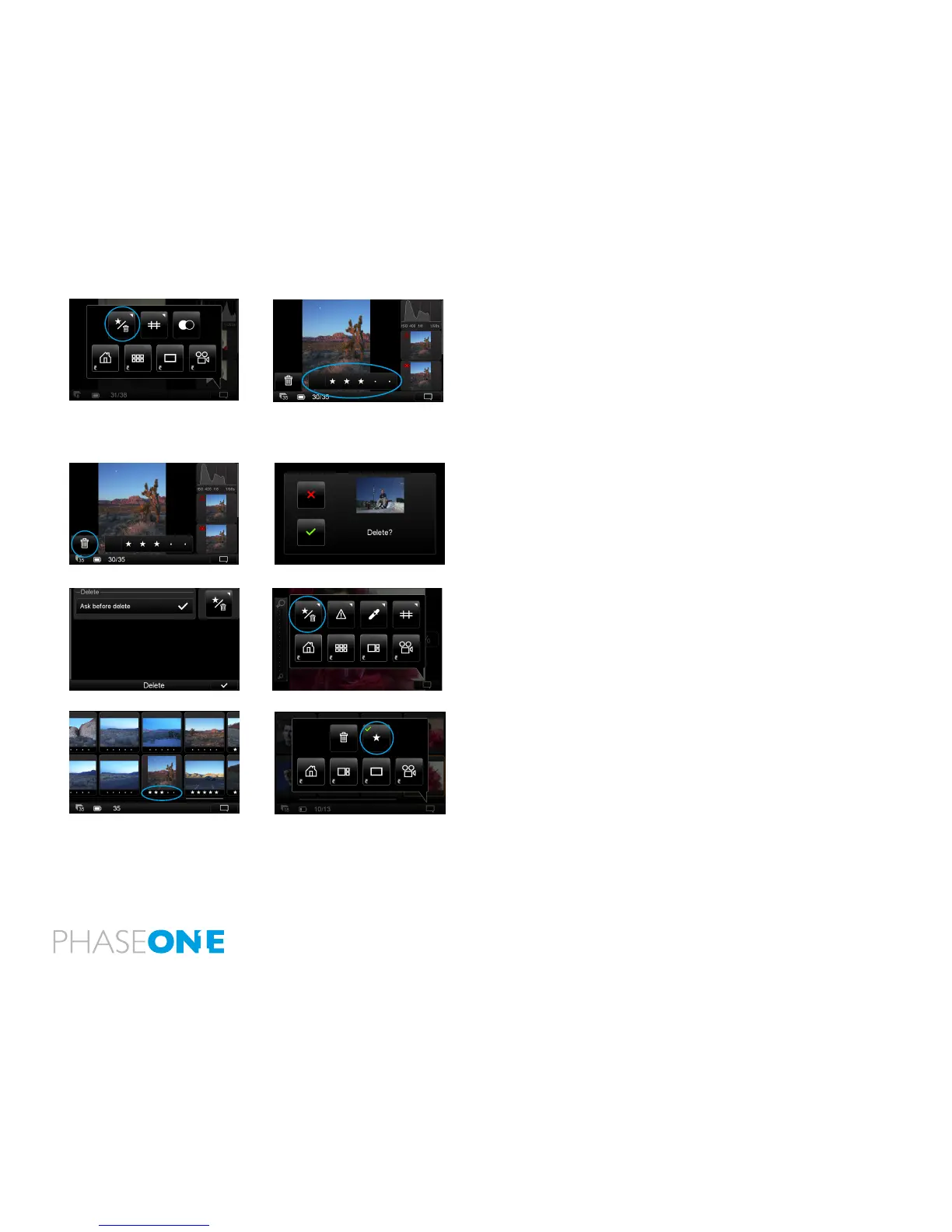
Choose the top left button in the Context . A grey bar will appear at
the bottom of the screen when reviewing in Full Screen or in the Tool
View. Tap the dot in the grey bar to select a star rating from 1 to 5.
Alternatively, swipe your nger along the bar to choose a star rating.
Press the blank grey area on the left of the bar to deselect a star rating
to 0 (zero). Ratings will be recognized in Capture One when they are
imported from a memory card.
Press the trash button to Delete an image. A ‘conrm delete’ screen will
appear. Press the green check mark to permanently delete the image or
press the red cross to cancel.
To remove the Delete/Rating icon from view, press the Context menu
icon and press the same top left button. Long press the Star/Trash icon
in the Context menu to turned off the ‘conrm delete’ screen.
Star ratings can be seen in the Thumbnail view by pressing the Context
menu and selecting the Star button.



 To Next Page