Operation Guide 250ML Lighting Control Consoles
19 CONSOLE SETUP
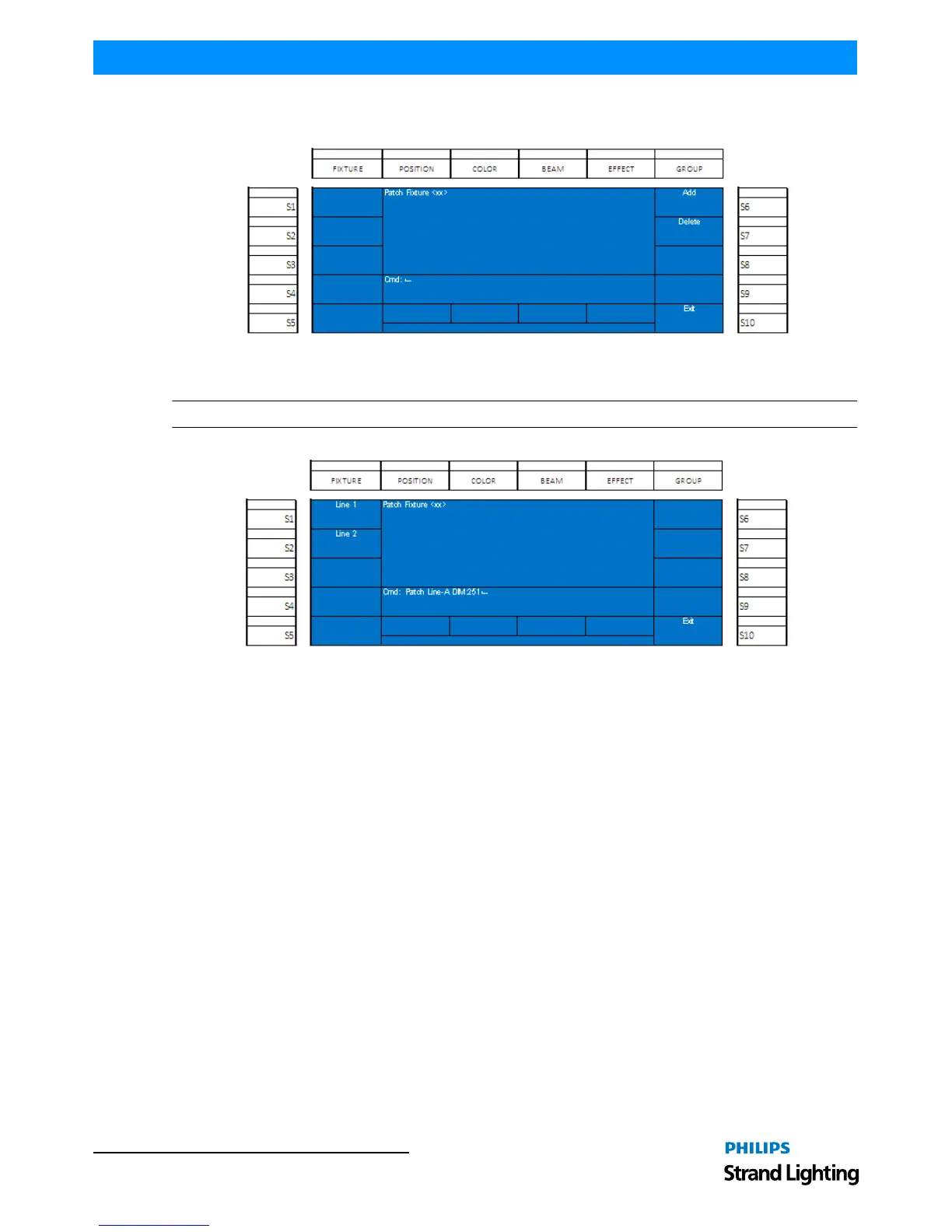
You will see the Patch menu but the newly assigned intelligent fixture shall be available on the appropriate softkey. In
this case, (S1). Select (S1).
Figure 20: Patch Menu - Patching Fixtures Screen
Select (S6 - Add).
Note: If you are clearing out the DMX assignment of a particular fixture, pressing (S7 - Delete) will accomplish this.
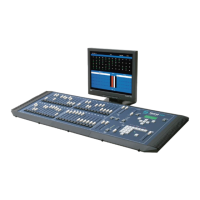
Figure 21: Patch Menu - Assigning Fixtures
Select (S1 - Line 1) for the first universe of DMX512. This will be 1 thru 512.
Select (S2 - Line 2) for the second universe of DMX512. This will be 513 thru 1024.
Notice that the first available DMX512 address is automatically populated on the command line. That's 251 for DMX
universe 1 and 513 for DMX universe 2.
To accept the default press [ENTER].


 To Next Page