Operation Guide 250ML Lighting Control Consoles
49 OPERATION
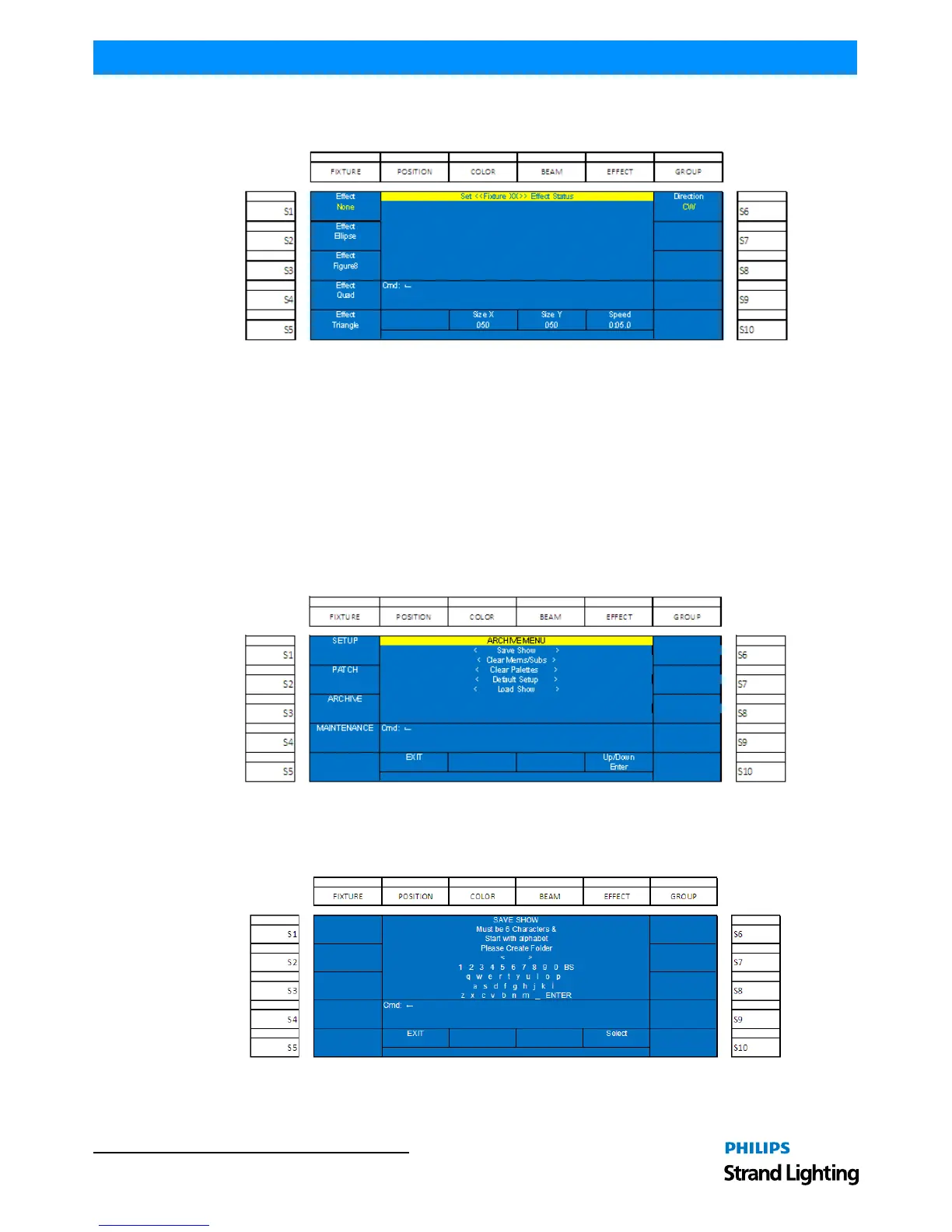
Start by pressing the FIXTURE button and then selecting the appropriate S keys for the fixtures that you want the
effect to apply to. Then press the EFFECT button to present the effect's options on the color screen.
Figure 73: Set Fixture Effect Status
• (S1) thru (S5) preset the prebuilt effect options. (S1 - None), (S2 - Ellipse) or an Oval, (S3 - Figure 8) or a Bally-
hoo, (S4 - Quad) or Square, and (S5 - Triangle). The effect that is selected will appear in yellow text.
• (S6 - Direction): determines the direction of the movement. Options are Clockwise and Counterclockwise.
• Encoder B - Size X: determines the scale of the movement on the X axis.
• Encoder C - Size Y: determines the scale of the movement on the Y axis.
• Encoder D - Speed: determines the speed at which the effect operates.
22. Archive
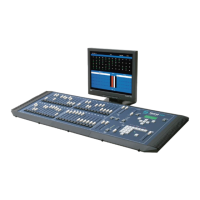
The Archive screen in Setup allows many utility actions to occur.
Figure 74: Archive Menu
Save Show
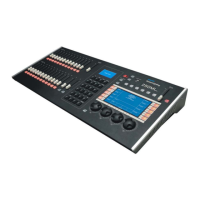
This will allow the saving of the showfile onto a USB key.
Figure 75: Save Show Menu
Using Encoder D, scroll up/down to highlight Save Show and press down on Encoder D to select.


 To Next Page