Operation Guide 250ML Lighting Control Consoles
21 CONSOLE SETUP
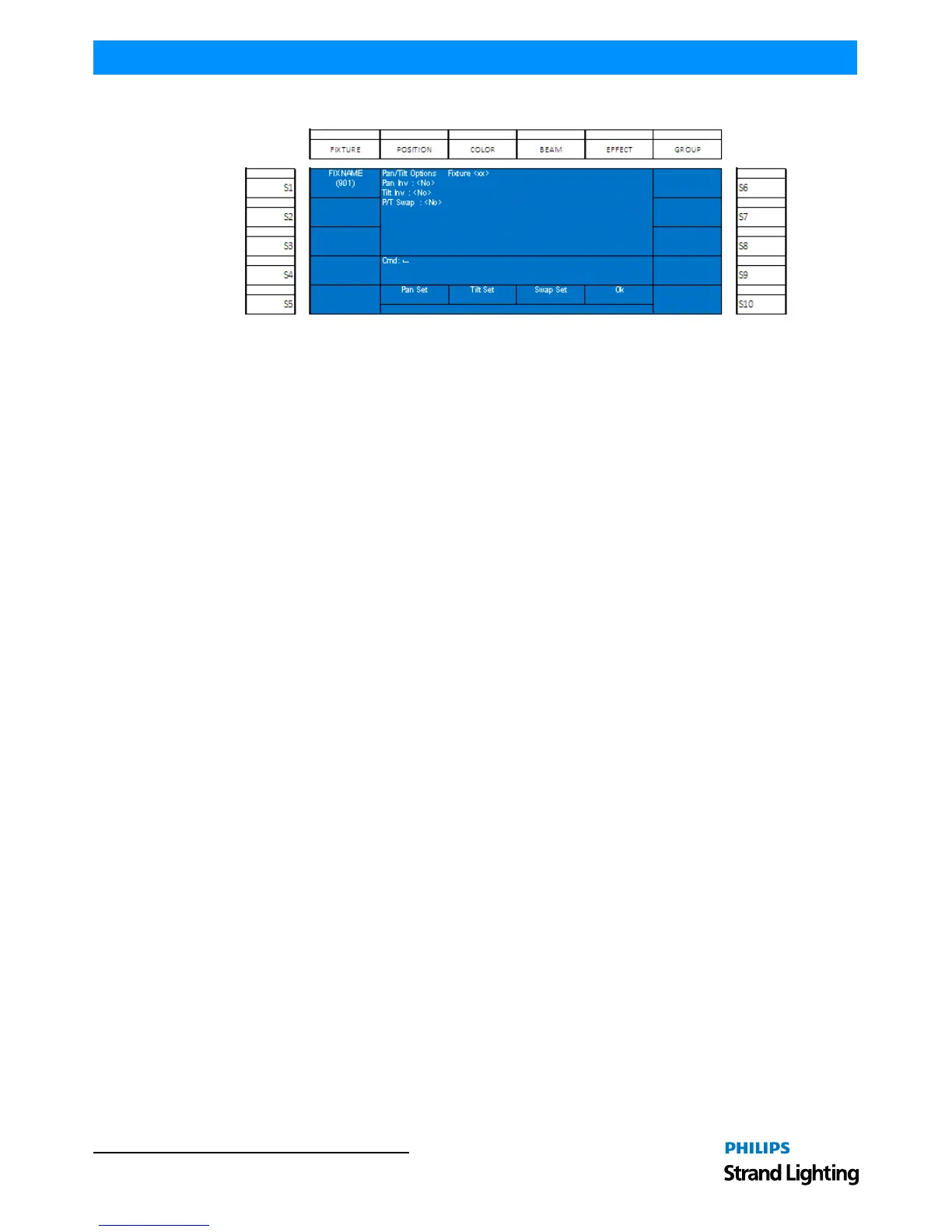
From the Patch menu, roll Encoder D to highlight Pan/Tilt Options and press down on Encoder D to select.
Figure 25: Patch Menu - Pan/Tilt Options
Select the fixture to adjust (S1 in the example's case) then use the appropriate encoders to change the setting.
• Pan Invert - shall invert the pan values so that clockwise movement on the encoder shall lower the pan value.
• Tilt Invert - shall invert the tilt values so that clockwise movement on the encoder shall lower the tilt value.
• Pan / Tilt Swap - shall allow the pan encoder to affect tilt and the tilt encoder to affect pan.


 To Next Page