Operation Guide 250ML Lighting Control Consoles
33 OPERATION
S7 - Del Page Sub:
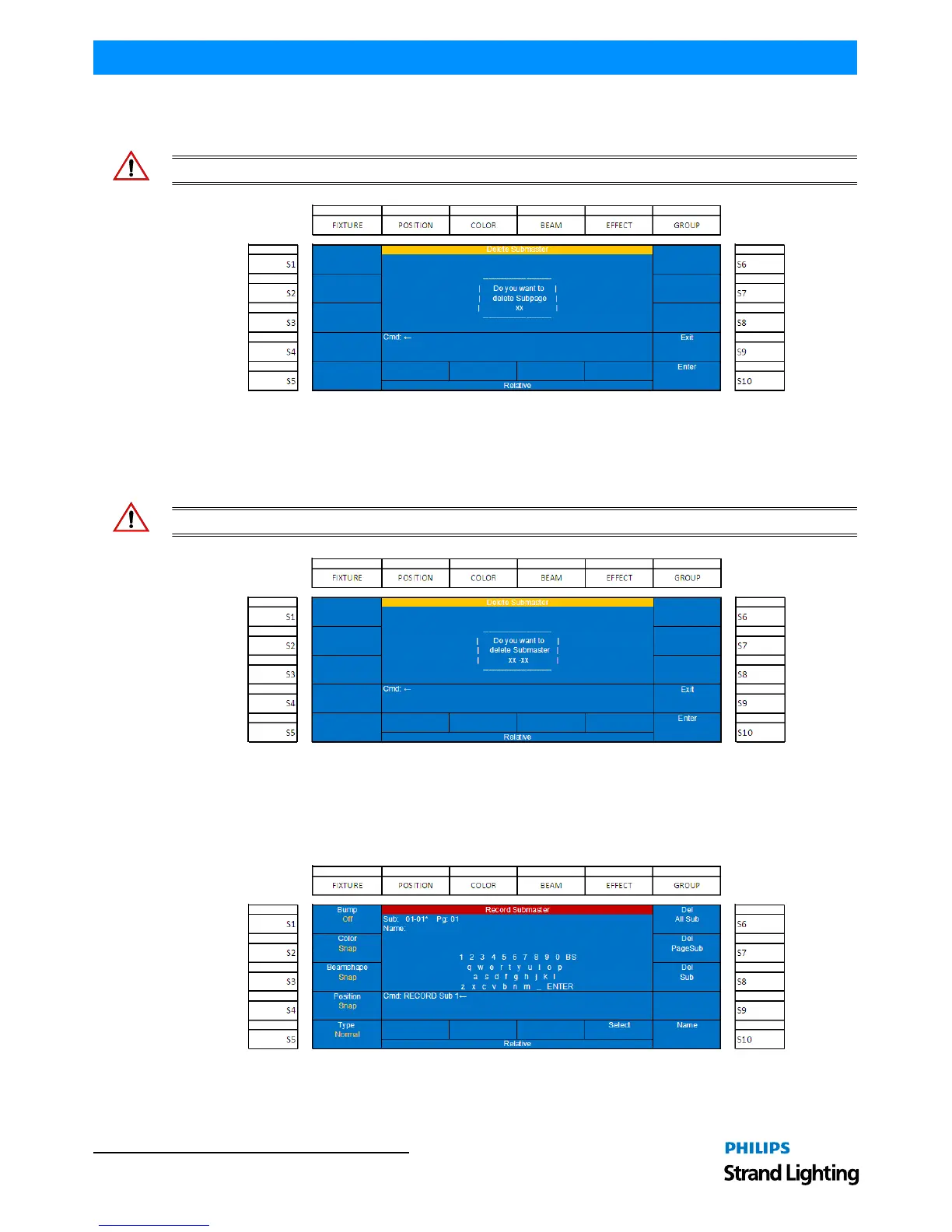
This setting, as shown in Figure 45, allows the ability to delete all stored submasters from the current page.
WARNING! Once executed, this command cannot be reversed.
Figure 45: Delete All Subpages (Del Page Sub) Screen
S8 - Del Sub:
This setting allows the ability to delete the selected submaster. Note, the XX-XX indicates SubPage - Submaster.
WARNING! Once executed, this command cannot be reversed.
Figure 46: Deleting Selected Submaster (Del Sub) Screen.
S10 - Name:
This option allows the ability to label the submaster. Pressing (S10 - Name) shall bring up the following screen for
labeling.
Figure 47: Adding a Label (Name) to a Submaster


 To Next Page