10
Plugging in the AC power cord
Warning
Verify that your power voltage corresponds with the voltage printed at the back of the
V. Do not insert the AC power cord if the voltage is different
onnect the AC power cord plug to the power outlet. Ensure that the
cor
s t
g
t
y secure
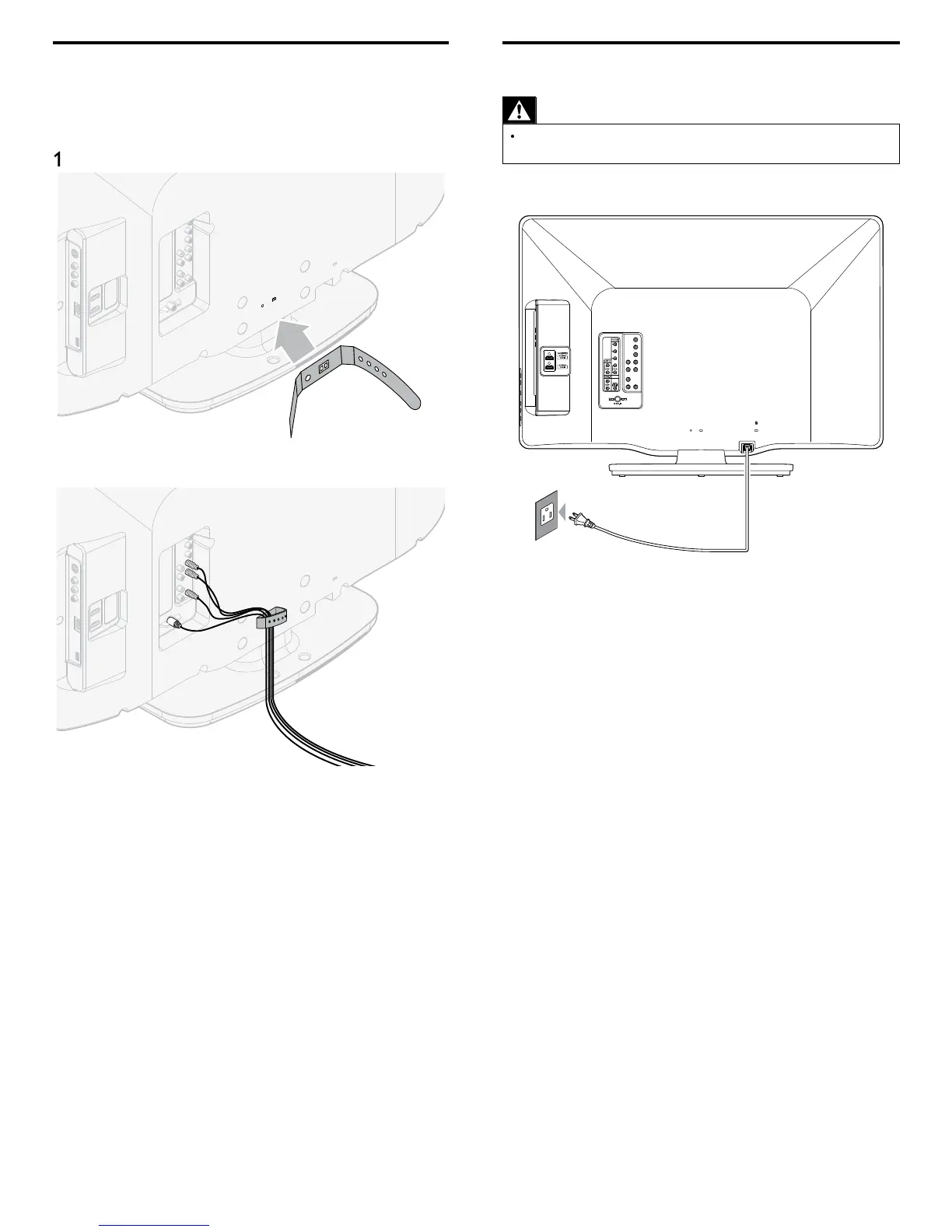
Managing cables
oute your antenna ca
e an
a
ot
er ca
es t
roug
t
e ca
e
management tie at the back of the TV. The holder helps keep you
ca
es t
y an
eas
y managea
e
ttach the cable management tie as illustrated below
2
ass ca
es t
roug
t
e ca
e management t
e to avo
tang
es











 To Next Page