28
Selecting your connection quality
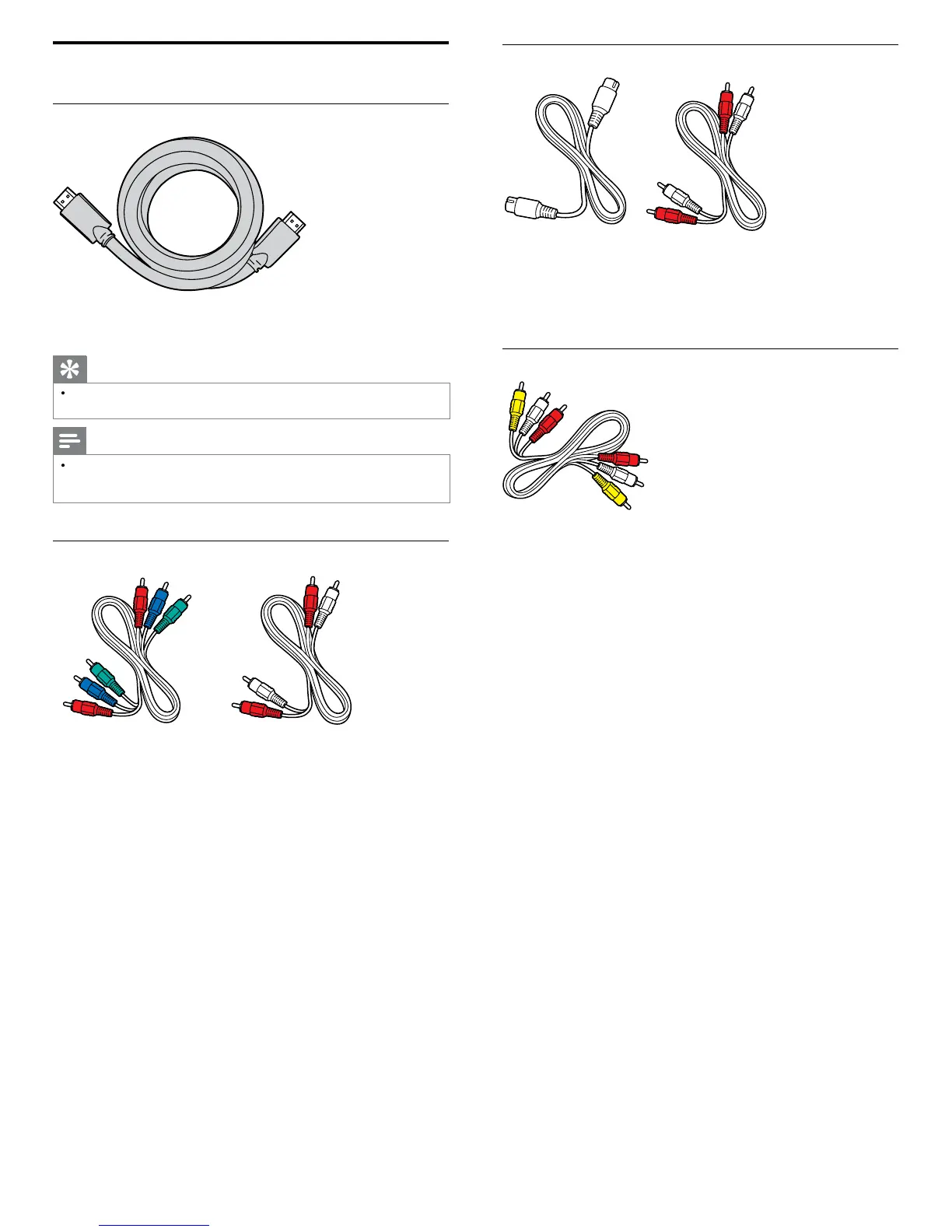
HDMI - Highest quality
upports high-defi nition signals and gives highest picture and sound
qua
ty.
eo an
au
o s
gna
s are com
ne
n one ca
e.
ou must use
HDMI for full high-defi nition video and to enable Philips EasyLink
Tip
To connect to a PC without an HDMI connector, use a HDMI-DVI ada
tor and a
se
arate au
o ca
e
Note
Philips HDMI supports HDCP (High-bandwidth Digital Contents Protection). HDCP
s a form of Digital Rights Management that protects high defi nition content in DVD
or
u-ray
scs
Component (Y Pb Pr) - High quality
omponent video cable (red / green / blue) and audio L/R cable (red / white)
upports high-defi nition signals but gives lower picture quality than
HDMI. Component cables combine a red / green / blue video cable with
a red / white audio L/R cable. Match the cable colors when you connect
o t
e
S-Video - Good quality
-Video cable and audio L/R cable (red / white)
or analo
connections. Use an S-Video cable to
ether with an audio
L/R cable
Composite - Basic quality
omposite video / audio cable (yellow / red / white)
or analog connections. Composite cables usually combine a yellow
video cable with a red / white audio L/R cable. Match the audio cable
co
ors w
en you connect to t
e











 To Next Page