16
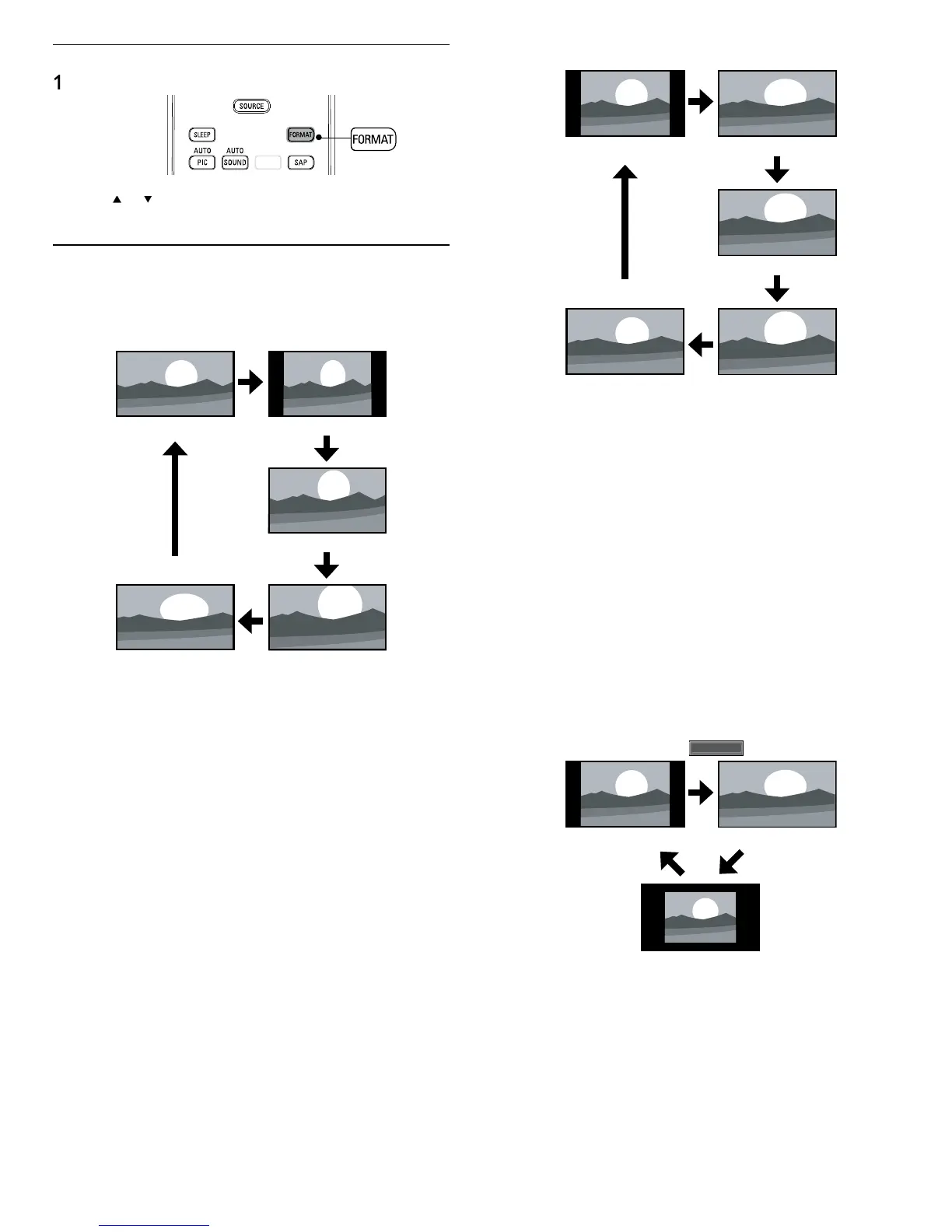
For 4:3 video signal
orma
6:9
i
e
ovie
xpan
oom
orma
Dis
la
a 4:3
icture at its ori
inal size. Sidebars a
ear on both
ed
es of the screen
6:9
Display a 4:3 picture at a 16:9 size; the picture is stretched
orizontally to fi ll the screen
ovie
xpan
Display a 4:3 picture at a 16:9 size; the picture is stretched more
ertically at the top of the screen. This crops out the top of the
p
cture
oom
Display a 4:3 picture at a 16:9 size; at its maximum size that is more
ertically stretched to fi ll the screen. This crops out the top and
ottom of the picture
i
e
sp
ay t
e p
cture w
t
ts center at t
e or
g
na
s
ze an
t
e e
ges
tretched horizontally to fi ll the screen
For PC input signal
roug
HDMI1
input mo
e
orma
u
nsca
e
orma
Display a proportionately stretched picture. Sidebars appear on
oth edges of the screen
u
Display a picture that is stretched out of proportion to fi ll the
screen
nsca
e
s
a
a
cture
n
ts or
na
s
ze
Changing picture format
ress FORMAT on t
e remote contro
2
ress
o
to select a picture format and press
to confi rm
our c
o
ce
Summary of picture formats
sp
ay mo
es can
e se
ecte
w
en t
e
roa
cast
ng stat
on
s sen
ng
6:9 or 4:3 video signal. And 3 types of display modes can be selected
for PC input signal
For 16:9 video signal
orma
4:3
i
e
ovie
xpan
oom
orma
Display a 16:9 picture at its original size
4:3
Dis
la
a 16:9
icture at a 4:3 size; the
icture is shortened
horizontall
. Sidebars a
ear on both ed
es of the screen
ovie
xpan
Display a 16:9 picture that is vertically stretched to fi ll the screen
his only crops out the top of the picture
oom
Dis
la
a 16:9
icture at its maximum size without chan
in
its
or
zonta
an
vert
ca
rat
o
i
e
Display a horizontally stretched picture. This crops out the left and
right sides of the picture











 To Next Page