17
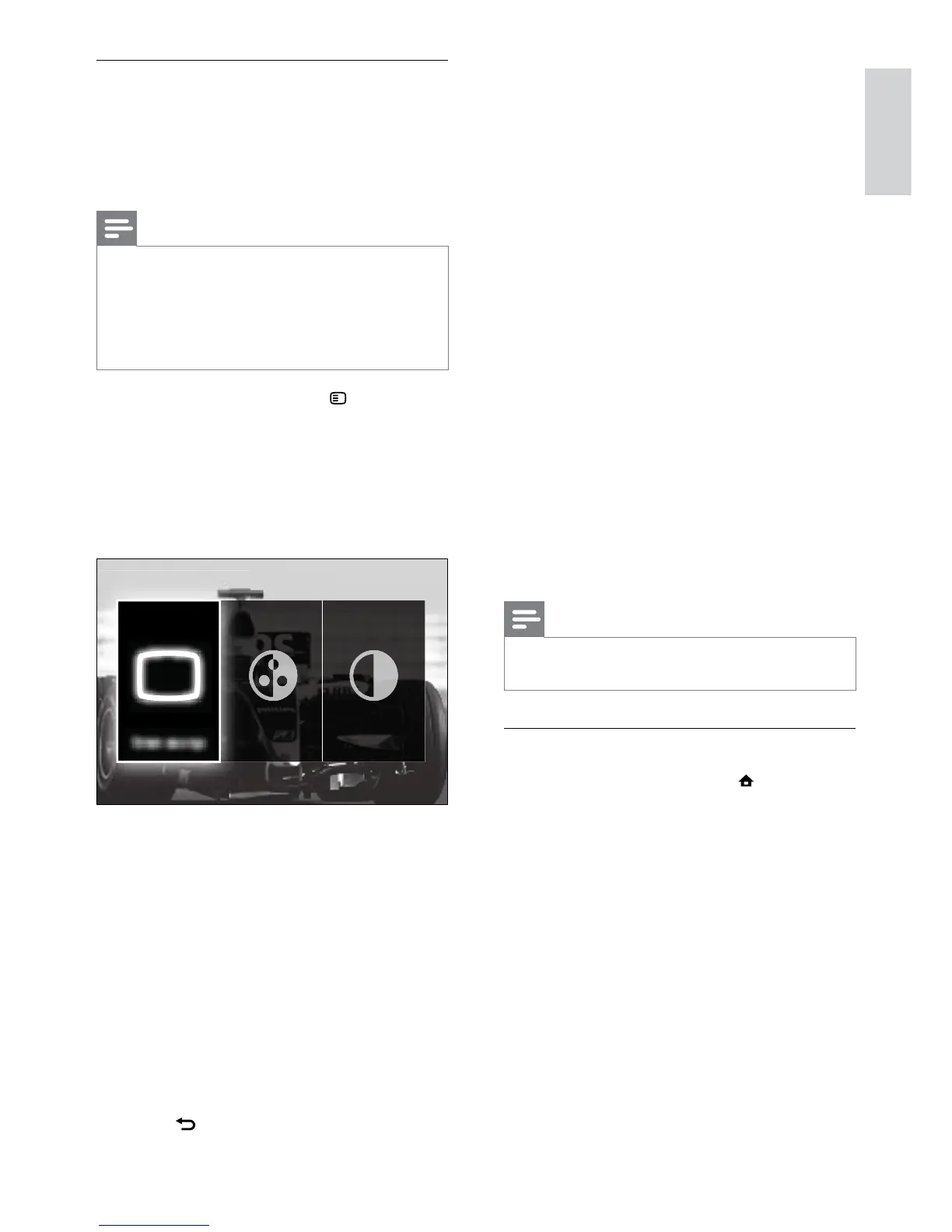
The following settings can be congured via
the [Picture and sound] experience bar.
• [Smart settings]Applies pre-dened
picture and sound settings.
• [Colour]Adjusts colour saturation.
• [Contrast]Adjusts the intensity of bright
areas, keeping dark areas unchanged.
• [Bass]Adjusts the bass level.
• [Treble]Adjusts the treble level.
• [TV speakers]Turns on or off TV
speakers. If [Automatic (EasyLink)] is
selected, the TV speakers are switched
off when content from an EasyLink-
compliant home theater system is
detected.
• [Ambilight active mode]Sets an Ambilight
setting between relaxed and dynamic
levels. This feature is only available when
Ambilight [Colour] is set to [Active
mode].
• [Ambilight]Turns Ambilight on or off.
• [Ambilight brightness]Changes the light
output from Ambilight.
Note
•
[Bass] and [Treble] are not available if [TV
speakers] are set to [Off].
Manually adjust picture settings
1 When watching TV, press (Home).
The home menu appears. »
2 Press the Navigation buttons to select
[Setup].
3 Press OK.
The » [Setup]menu appears.
4 Press the Navigation buttons to select
[Picture] menu appears.
5 Press OK.
The » [Picture] menu appears.
Use the picture and sound experience
bar
Use the [Picture and sound] experience bar
to access frequently used picture and sound
settings.
Note
All picture settings are available via the •
[Picture]menu (see ‘Manually adjust picture
settings’ on page 17).
All sound settings are available via the
•
[Sound]menu (see ‘Adjust sound settings’ on
page 19).
1 When watching TV, press OPTIONS.
The options menu appears. »
2 Press the Navigation buttons to select
[Picture and sound].
The » [Picture and sound] experience
bar appears.
3 Press the Navigation buttons to select a
picture or sound setting to adjust.
4 Press OK.
The picture or sound setting menu »
appears.
5 Press the Navigation buttons to adjust
the picture or sound setting.
6 Press OK to conrm your choice.
The picture or sound setting is »
applied and the [Picture and sound]
experience bar reappears.
7 Press BACK to exit.



 To Next Page